How to Apply for your PMP Exam

Click on the video above to view.

For many project management professionals, obtaining a Project Management Professional (PMP) certification is a crucial career milestone. If you’re ready to take the plunge and apply for the PMP exam, here’s a comprehensive guide to walk you through the process on the PMI website.

1. Create a PMI Account

Start by visiting the Project Management Institute’s website at pmi.org. If you don’t already have an account, you’ll need to create one. Click on “Login” or “Register” and fill out the registration form with your first name, last name, country, email address, and a password. After submitting your details, you’ll be registered and able to access PMI’s services.

2. Navigate to the PMP Application

Once logged in, go to the “Certifications” section and select “Project Management Professional (PMP)”. Click on “Apply Now” to begin the application process for the PMP certification. This will guide you through the necessary steps to complete your application.

3. Input Your Educational Background

Your PMP application requires you to input your educational details. The requirements vary depending on your highest level of education:

With a Four-Year Degree: You need to have 36 months of non-overlapping project management experience.

Without a Four-Year Degree: You’ll need 60 months (5 years) of project management experience within the last 8 years.

Regardless of your educational background, ensure you accurately enter the details of your academic qualifications.

4. Document Your Project Management Education

You must also provide proof of 35 contact hours of project management education. This can be achieved through various training programs, including online courses like those offered on Udemy. Make sure you have the documentation to verify these hours, as it will be required during the application process.

5. Detail Your Project Management Experience

Provide detailed information about your project management experience. This includes:

  • Project Titles: The names of the projects you have worked on.
  • Organizations: The companies where you worked on these projects.
  • Job Titles: Your role or job title during these projects (it doesn’t need to be “Project Manager” but should reflect project management responsibilities).
  • Project Descriptions: Describe your role and responsibilities using Project Management Body of Knowledge (PMBOK) terminology, including the phases you worked in (initiating, planning, executing, monitoring and controlling, and closing).
  • Methodologies: Specify the approach used (e.g., Agile, Waterfall).
  • Project Details: Include the size of the project team, the budget, and the project dates (start and end).

Make sure to account for overlapping projects accurately as PMI will calculate the total project management experience based on the information provided.

It is good practice to notify your previous leaders or managers who can vouch for the projects you did, in the case of an audit by PMI.

6. Provide Exam Details

Once your experience is documented, input your exam location preferences, citizenship information, and the name as it should appear on your certificate (which should closely match your ID). You can also request special arrangements if needed, such as accommodations for disabilities.

7. Agree to Terms and Pay for the Exam

Review and agree to the terms and conditions, confirming that all information is accurate. You will then receive a payment link. The exam fee is $655 (as of this time of writing), or $405 as a PMI member. Often the membership fee is worth it for the discount and other benefits such as access to downloadable versions of the PMBOK Guide, Process Groups Practice Guide and more. Lastly, make the payment.

8. Schedule Your Exam

After processing your payment, you’ll receive a link to schedule your exam. Choose a convenient date and time from the available slots on the calendar provided. You can also reschedule your exam if needed, through your PMI dashboard.

Finding a close exam center is often the most ideal way to do it. Taking your exam at home can be a challenge if your internet is not reliable, there is excess noise around the house, or you don’t have a distraction-free area. On the other hand, some people don’t have test centers close to them and would have to travel hours to get to one. Make the choice that is best for your circumstances.

By following these steps, you can successfully apply for the PMP exam and take a significant step toward advancing your project management career. Good luck with your certification journey!

David McLachlan on LinkedIn

See more PMP articles: 

You can see what people are saying about David McLachlan here: REVIEWS

Navigate to Free Project Management and Leadership Articles through the links on the right (or at the bottom if on Mobile) 
PMI PMP 35 PDUs CourseThe Ultimate PMP Project Management Prep Course (35 PDUs)
Agile Certified Practitioner (PMI-ACP 21 PDUs)The Complete Agile Course: PMI-ACP (21 PDUs), Coaching, Jira and MORE! 
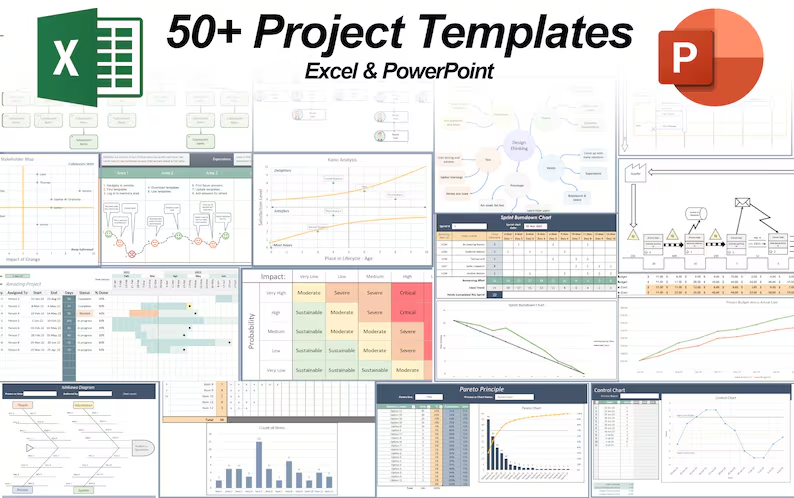
50 Project Management Templates Gantt Chart Risk Matrix and more Excel50+ Project Management Templates in Excel and PowerPoint (Gantt Chart, Risk Matrix and more!)
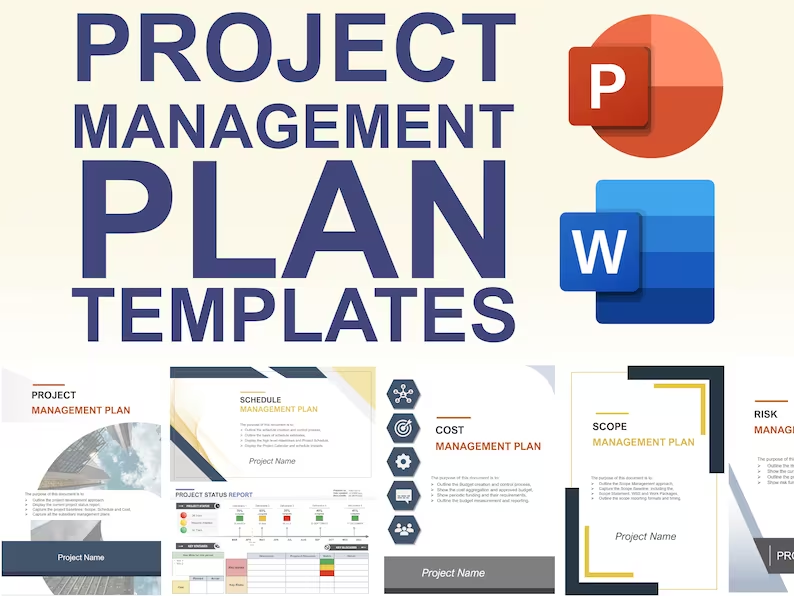
Project Management Plan TemplatesPre-made Project Management Plan Template: Save 100 HOURS!


PMP to Pay Rise – 6 Steps to Getting a New Job and Pay Rise With Your PMP

A professional person getting_a_pay_rise_comicFor those who have recently earned their PMP certification, the next step often involves leveraging this achievement to secure a substantial pay rise. A recent study showed that PMP holders earned 40% more than Project Managers without a PMP certification – equating to an average of $130,000 a year in the US (versus $90,000 without).

Whether you’re negotiating a raise at your current job or exploring new opportunities, applying a strategic approach can make a significant difference. Here are some essential tips to help you maximize your earning potential and advance your career.

1. Benchmark Your Salary

The first step in securing a pay rise is understanding the current market rates for your role. Use reputable salary and recruitment websites such as Glassdoor, Indeed, or salary.com to gather data on salary ranges for project managers in your area. For those in project management, the Project Management Institute (PMI) publishes an annual salary report that provides detailed insights into earnings for PMP-certified professionals globally.

By comparing your current salary with market data, you can present a strong case to your employer if you’re being underpaid. This benchmarked data will serve as a solid foundation for negotiating a raise, demonstrating that your current compensation doesn’t align with industry standards.

2. Showcase Your Value

When negotiating a pay rise or applying for a new job, quantifying your contributions can significantly strengthen your position. Highlight how your projects have added financial value to your organization—whether through cost savings, revenue generation, or efficiency improvements. Provide specific examples and metrics to illustrate your impact.

If you haven’t yet achieved measurable financial results, consider volunteering for high-visibility projects or initiatives within your current role. This not only demonstrates your willingness to take on additional responsibilities but also provides tangible evidence of your contributions that can support your case during negotiations.

3. Enhance Your Network

Networking plays a crucial role in career advancement. Studies show that a substantial percentage of job vacancies are filled through referrals or internal recommendations rather than public advertisements. Strengthening your professional network can open doors to opportunities that are not widely known.

Engage with industry groups, attend PMI chapter meetings, and connect with peers in your field. A robust network can offer valuable support, provide insights into job openings, and help you gain referrals or endorsements from industry professionals. Leveraging these connections can be a powerful tool in your job search and salary negotiations.

4. Consider a Job Switch

If your current employer is unable to meet your salary expectations, it may be time to explore new opportunities. Even if a job switch doesn’t immediately lead to a promotion, it can offer better prospects for future salary increases and career growth. Look for roles in companies or industries that offer more competitive compensation and opportunities for advancement.

A lateral move to a different organization might also present more upward mobility or a more supportive work environment, which can contribute to long-term career satisfaction and increased earning potential.

5. Target Hot Industries

Identifying and targeting high-growth industries can be a strategic way to increase your salary. Industries experiencing rapid growth, such as technology, healthcare, or renewable energy, often offer higher compensation due to increased demand for skilled professionals.

Research industries that are currently thriving and align with your skills. By positioning yourself in a booming sector, you can benefit from the increased salaries and bonuses that come with high-demand roles.

6. Optimize Your Job Application

When applying for new positions, tailoring your resume and cover letter to match the job description is crucial. Use keywords from the job ad to ensure your application passes through automated applicant tracking systems (ATS). Highlight relevant skills and experiences that align with the job requirements.

One effective tool is ChatGPT or other AI-driven platforms that can assist in crafting well-written resumes and cover letters. These tools can help you present your qualifications in a professional manner and match your skills with the keywords from job ads. However, be cautious of potential text watermarks that may indicate AI-generated content – always review and personalize the output to ensure it reflects your authentic voice.

Conclusion

Securing a pay rise or advancing your career as a PMP-certified professional involves a combination of market research, strategic negotiation, and effective job searching. By benchmarking your salary, showcasing your value, enhancing your network, exploring new opportunities, targeting growing industries, and optimizing your job application, you can significantly improve your chances of achieving the salary increase you deserve.

With these strategies, you’re well-equipped to navigate your career development and secure the compensation that reflects your skills and contributions. Good luck, and here’s to your success in reaching new career milestones and financial goals.

David McLachlan on LinkedIn

See more PMP articles: 

You can see what people are saying about David McLachlan here: REVIEWS

Navigate to Free Project Management and Leadership Articles through the links on the right (or at the bottom if on Mobile) 

PMI PMP 35 PDUs CourseThe Ultimate PMP Project Management Prep Course (35 PDUs)
Agile Certified Practitioner (PMI-ACP 21 PDUs)The Complete Agile Course: PMI-ACP (21 PDUs), Coaching, Jira and MORE! 
50 Project Management Templates Gantt Chart Risk Matrix and more Excel50+ Project Management Templates in Excel and PowerPoint (Gantt Chart, Risk Matrix and more!)
Project Management Plan TemplatesPre-made Project Management Plan Template: Save 100 HOURS!


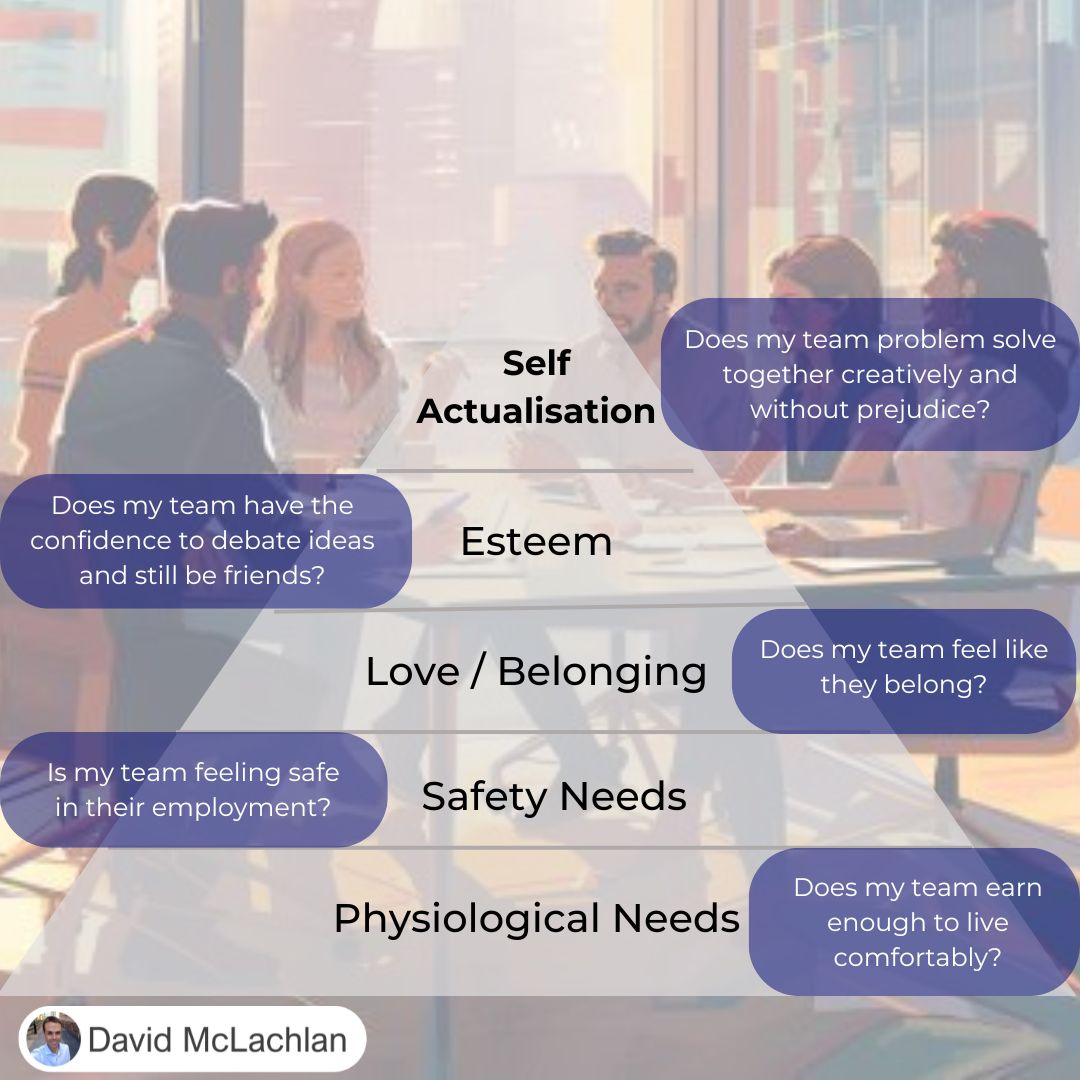
Using Maslow’s Pyramid to Motivate your Team

Maslow's Pyramid

If you’re leading a team this year, make sure you know Maslow’s Pyramid.

➡️ If your team aren’t earning enough to put food on the table, they can’t focus on their job.

➡️ If their job is volatile or not safe from being let go on a whim, they can’t focus on belonging.

➡️ If they don’t feel like they belong as part of the team, they can’t raise issues or debate ideas.

➡️ If they can’t raise issues or debate in a safe place, they can’t solve the biggest problems in your industry or business. And solving those problems is where the money is.

“You can have anything you want, if you just help enough people get what they want.” – Zig Ziglar

David McLachlan on LinkedIn

See more Leadership articles: 

You can see what people are saying about David McLachlan here: REVIEWS

Navigate to Free Project Management and Leadership Articles through the links on the right (or at the bottom if on Mobile) 
PMI PMP 35 PDUs CourseThe Ultimate PMP Project Management Prep Course (35 PDUs)
Agile Certified Practitioner (PMI-ACP 21 PDUs)The Complete Agile Course: PMI-ACP (21 PDUs), Coaching, Jira and MORE! 
50 Project Management Templates Gantt Chart Risk Matrix and more Excel50+ Project Management Templates in Excel and PowerPoint (Gantt Chart, Risk Matrix and more!)
Project Management Plan TemplatesPre-made Project Management Plan Template: Save 100 HOURS!


Don’t Give Up – You Might Be at This Crucial Stage

Exponential Graph Effort and Time

If you are working towards something this year, KEEP GOING.

It takes time for the big results to show. All your efforts day by day will build upon each other, compounding and growing until what started out as grass ends up as mountains. I believe in you. You can do it.

See more Leadership articles: 

You can see what people are saying about David McLachlan here: REVIEWS

Navigate to Free Project Management and Leadership Articles through the links on the right (or at the bottom if on Mobile) 
PMI PMP 35 PDUs CourseThe Ultimate PMP Project Management Prep Course (35 PDUs)
Agile Certified Practitioner (PMI-ACP 21 PDUs)The Complete Agile Course: PMI-ACP (21 PDUs), Coaching, Jira and MORE! 
50 Project Management Templates Gantt Chart Risk Matrix and more Excel50+ Project Management Templates in Excel and PowerPoint (Gantt Chart, Risk Matrix and more!)
Project Management Plan TemplatesPre-made Project Management Plan Template: Save 100 HOURS!


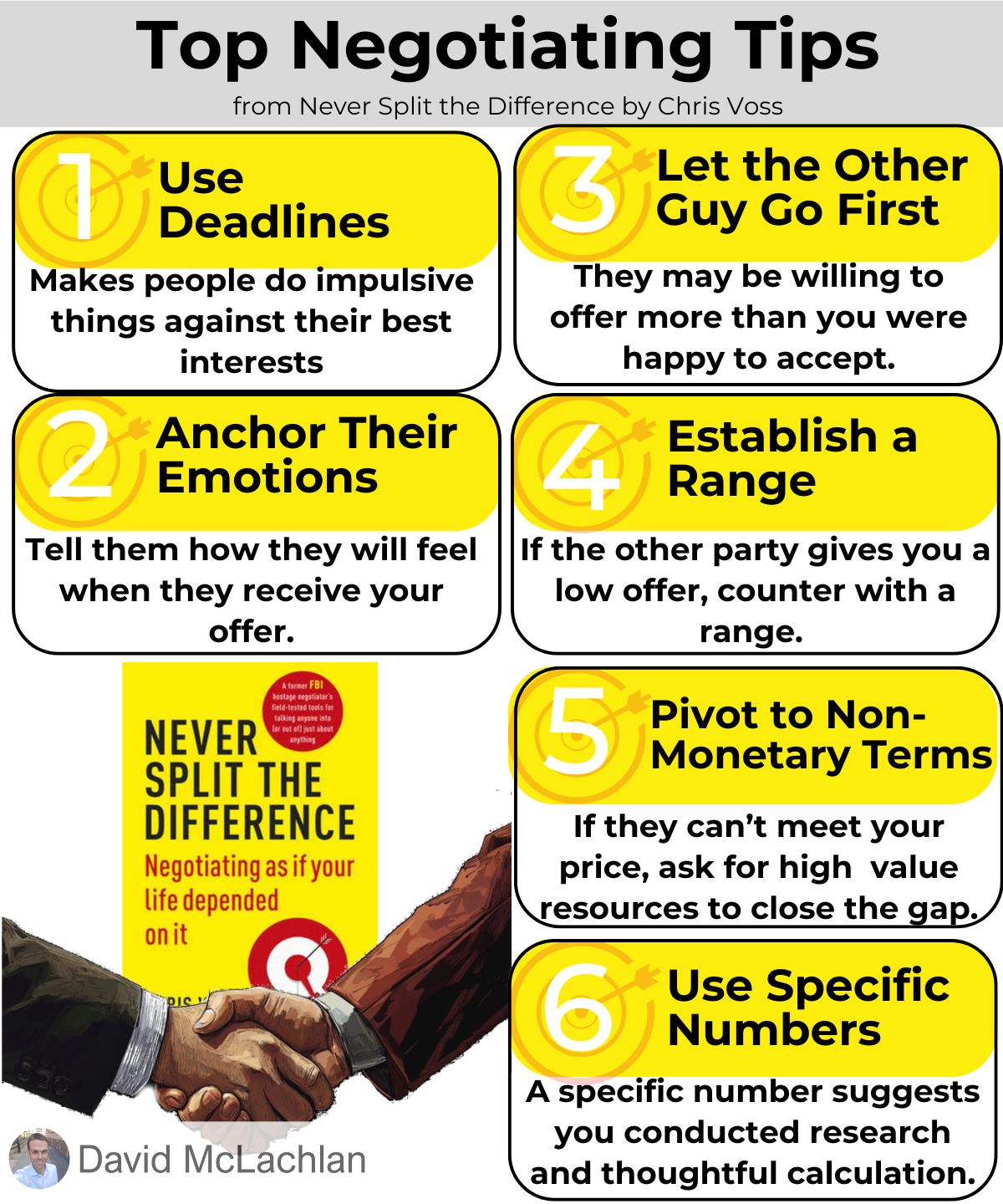
Six Negotiating Tips from Never Split the Difference

Negotiating Tips from Never Split the Difference

Six Quick Tips from Never Split the Difference

I recently finished “Never Split the Difference” by Chris Voss. Here are a few takeaways to help your next negotiation:

➡️ People use time pressure or deadlines to make the other party do things against their best interest.

➡️ Let the other party commit first – they may be willing to offer more than you were happy to accept, and it gives you information on their position without having to reveal anything yourself.

➡️ Anchor people’s emotions before delivering bad news (like a low offer) – “Oh boy, you’re really not going to like this – I’m almost embarrassed to bring it to you.” “Exaggerating emotions” makes the real thing not look as bad.

➡️ If the other party gives you a low offer, counter with a range. “$4,000? I was expecting more in the range of $5,000 to 6,000.”

➡️ Use Specific / Odd Numbers – it makes it seem like you came to it through research and thoughtful calculation. e.g. $101,890 instead of $100,000.

➡️ Pivot to non-monetary terms – if they can’t meet your price, ask for high-value resources or services to fill the gap. And always ask for a trade-off if conceding something yourself.

Negotiation is a critical skill in Project Management, as you often are accountable for results, but don’t have direct control over many things like Resources or Funding. It’s important that you continuously improve your skills to stay ahead of the game.

David McLachlan on LinkedIn

See more Leadership articles: 

You can see what people are saying about David McLachlan here: REVIEWS

Navigate to Free Project Management and Leadership Articles through the links on the right (or at the bottom if on Mobile) 

PMI PMP 35 PDUs CourseThe Ultimate PMP Project Management Prep Course (35 PDUs)
Agile Certified Practitioner (PMI-ACP 21 PDUs)The Complete Agile Course: PMI-ACP (21 PDUs), Coaching, Jira and MORE! 
50 Project Management Templates Gantt Chart Risk Matrix and more Excel50+ Project Management Templates in Excel and PowerPoint (Gantt Chart, Risk Matrix and more!)
Project Management Plan TemplatesPre-made Project Management Plan Template: Save 100 HOURS!


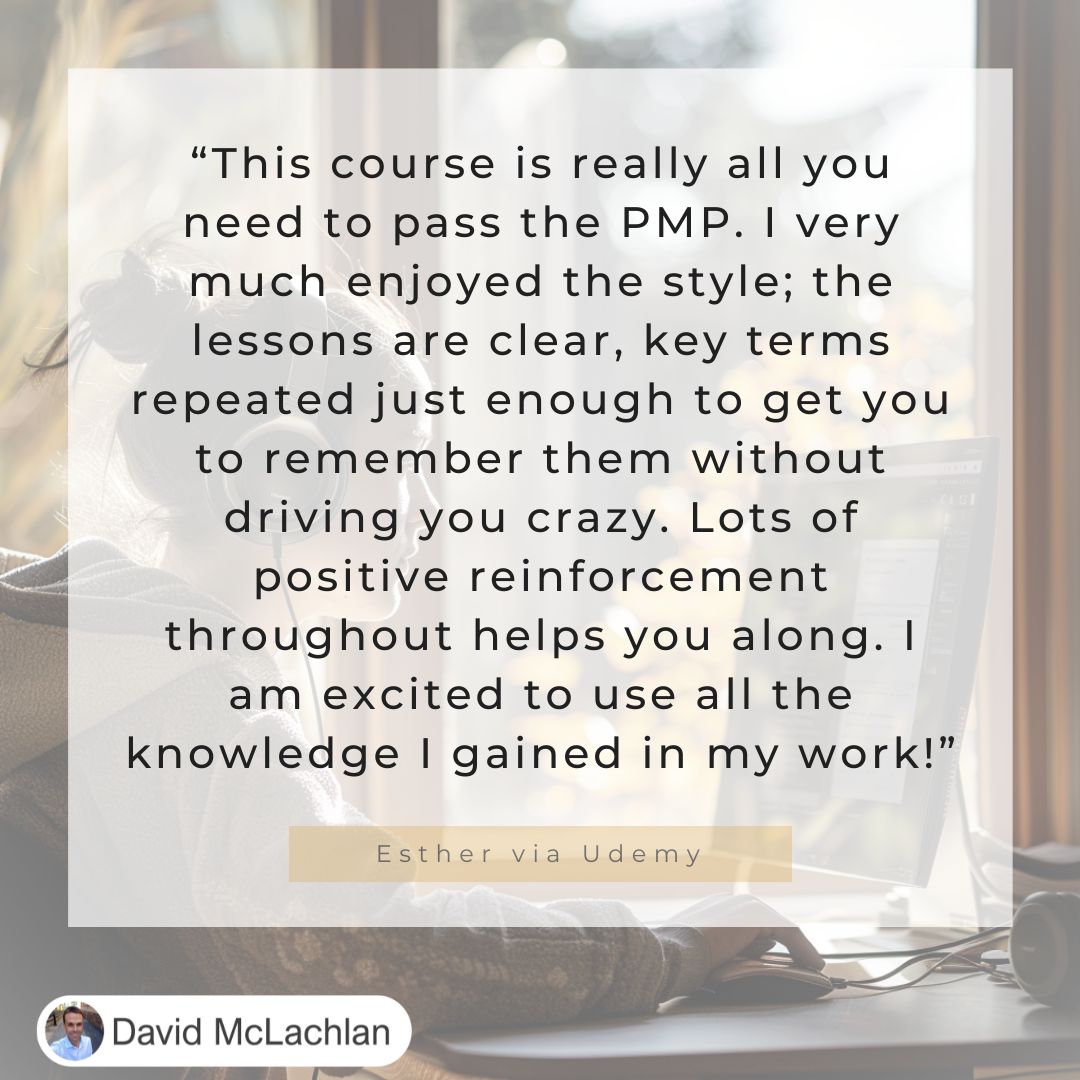
This Course Is Really All You Need To Pass the PMP

Udemy_PMP_David Mclachlan

“This course is really all you need to pass the PMP. I very much enjoyed the style; the lessons are clear, key terms repeated just enough to get you to remember them without driving your crazy. Lots of positive reinforcement throughout helps you along. I am excited to use all the knowledge I gained in my work!” – Esther, on Udemy.

See hundreds of 5 star reviews for David McLachlan.

This is the course: The Ultimate PMP Project Management Prep Course (35 PDUs)

See more PMP articles: 

You can see what people are saying about David McLachlan here: REVIEWS

Navigate to Free Project Management and Leadership Articles through the links on the right (or at the bottom if on Mobile) 

PMI PMP 35 PDUs CourseThe Ultimate PMP Project Management Prep Course (35 PDUs)
Agile Certified Practitioner (PMI-ACP 21 PDUs)The Complete Agile Course: PMI-ACP (21 PDUs), Coaching, Jira and MORE! 
50 Project Management Templates Gantt Chart Risk Matrix and more Excel50+ Project Management Templates in Excel and PowerPoint (Gantt Chart, Risk Matrix and more!)
Project Management Plan TemplatesPre-made Project Management Plan Template: Save 100 HOURS!


Essential Excel Shortcuts to Master Your Table Data

Note: Click on the video above to watch.

Show Off In Meetings with these Excel Tips!

Navigating and showcasing data in Excel can be a breeze with the right shortcuts. Whether you’re presenting data to your boss or analyzing large datasets, these handy tips will streamline your workflow and make your reports stand out. Let’s dive into some essential Excel shortcuts to enhance your data management skills.

1. Select Entire Table

To quickly select all your data in a table, use:

  • Ctrl + A, or
  • Ctrl + Shift + Spacebar

These shortcuts highlight your entire table, making it easy to apply formatting or make bulk changes.

2. Convert Data to Table

Turning your data into a formal table can help with organization and filtering. Simply press:

  • Ctrl + T

This converts your selected range into a table, allowing for easier manipulation and formatting.

3. Add Filters

To add filters to your data, which is crucial for sorting and analyzing information, use:

  • Ctrl + Shift + L

This will add filter dropdowns to your table headers, making it simple to filter and view specific data subsets.

4. Insert a Slicer

For a more visual way to filter data, especially useful in presentations, you can add a slicer:

  • Select a cell in your table.
  • Go to the Table Design tab and click Insert Slicer.
  • Choose the fields you want to filter by, such as “Job Title”.

Slicers make it easy to filter and display data in a way that’s clear and interactive.

5. AutoSum

To quickly calculate the sum of a column or row, select the empty cell where you want the total to appear and press:

  • Alt + =

Excel will automatically sum up the numbers above or to the left of the selected cell.

6. Find Top and Bottom Values

To find the top or bottom values in a dataset:

  • Use =LARGE(range, n) to find the nth largest value.
  • Use =SMALL(range, n) to find the nth smallest value.

For example, to find the top 3 salaries, use =LARGE(range, 1), =LARGE(range, 2), and =LARGE(range, 3).

7. Trace Formulas

To troubleshoot or verify formulas while you’re in a meeting, you can instantly go to where the formula gets its data from:

  • Press Ctrl + [ to jump to the cells referenced by a formula.
  • Press Ctrl + ] to see which cells are dependent on the selected formula.

You can also view all formulas in your worksheet by pressing:

  • Ctrl + `

This shows all formulas in your spreadsheet, helping you audit your data.

8. Trace Formulas with Arrows

To visually trace the relationships between formulas:

  • Go to Formulas > Trace Precedents or use the shortcut Alt, T, U, T to add arrows showing which cells affect the formula.

This is a great way to identify and correct any errors in your formulas.

9. Create a Pivot Table

For advanced data analysis, create a pivot table by pressing: Alt, N, V, T

This opens the PivotTable creation dialog, letting you summarize and analyze your data efficiently.

Conclusion

Mastering these Excel shortcuts will not only save you time but also help you present your data in a professional and effective manner. Whether you’re preparing for a meeting or just organizing your data, these tips will ensure you navigate and showcase your tables with ease. Happy Excel-ing!

See more Excel Tips and Tricks articles: 

You can see what people are saying about David McLachlan here: REVIEWS

Navigate to Free Project Management and Leadership Articles through the links on the right (or at the bottom if on Mobile) 

PMI PMP 35 PDUs CourseThe Ultimate PMP Project Management Prep Course (35 PDUs)
Agile Certified Practitioner (PMI-ACP 21 PDUs)The Complete Agile Course: PMI-ACP (21 PDUs), Coaching, Jira and MORE! 
50 Project Management Templates Gantt Chart Risk Matrix and more Excel50+ Project Management Templates in Excel and PowerPoint (Gantt Chart, Risk Matrix and more!)
Project Management Plan TemplatesPre-made Project Management Plan Template: Save 100 HOURS!


How to Pass the PMP Audit: Tips for Meeting Eligibility

Note: Click on the video above to watch.

Pass your PMP Audit With These Tips

If you’re afraid of receiving a notification from PMI that you failed your PMP audit because your eligibility wasn’t met, you’re not alone. The audit process can be tricky, but with some adjustments, you can improve your application. Here’s a guide to help you meet the PMP requirements and increase your chances of success.

Don’t get Rejected

PMI may reject your application if your project descriptions don’t clearly show that you led a project and fulfilled the duties of a project manager. Even if you didn’t hold the title of Project Manager, you must demonstrate that you led cross-functional teams and managed the project effectively to deliver a change.

Tips for Meeting Eligibility

Detail Your Project Experience:

Length and Detail: Each project description should be around 200 to 500 words. Include key details such as team size, project budget, methodology (waterfall or agile), and the timeline.

Overlapping Time Doesn’t Count: PMI only counts the total of your non-overlapping project time. For example, if you worked on multiple projects that overlapped, you can’t add up their durations. Only count the actual time worked.

Showcase Your Leadership:

Project Description: Clearly state your role in leading the project or change. Even if your title wasn’t “Project Manager,” emphasize how you led teams and managed project delivery across the project phases of Initiation, Planning, Execution, Controlling and Closing.

Project Definition: Ensure your projects are temporary efforts aimed at delivering change or business value, not just routine tasks or operations.

Describe Your Responsibilities:

Project Phases: Break down your responsibilities across different project phases—initiating, planning, executing, monitoring, and closing. Use PMBOK language, tools and techniques to align with PMI’s standards.

Tools and Techniques: Mention any project management tools and techniques you used, such as stakeholder registers, risk management, quality inspections, and work breakdown structures.

Highlight Outcomes:

Success Metrics: Describe the outcomes and benefits of the project. Even if a project wasn’t fully successful, outline what was achieved and how you managed any challenges.

Final Thoughts

Applying for the PMP exam can be daunting, but with the right approach, you can meet the requirements. Focus on detailing your leadership roles, project outcomes, and use PMI’s language to describe your experience. Remember, persistence and attention to detail are key. You’ve got this!

Good luck, and if you have anything you want to add, leave a comment below.

See more PMP articles: 

You can see what people are saying about David McLachlan here: REVIEWS

Navigate to Free Project Management and Leadership Articles through the links on the right (or at the bottom if on Mobile) 

PMI PMP 35 PDUs CourseThe Ultimate PMP Project Management Prep Course (35 PDUs)
Agile Certified Practitioner (PMI-ACP 21 PDUs)The Complete Agile Course: PMI-ACP (21 PDUs), Coaching, Jira and MORE! 
50 Project Management Templates Gantt Chart Risk Matrix and more Excel50+ Project Management Templates in Excel and PowerPoint (Gantt Chart, Risk Matrix and more!)
Project Management Plan TemplatesPre-made Project Management Plan Template: Save 100 HOURS!


PMP versus MBA – Which One Wins?

Note: Click on the video above to watch.

PMP versus MBA cartoonPMP Certification vs. MBA Degree: What’s the Difference?

Many people have asked about the differences between a PMP (Project Management Professional) certification and an MBA (Master of Business Administration) degree. While both focus on business improvement, leadership and value, they have distinct features, costs, and benefits. Let’s break it down!

Overview

PMP Certification: This is a professional certification designed to showcase your Project Management skills. To earn it, you need at least three years of project management experience and 35 hours of project management education. It’s recognized globally, so you can often use it anywhere.

MBA Degree: An MBA is a graduate-level degree that covers a broad range of business topics, including leadership, finance, and marketing. It’s often required for top-level management positions and is also internationally recognized.

Popularity

PMP: There are about 1.2 million PMP certification holders worldwide.

MBA: Approximately 2 to 3 million people hold an MBA, making it one of the most popular graduate degrees. The exact number can vary based on university records and different definitions of MBA completion.

What You Learn

PMP: Focuses on project management processes, frameworks, and delivering business value. You’ll learn about managing scope, schedule, cost, quality, and risk, as well as team leadership and resource management.

MBA: Covers a wide range of topics, including marketing, ethics, organizational behavior, finance and accounting, strategy, and leadership. It provides a broad business education, preparing you for various managerial roles.

Salary Expectations

PMP: The average salary for a PMP holder in the U.S. is around $130,000 per year according to PMI’s latest Salary Survey.

MBA: The average salary for MBA graduates is about $128,129, but graduates from top MBA programs can earn between $205,000 and $231,000. Consultants with an MBA can earn up to $251,000 annually.

Time and Cost

PMP: Costs $655 (or $544 for PMI members) and requires 35 hours of education plus three years of project management experience. It’s relatively quick and affordable compared to an MBA, but is still sufficiently difficult to pass and obtain.

MBA: On average an MBA costs around $56,000 and requires about two years of full-time study or approximately 600 classroom hours. The cost and time commitment are significantly higher than those for a PMP.

Networking Opportunities

PMP: Networking is limited compared to an MBA. While you can connect with other professionals through PMI, the scope is narrower. Some people have mentioned the benefits, as a PMI member, of joining your local PMI Chapter. These can give some networking opportunities to help your career.

MBA: Networking is a major benefit of an MBA. MBA programs often provide opportunities to connect with high level executives, alumni, and mentors through events and alumni networks, which can be invaluable for future career opportunities.

Prerequisites

PMP: Requires three years of project management experience and 35 hours of education.

MBA: Generally requires a bachelor’s degree with a minimum GPA, and some managerial work experience. Depending on the program, you might also need a GMAT score and/or IELTS scores.

Conclusion

Choosing between a PMP certification and an MBA depends on your career goals. The PMP is ideal if you want to specialize in project management and need a slightly faster, more cost-effective credential. An MBA offers a broader business education and more networking opportunities, but at a higher cost and time commitment.

I hope this helps you decide which path is right for you! If you have anything to add, leave a comment below.

See more PMP articles: 

You can see what people are saying about David McLachlan here: REVIEWS

Navigate to Free Project Management and Leadership Articles through the links on the right (or at the bottom if on Mobile) 

PMI PMP 35 PDUs CourseThe Ultimate PMP Project Management Prep Course (35 PDUs)
Agile Certified Practitioner (PMI-ACP 21 PDUs)The Complete Agile Course: PMI-ACP (21 PDUs), Coaching, Jira and MORE! 
50 Project Management Templates Gantt Chart Risk Matrix and more Excel50+ Project Management Templates in Excel and PowerPoint (Gantt Chart, Risk Matrix and more!)
Project Management Plan TemplatesPre-made Project Management Plan Template: Save 100 HOURS!


Getting the Mindset for the PMP

Note: Click on the video above to watch.

PMP MindsetNailing the PMP Exam: Your Mindset Guide

Many people have asked how to get into the right mindset for the PMP (Project Management Professional) exam, so let’s dive in. Here’s a quick overview (from the video above) of how to approach the exam with the right mindset. We’ll cover general tips, predictive approaches, and Agile strategies to help you succeed.

General Exam Mindset

The mindset idea is the general approach to a project, leadership and the exam questions that are asked on these things to help you get them right the majority of the time.

Here are some general exam mindset ideas from the video above to help you.

  1. Work with What You’ve Got: Assume that all the info you need is in the question. Sometimes, several answers might seem correct. Rank them from best to worst and pick the best one based on the details given.
  2. Avoid Extremes: Try not to go for extreme actions like closing the project or escalating issues immediately. Instead, aim for answers that focus on problem-solving and collaboration.
  3. Be Collaborative: Project managers don’t have all the answers but can get them. Consult your team for their expertise and always involve the project customer for feedback on deliverables.
  4. Stay Simple and Inclusive: Use simple, inclusive tools and methods. For estimating, bottom-up is more accurate but time-consuming, while top-down is quicker but less precise.
  5. Know Your Framework: Identify whether the project is waterfall, agile, or a hybrid. Look for keywords in questions to determine which approach is being tested.

Predictive Exam Mindset

Here are some Predictive exam mindset ideas from the video above to help you.

  1. Your Project Plan: Always create a plan and follow it. If changes are needed, know the change management process: log the change, assess its impact, get approval from the Change Control Board, and communicate the outcome to stakeholders.
  2. Distinguish Risks from Issues: Risks are future uncertainties; issues are problems that have already happened. Use a risk register for risks and an issue log for issues.
  3. Consult Your Team: For solutions, and for estimations, always get input from your team. Their expertise is crucial.
  4. Closing a Project: Follow proper closing steps, including confirming acceptance with the sponsor, finalizing claims for Procurement, transitioning to operations, documenting lessons learned and archiving project information.
  5. Know Stakeholder Communication Needs: Don’t assume; ask your stakeholders what communication they need and how often. Engage them regularly and update as needed.

Agile Exam Mindset

Here are some Agile exam mindset ideas from the video above to help you.

  1. Be a Servant Leader: Remove obstacles for your team, shield them from external issues, and help them grow. Focus on motivating and supporting your team.
  2. Coach the Product Owner: The product owner prioritizes the backlog. If they don’t know how we must coach them and help them improve. They represent the customer and make decisions on what features to prioritize.
  3. Communicate the Vision Often: Clearly outline the project vision, goals, and communication preferences in the project charter.
  4. Co-locate the Team: Whenever possible, have the team work together in the same space. This improves communication and information flow.
  5. Use Face-to-Face Communication: It’s more effective than emails, allowing you to pick up on non-verbal cues.
  6. Visual Management: Use a Kanban board to track work and identify bottlenecks. This helps the team manage work and solve constraints.
  7. Encourage Safe Disagreements: Create an environment where team members can voice disagreements without fear. This fosters a culture of psychological safety.
  8. Review and Improve: Hold retrospectives to review what’s working and what’s not. Use these insights to continuously improve.
  9. Sprint Reviews: Demonstrate completed items to show real progress, not just reports or showcases.

Final Thoughts

Passing the PMP exam is within your reach! It takes effort and self-belief, but with the right mindset and strategies, you can do it. Keep studying, stay confident, and remember: you can do this.

See more PMP articles: 

You can see what people are saying about David McLachlan here: REVIEWS

Navigate to Free Project Management and Leadership Articles through the links on the right (or at the bottom if on Mobile) 

PMI PMP 35 PDUs CourseThe Ultimate PMP Project Management Prep Course (35 PDUs)
Agile Certified Practitioner (PMI-ACP 21 PDUs)The Complete Agile Course: PMI-ACP (21 PDUs), Coaching, Jira and MORE! 
50 Project Management Templates Gantt Chart Risk Matrix and more Excel50+ Project Management Templates in Excel and PowerPoint (Gantt Chart, Risk Matrix and more!)
Project Management Plan TemplatesPre-made Project Management Plan Template: Save 100 HOURS!