PMP Practice Exam Questions and Answers | 16

– See all the PMP Exam Questions – 

PMP Exam Question Practice 16PMP Exam Question Session 16

In this series we will walk through five PMP Practice Exam Questions each day – a great way to set up your morning as you prepare to pass the PMP Exam. It is also useful for the CAPM exam, as the content is very similar.

We will also figure them out together, and you’ll see the thought process behind solving these PMP exam questions.

I hope you enjoy!

Question 1

You are working on a major project for your company, where only 50% of the project has been completed, while 80% of the project budget has been spent. When making a decision on whether or not to continue, what are the costs called that have already been spent?

A)  Earned Value
B)  Exception Report
C)  Sunk Costs
D)  Milestone

Question 2

The To Complete Performance Index (TCPI) is the future cost performance of the project. Your project has a budget of $15,000. 50% of the work has been completed, against planned 60%. $9,000 has been spent so far. What is the efficiency that must be maintained in order to complete as planned (TCPI)?

A)  1.89
B)  1.25
C)  0.56
D)  0.78

Question 3

Your project has a budget of $200,000.
60% of the work has been completed against planned 50%. $590,000 has been spent so far. What is the Schedule Performance Index (SPI)?

A)  1.20
B)  0.83
C)  0.63
D)  2.50

Question 4

You are working on a brand new project and need to estimate how much it will cost. You have the cost per unit for all items needed. What is the name of the estimating technique you will use?

A)  Three point estimating
B)  Executive estimating
C)  Data estimating
D)  Parametric estimating

Question 5

Your project has a budget of $500,000. 60% of the work has been completed against planned 70%. $280,000 has been spent so far. What is the Earned Value (EV)?

A)  $500,000
B)  $280,000
C)  $300,000
D)  $350,000

– See all the PMP Exam Questions – 

Leadership Quote – Missions are Better than Plans – Seth Godin

– See all the Leadership Quotes here –

“Plans are great but missions are better. Missions survive when plans fail, and plans almost always fail.” – Seth Godin

Have you heard this leadership quote from Seth Godin?

He is talking about giving your people something bigger than themselves to believe in – a mission.

Quote Seth Godin Missions are better than plans

Giving yourself or your team a mission – even bigger than “Starting with Why”

Simon Sinek’s famous book, “Start With Why” gave his audience the reason most companies succeed where others fail – they have given their people a strong enough “why” behind what they do, that they would follow and work on even when things are hard.

Think about it in your own life – how often would you do something for your family that you wouldn’t even do for yourself – help them out, give them time, go to work at a job you hate to keep a roof over their head, all because they are your “why” and it’s strong enough for you to keep going.

It’s the same when a company has a strong enough reason too. If it’s a real something for their people to believe in, they will put in hours above and beyond the norm to help make that vision happen.

Now what Seth Godin is saying is even beyond starting with “Why”, it is giving your team a mission. A mission is something that everyone is invested in. It is something bigger than just one person, and it is something beyond just money or a paycheck.

Most executives make “Plans”, then they change those plans frequently when they haven’t got results in three months and the stock market reacts poorly to their earnings report. But not Amazon. CEO Jeff Bezos made the mission very clear at Amazon – Obsess over customers. Make their lives ridiculously easy. Make buying easy, make getting what they want easy. And even though the profit has taken a long time to grow (more than a three month cycle or single earnings report), it has now made him the richest man in the world.

– David McLachlan

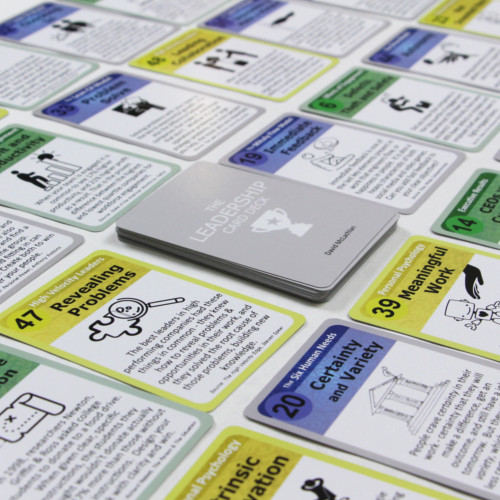
Get the Leadership Card Deck or the Lean CX Score Book:

Leadership CardsView All The Leadership Cards (48)

- or - Have the Leadership Cards delivered for your next meeting


Lean CX ScoreGet "The Lean CX Score" now, and start creating disruptors in your industry that completely annihilate your competition.

Oh and good news!  You'll be improving the speed, morale and engagement of your teams at the same time.  Get the Lean CX Score now.

The Agile Declaration of Interdependence

– See all the Agile Certified Practitioner Videos –

Creators of the Agile Declaration of InterdependenceThe Agile Declaration of Interdependence

The team of people who established the guiding principles of Agile in 2001, released these principles of Agile project management in 2005 called the declaration of interdependence, and they did so to serve as a value system for Agile project managers.

These are the core values we can use to work in an Agile way on our projects. Above is the cast who created this – an amazing cast of people who’ve helped organizations become more Agile over the years and have really contributed to this methodology, and who really founded this methodology.

Let’s look at the six principles of Agile Interdependence.

Principle 1

We increase return on investment by making continuous flow of value our
focus.

Principle 2

We deliver reliable results by engaging customers in frequent interactions and shared  ownership.

Principle 3

We expect uncertainty and manage for it through iterations, anticipation, and adaptation.

Principle 4

We unleash creativity and innovation by recognizing that individuals are the ultimate source of value, and creating an environment where they can make a difference.

Principle 5

We boost performance through group accountability for results and shared responsibility for team effectiveness.

Principle 6

We improve effectiveness and reliability through situationally specific strategies, processes and practices.

– See all the Agile Certified Practitioner Videos –

Roles and Responsibilities in a Scrum Team

– See all the Agile Certified Practitioner Videos –

Scrum Roles and ResponsibilitiesRoles and Responsibilities in a Scrum Team

Below are the roles and responsibilities that you’ll come across in a Scrum team.

Scrum is one of the biggest parts of Agile – the main parts being Scrum, Kanban, and eXtreme programming or XP. All of these things you will come across but scrum is one of the biggest, so this is a really great thing to know about the three core roles and responsibilities that you’ll come across in a Scrum team.

There are three distinct roles in the Scrum environment and they all work together throughout the project.

  1. The Product Owner
  2. The Development Team
  3. The Scrum Master

The Product Owner

  • Manages the product backlog, which is the long list of prioritized project requirements.
  • The product owner arranges these items from most valuable to least valuable.
  • What’s in the backlog and the ordering of the items is transparent to the whole team.

The Development Team

  • The Development team is responsible for sizing the requirements of the product backlog and getting work done in each sprint.
  • Self-organizing and self-led, and its members are called generalizing specialists (T-shaped team members) because they can often do more than one function on the team, but specialise deeply in one area.
  • An ideal Scrum team has no less than five people and no more than eleven people (seven being perfect).

The Scrum Master

  • Is the project manager role, but with more focus on servant leadership.
  • The Scrum Master ensures that everyone understands the rules of Scrum, removes blockers for the team, facilitates Scrum meetings (stand-ups)
  • They also bring in anyone necessary for the whole team approach
  • They help the product owner groom the backlog, and communicate the vision of the project to everyone that’s involved.

You may find similar roles on any project or even within any team working towards Scrum and Agile – the principles translate to all types of knowledge work.

– David McLachlan

– See all the Agile Certified Practitioner Videos –

The Configuration Management Plan

– See All Project Management Key Concepts –

Jasper | DocumentationThe configuration management plan

What is the configuration management plan? It’s a plan that defines those items that are configurable. In other words the items that require a formal change control – usually items that have been baselined, they have been locked into a point in time.

These things might be to do with your scope, your schedule, your cost, usually locked in at a point in time beause we don’t really want those to change without any formal process.

We don’t want them to change on an ad-hoc basis because obviously these will affect and impact the outcome of your project. If we’re changing the scope or the schedule or the timeline or the cost involved, those documents are usually baselined and then they require that formal change control process, and the process for controlling changes to these items.

So while it usually relates to these baselined items such as the project budget for example in our cost baseline, schedule, scope statement and work breakdown structure where we’ve broken down the scope statement into smaller activities for us to complete in order to to deliver those features or those pieces of scope.

In order to change this we’ll need to go through the configuration management process.

Like all plans in your project management plan it can be small, just a few lines of text or it can be large and detailed. It could be an entire document of its own design, depending on the size of the project, depending on the enterprise environmental factors (EEFs) of your organization. The main point is to outline which of those documents will need formal change control, and that can be completely up to you and the project sponsor. You can work together and advise which things need to go through a formal process to change. Anyone can raise a change request, and in your change management plan you note the change process, such as where that change request will go into once it’s raised. Once that change is approved after going through the approval process, we will need to realign the project scope or schedule to suit these new changes. Maybe more money or funding comes in, so you’ll have all of these steps and these steps will need to be outlined, and that’s why we have the configuration management plan.

– David McLachlan

– See All Project Management Key Concepts –

The Issue Log

– See All Project Management Key Concepts –

The Issue Log - PMBOKThe Issue Log

What is the issue log? Throughout the life cycle of a project, you (as the project manager) will normally face problems or gaps, inconsistencies or even conflicts in a project. This stuff happens all the time, because your project is designed to bring about change, and so there will always be little things happening – stakeholders to manage or things people will be unhappy about. Maybe the scope needs to change, all of these little things are happening all the time in a project and they occur unexpectedly, and they require some action to bring everything back on track so that it doesn’t impact the project performance in general.

That’s when we need to raise an Issue, once these things have happened.

The issue log is a project document where all of these issues are recorded and tracked. It’s important to note that an issue and a risk are not the same. Before something happens, it’s noted as a risk, and we can note that in the risk assessment, and we’ll assign things like controls to that risk so that we can prevent the risks from happening. We’ll assign owners of those risks to look at the activities around those controls, make sure that things remain on track. Obviously not everything always goes to plan and we can’t always think of everything that will happen, so if something does happen it becomes an issue.

An issue should be noted in the issue log at that time. The issue log will help the project manager effectively track and manage those issues. We’re going to be assigning extra information to these issues so that we can effectively track those issues, and we’re ensuring that they’re investigated and resolved and closed.

Issues may happen at any time, and the issue log is updated as a result of the monitoring and controlling activities throughout the project’s life-cycle. As part of controlling issues it may result in a change request as well. If we’ve raised an issue and it’s resolved, but it is something that needs to change like the scope or the schedule, then we need to raise a change request. Maybe we’re changing one of those baselined documents, around our scope, our time or schedule, or our cost.

These are the three most most important things that will be baselined, and that might need to go through the formal change control process by raising a change request. Then you can update the issue log with all of the appropriate information once that’s resolved.

The data that we’ll put on our issues are things like the issue type, who raised that issue, the description of the issue, priority (is it high, is it low) who is assigned to the issue to manage it ongoing, the target resolution date (is in June, July or August etc), the status current status and of course the final solution to resolving that issue, which is where that change management or the change request might come into it if something needs to change.

So overall it’s a very important part of your project, because you will need to raise and manage these issues as they occur. You’ll still need to keep an eye out for risks as there are you know on the horizon as well before they turn into issues all of this is part of managing a project and keeping it on track and that is the Issue Log.

– David McLachlan

– See All Project Management Key Concepts –

The Project Management Information System

– See All Project Management Key Concepts –

4_Project Management Information System - PMBOKThe project management information system

The project management information system, or PMIS as you will see it referred to in the PMBOK guide, is the coherent organization of the information required for an organization to execute projects successfully. That of course is a bit of a mouthful, so what does that actually mean?

Typically it’s one or more software applications – so it’s not just one IT software application it’s a whole bunch of applications – and the process that’s associated with those software applications for collecting and using project information, most typically with the activities related to the project. It relates to who’s doing what, and when they are doing it. And that would relate to the schedule – when these activities are being done, and potentially to the scope as well. Scope is being ticked off as we’re going along on our project, and that will impact what activities are done, and the activities need to be assigned along a schedule so that we understand when these activities are going to be completed.

All of these things you can’t just rely on word of mouth for this to happen – you need to put them somewhere so that people can see them and understand what’s being done as part of your project. And that is where our PMIS comes in.

So it’s not just one IT system, it’s an entire system or approach including tools and processes. It’s the different cogs and they all intertwine and they all relate to each other, and they help move each other as part of the whole system. Your project measurement information system would include things like scheduling software tools, work authorization systems for work packages (i.e. who they’re being assigned to, who’s receiving them, are they able to work on them?), configuration management systems (i.e. the change process).

Are you changing the scope, who does that go to, does it go to the project sponsor? What’s the process there? And this IT system would facilitate that configuration management.

Document management systems, so where are all the documents being held? Information collection interfaces to other automated systems, so corporate knowledge bases, lessons learned or perhaps procurement systems that you might need if you’re hiring people or resources. Automated gathering and reporting on key performance indicators or KPIs can also be a part of this system, for example how is the project tracking?

You’ve probably used a project management information system or part of a project management information system in your life already. Some of these things will include a Kanban board, if you’ve used Atlassian JIRA or Trello, this is very simply a Kanban board where we’re moving tasks and activities across the board from “in progress” or the backlog through to “done”. And that’s how we’re tracking those activities, it’s very very simple. You might have an internal company SharePoint page, and that’s where you’re keeping all the documents for your project. Or you might have a Confluence page or something similar. The IT system itself doesn’t matter. But it does matter that you have something to hold the documents, for future projects to learn from and also for the governance around your project. This also helps the governing bodies (such as a project management office) see the activities, and that the proper governance has been checked off, that you’ve done the proper documents for procurement, for hiring people, or you’ve done the proper documents for making a change to the scope for example.

Lastly, resource calendars or an online project schedule. You might be able to see see Billy or Fiona or Helen for example, all these different people and you can see when they’re assigned to the activities and also when they are available to work on your project. That’s a very useful part of the information of your project, and that is an outline of the project management information system.

– David McLachlan

– See All Project Management Key Concepts –

Change Requests

– See All Project Management Key Concepts –

Change Request Project ManagementWhat is a change request?

A change request is a formal proposal to modify any document, any deliverable or any baselined item (that could include your project management plan, your scope statement for example). The most common of these documents are related to the Scope, Schedule or Cost of the project. For example, are we changing the the dollars involved? Are we changing the time involved? Or are we changing the Scope that we’re delivering in our project. All of these will need a formal change request once a document or an item is baselined.

Any project stakeholder may request a change. Change requests are processed for review and disposition through the change control process, and change requests can be initiated from inside or outside the project. They can be optional or they can be legally or contractually mandated. Perhaps a legal change has happened and that requires a change that needs to go through the formal change request process, so that we’re going getting the appropriate approvals to change either the scope, the schedule or the cost. We want everyone to be across this change, we don’t want to just be changing the schedule on an ad-hoc basis otherwise people are going to get upset. We do this often times when issues, gaps or problems are found while the project work is being performed. A change request can be submitted to modify things like our project policies or procedures – maybe we need to do things in a different way – the project or product scope as we said, the cost or the budget which we’ve touched on as well. There’s the schedule or the time, if something is going to be delivered in June but all of a sudden according to our analysis it’s going to be delivered in September and maybe that’s going to affect the cost because we need more resources, then people need to know about this through the appropriate methodologies and the appropriate process, which is this change management process.

The quality of the project or the project results – if that’s going to vary significantly then perhaps we need to raise a change request as well. Maybe something simply is not possible to do, or maybe we’ve found a better way to do something and we just need to to put that into our scope so that everybody is aware. For this reason, change requests might include:

  • Corrective action where we’re bringing a project back on track. For example we’re aligning the project activities to something that we’ve found.
  • Preventative action – maybe we’re preventing future performance from going off-track, for example we see the schedule coming up in September instead of June, and that’s something that we want to bring back on track. Maybe we want to crash the project resources, where you add a lot of resources and money and cost and that’s going to bring it back into June so that we can get it done. Maybe we need to fast-track the schedule, which is doing everything in parallel instead of doing everything one after the other, and that will get it all done in time.
  • Defect repair – as we’re going through our quality control, maybe we’re doing our test plan and testing the item and that comes up with a defect, but that actually changes the scope of the project. So it relates to scope again, we need to make a change and we need to make a formal change through our change management and change request system.

Of course we could have just general updates to our project, where maybe a customer has found that they don’t like something and we need to change that. Or maybe the situation has changed where they don’t need it until September and we can actually physically change that project schedule. All of this is completely up to you as the project manager, and usually you’ll be working with the project sponsor and the people involved who you’re delivering this project for, and the team that you’re delivering with.

The change management plan is what describes the process for these change requests. How do how do you raise a change request, for example? And what do you need to do? Who does it go to? Does it go to the project manager, then to the project sponsor? Does it need to go to a steering committee? What is the approval process of these change requests?

If we’re involving more money, and it needs to come from the project sponsor or a governing body then that needs to be approved by those people. This process can just be a few lines in your project management plan, noted as a change management process. Or it can be a complete document outlining the process. A lot of this depends a lot on the environmental factors – the enterprise environmental factors which you’ll see in almost every PMBOK guide process. That just relates to how a company works and how it operates on a day to day basis. All that will affect how you raise a change request, and what you put in your change management plan. And that is the process and the idea behind Change Requests.

– David McLachlan

– See All Project Management Key Concepts –

Leadership Quote – If It Scares You, it Might Be a Good Thing To Try

– See all the Leadership Quotes here –

“If it scares you, it might be a good thing to try.” – Seth Godin

Have you heard this leadership Quote?

Seth Godin is talking about doing the very thing that scares you, and there is a good reason behind it.

Seth Godin Quote If it scares you try

Too often we stop, when what we need to do is start.

We stop out of boredom perhaps, or we stop because it’s too hard. We stop because we can’t see the way forward, or we stop because someone (who doesn’t know any better) said we should.

But most often we stop out of fear – fear that we might look silly, fear that we’ll fail, a fear that someone might make a comment or tell us we’re not good at what we’re doing, and a fear that they’re right.

But what Seth Godin is saying is: Feel the fear and do it anyway, because on the other side of that fear is success.

If you stop every time you feared a negative comment or feared someone else would be better than you, or that you might fail, then you would never do anything of consequence. And here’s the thing – you WILL fail, I can almost guarantee it. I can say that because if you ever look at the lives of people who have made millions, if not billions of dollars, they have actually failed dozens of times.  Sometimes hundreds of times. But they worked through that failure and they mastered their fear to become a success.

To coin another Seth Godin term (Seth Godin fans will get this), they tamed their lizard-brain and they shipped it anyway.

What is it that you fear? Can you do it anyway and see what will happen? At worst you might learn something, at most you might bring about your dreams.

– David McLachlan

Get the Leadership Card Deck or the Lean CX Score Book:

Leadership CardsView All The Leadership Cards (48)

- or - Have the Leadership Cards delivered for your next meeting


Lean CX ScoreGet "The Lean CX Score" now, and start creating disruptors in your industry that completely annihilate your competition.

Oh and good news!  You'll be improving the speed, morale and engagement of your teams at the same time.  Get the Lean CX Score now.

How to Create a Schedule Network Diagram in Excel

Creating a schedule network diagram 5How to Create a Schedule Network Diagram in Excel

A Schedule Network Diagram is a key part in your project Schedule planning, especially when trying to figure out the critical path and the “float” or wiggle room in your project.

Below is a nice way to create a dynamic Schedule Network Diagram in Excel that updates when you update the numbers but is also able to be moved around your worksheet.

Step 1

Click in the top left corner of your sheet to select all cells.  Then right click on the top row (for columns) and select column width. Set Column width to 3.

Right click on the left section and select “Row width”. Set that to 19. Now we have nice squares to work with.

Step 2

Use the border tool to create “Nine Square” boxes, then “Merge and center” the middle three boxes. That will be our description, while the others will be our early finish, duration, late finish, etc. Do this two across and as many as you like down (as many schedule boxes you will need).

Creating a schedule network diagram 1


Step 3

Next let’s freeze some cells, so we can always see our section with the boxes in it. Select column “I”, row “A”, and go to “View > Freeze Panes”. This will always show our activity boxes.

Creating a schedule network diagram 2

Step 4

Now we can select the first activity box. Select it and copy it (using Ctrl+C or right click > copy).

Next, Paste it into our worksheet area, but do it like this: Right click > “Other Paste Options” > Linked Picture.

Now, everything we change in our activity box will reflect on our worksheet schedule boxes. You can copy as many boxes as you like. If you double click on a picture box, it will take you to the activity box on the left to fill out.  Very handy!

Creating a schedule network diagram 3

Step 5

You can also link the boxes together with arrows. Go to “Insert > Shapes” and select an arrow of your choosing.

Change the colours to suit, and you now have your Schedule Network Diagram, created from scratch in Excel, and able to be dynamically updated!

Well done!

Creating a schedule network diagram 4

– David McLachlan