Benchmarking: How To Do It

Benchmarking is a Great Way to Find Product Ideas

If you’re a business owner, manager, or a Product Owner or Product Manager you’ll often be on the lookout for new product ideas or ways to improve your business.

One of the best ways to do this is with Benchmarking.

Benchmarking is comparing your current product or process to a similar product or process in another team or organization. It doesn’t have to be in the same industry – some of the best ideas can come from similar things but in completely different fields.

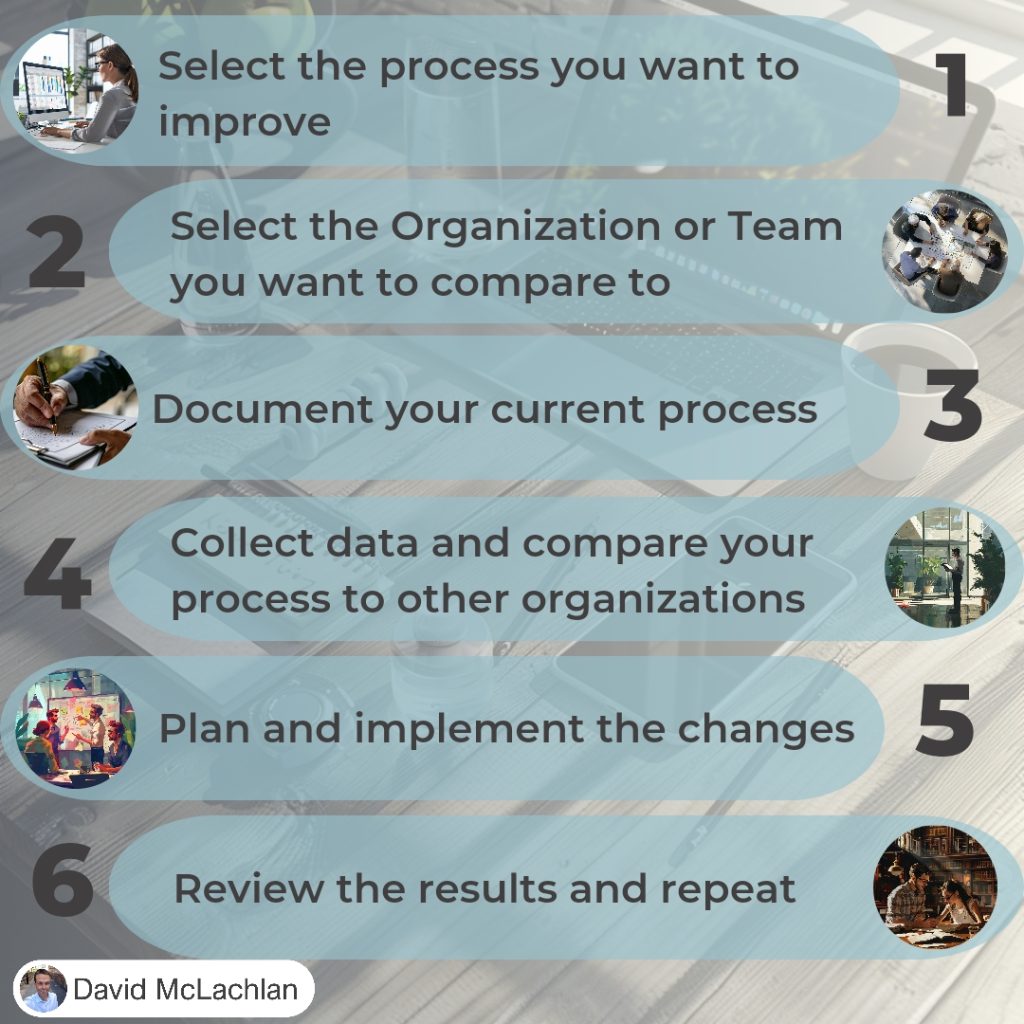
The steps to Benchmarking are:

  1. Select the process you want to improve,
  2. Select the organization or team you want to compare to,
  3. Document your current process,
  4. Collect data and compare your process to other organizations,
  5. Plan and implement the changes,
  6. Review the results, and repeat.

See more Project Management Picture Concepts:

You can see what people are saying about David McLachlan here: REVIEWS

Navigate to Free Project Management and Leadership Articles through the links on the right (or at the bottom if on Mobile) 

PMI PMP 35 PDUs CourseThe Ultimate PMP Project Management Prep Course (35 PDUs)
Agile Certified Practitioner (PMI-ACP 21 PDUs)The Complete Agile Course: PMI-ACP (21 PDUs), Coaching, Jira and MORE! 
50 Project Management Templates Gantt Chart Risk Matrix and more Excel50+ Project Management Templates in Excel and PowerPoint (Gantt Chart, Risk Matrix and more!)
Project Management Plan TemplatesPre-made Project Management PLAN Template: Save 100 HOURS!


Project Management Office (PMO) Types

There are three types of PMOs.

Here’s what a good PMO will do for you:

  • ⭐ Manage shared resources across projects,
  • ⭐ Develop a project management methodology or best practice,
  • ⭐ Coaching, mentoring, training,
  • ⭐ Monitoring compliance with project standards (using project audits),
  • ⭐ Develop and manage project templates,
  • ⭐ Coordinate communication across projects.

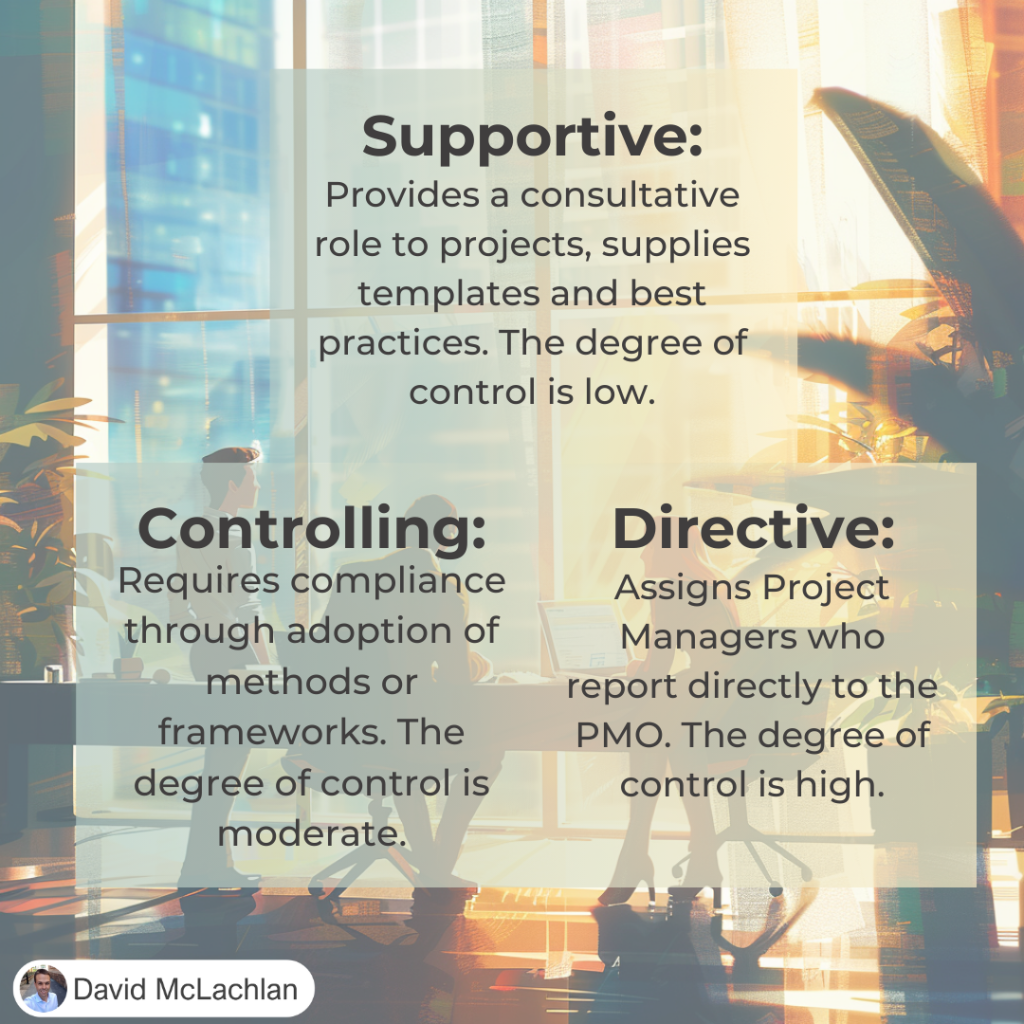
In the PMBOK Guide you’ll find Supportive, Controlling and Directive PMOs.

Supportive PMO

A Supportive PMO is the least “hands on” type of PMO. They provide a consultative role to projects. They might supply templates or general best practices (like a Prince2 framework or a PMI-PMP certification). The have a low degree of control over the projects in the organization.

Controlling PMO

A Controlling PMO has a medium level of control over the projects in the organization. It usually focuses on compliance, to particular frameworks or methods. It might provide specific templates and tools that it requires Project Managers to use.

Directive PMO

A Directive PMO takes control of the projects by directly managing the projects. Project managers are assigned by and report to the PMO. The degree of control is high.

➡️ How does your PMO compare to this list? ➡️ Would you add anything?

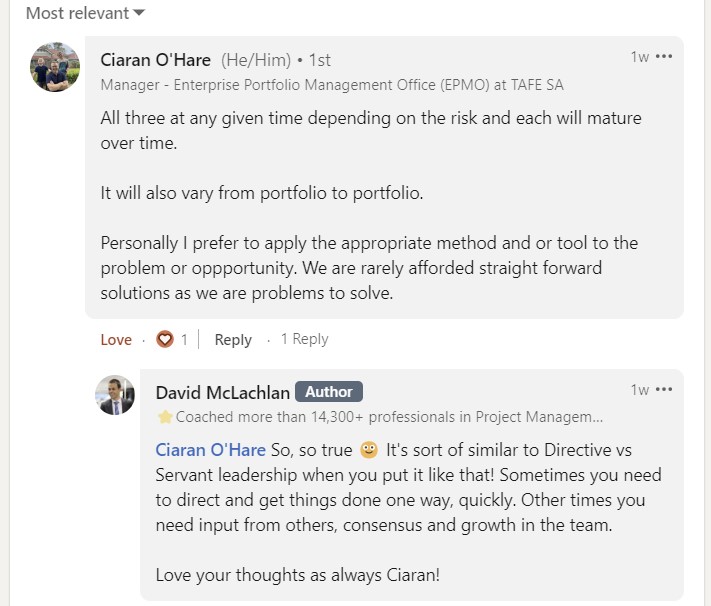
Here’s a snippet of a great comment from the LinkedIn thread:

See more Project Management Picture Concepts:

You can see what people are saying about David McLachlan here: REVIEWS

Navigate to Free Project Management and Leadership Articles through the links on the right (or at the bottom if on Mobile) 

PMI PMP 35 PDUs CourseThe Ultimate PMP Project Management Prep Course (35 PDUs)
Agile Certified Practitioner (PMI-ACP 21 PDUs)The Complete Agile Course: PMI-ACP (21 PDUs), Coaching, Jira and MORE! 
50 Project Management Templates Gantt Chart Risk Matrix and more Excel50+ Project Management Templates in Excel and PowerPoint (Gantt Chart, Risk Matrix and more!)
Project Management Plan TemplatesPre-made Project Management PLAN Template: Save 100 HOURS!


Project Benefit Types – Tangible and Intangible

What Type Of Benefits Does Your Project Have?

Projects are temporary, and they deliver something new – a change and business value. Many executives forget about the “business value” part though, and instead focus on:

  • Doing business with a company because their friend / partner / spouse owns it,
  • Adding the latest system just because it is currently trending,
  • Doing a project because you need to spend the budget you have before the end of the year.

Those things don’t inherently add business value. Instead, there are two types of business value we can be aware of when delivering a change or a project.

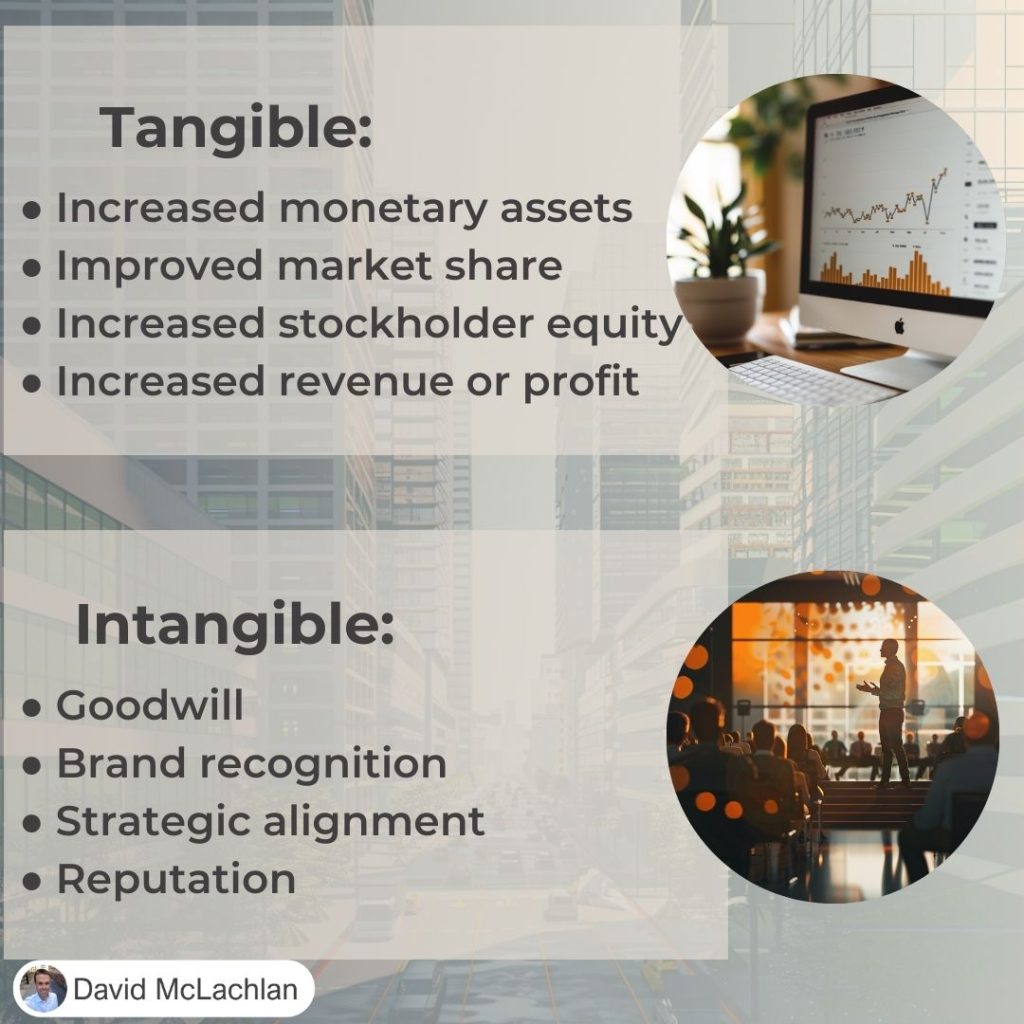
Tangible Value

This is something physical that we can see making a difference directly. It usually comes down to money. It could be:

  • Increased monetary assets
  • Increased market share
  • Increased stockholder equity
  • Increased revenue or profit

It might be directly more customers, or figuring out how to increase customer value, or reducing the customer acquisition cost.

It is something we can measure directly.

Intangible Value

Intangible value is harder to measure. We know we are adding value, we know something is increasing, but it is hard to see how it directly affects the bottom line of our department or company. It might include:

  • Brand recognition
  • Goodwill
  • Reputation
  • Strategic alignment

We might see how many people have seen and can recognize our brand, but we won’t know the real difference it has made until we can see an improvement to our bottom line.

See more Project Management Picture Concepts:

You can see what people are saying about David McLachlan here: REVIEWS

Navigate to Free Project Management and Leadership Articles through the links on the right (or at the bottom if on Mobile) 

PMI PMP 35 PDUs CourseThe Ultimate PMP Project Management Prep Course (35 PDUs)
Agile Certified Practitioner (PMI-ACP 21 PDUs)The Complete Agile Course: PMI-ACP (21 PDUs), Coaching, Jira and MORE! 
50 Project Management Templates Gantt Chart Risk Matrix and more Excel50+ Project Management Templates in Excel and PowerPoint (Gantt Chart, Risk Matrix and more!)
Project Management Plan TemplatesPre-made Project Management PLAN Template: Save 100 HOURS!


The 5 Cs of Communication

5 Cs of Communication

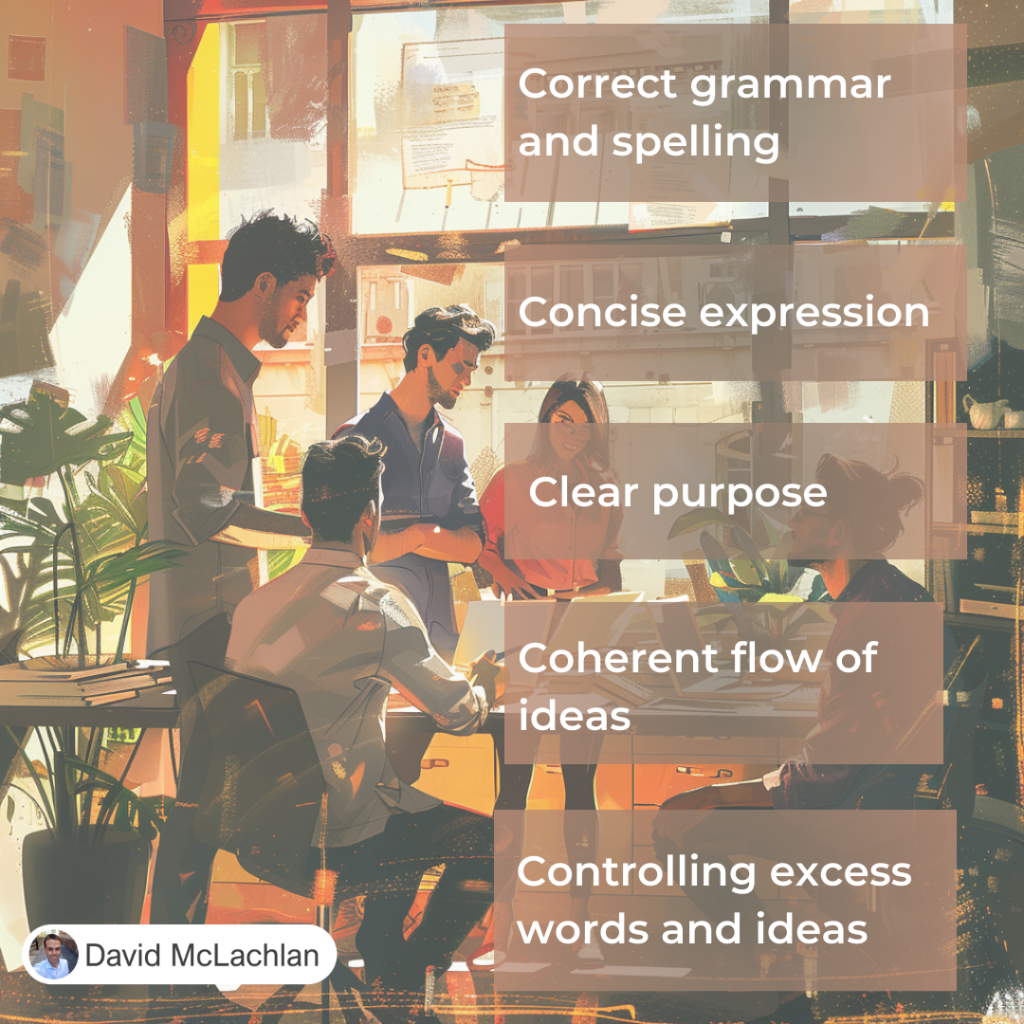
These are the Five Cs of communication – perfect for communicating effectively on your project. They are:

1. Correct grammar and spelling

Poor use of grammar or inaccurate spelling can be distracting, can distort the message and reduce your credibility.

2. Concise expression and elimination of excess words

A short, well-crafted message reduces the opportunities for misunderstanding.

3. Clear purpose and expression directed towards the needs of the reader

Ensure that you factor in the needs and interests of your audience.

4. Coherent, logical flow of ideas

A logical flow of ideas using “markers” such as an introduction and summaries of the ideas as you write.

5. Controlling flow of words and ideas

Controlling the flow of words and ideas may involve graphics or summaries.


See more Project Management Picture Concepts:

You can see what people are saying about David McLachlan here: Reviews

PMI PMP 35 PDUs CourseThe Ultimate PMP Project Management Prep Course (35 PDUs)
Agile Certified Practitioner (PMI-ACP 21 PDUs)The Complete Agile Course: PMI-ACP (21 PDUs), Coaching, Jira and MORE! 
50 Project Management Templates Gantt Chart Risk Matrix and more Excel50+ Project Management Templates in Excel and PowerPoint (Gantt Chart, Risk Matrix and more!)
Project Management Plan TemplatesPre-made Project Management PLAN Template: Save 100 HOURS!


The Three Cs of User Story Creation

3 C’s of User Story Creation

The Three Cs for User Story Creation

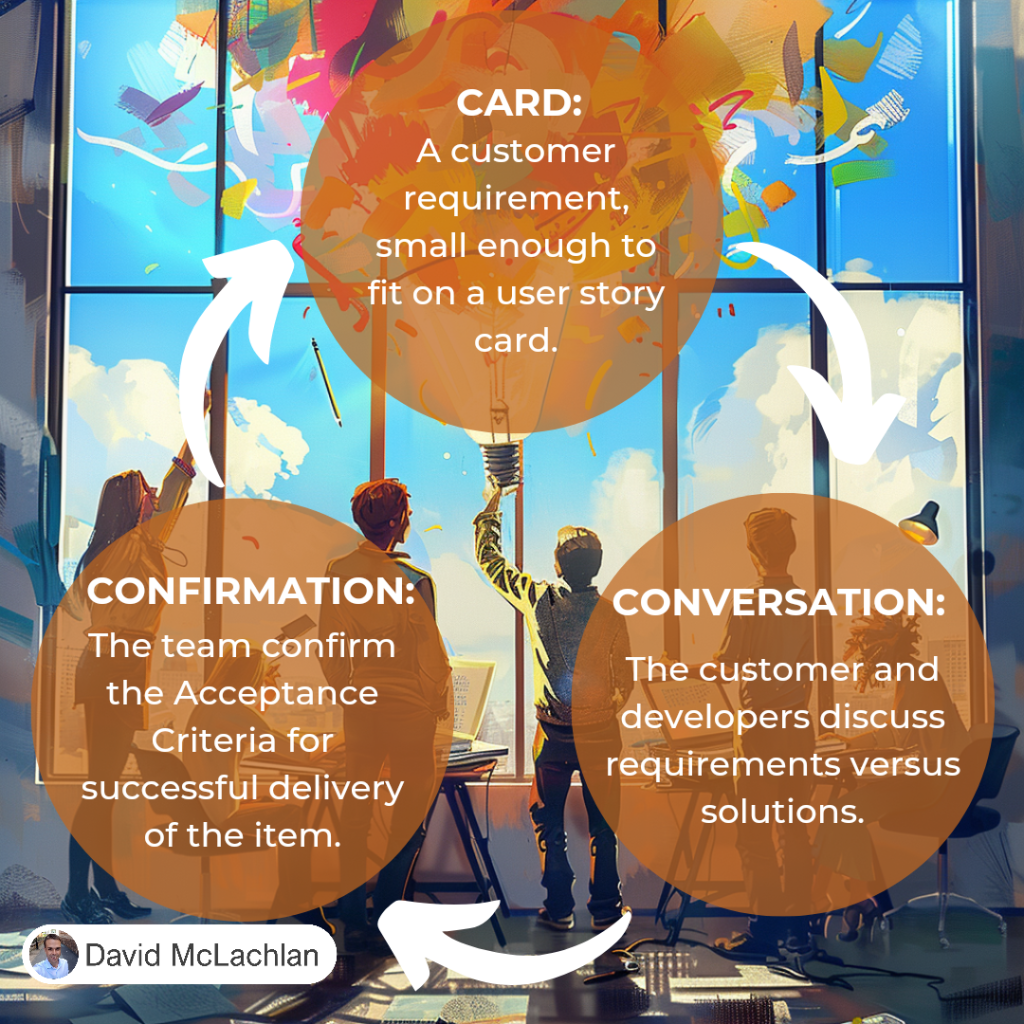
The three Cs are a great way to remember to collaborate and create items to work on in an Agile team. They stand for the Card, the Conversation and the Confirmation.

The Card

This is the customer requirement, often with "Acceptance Criteria" for what needs to be done. It is written on a card as a User Story, and often shown on a Kanban Board.

The Conversation

A Conversation between: customers or users, developers and testers – our “triad” or “three amigos” – to work through the requirements, solution, and acceptance test criteria.

The Confirmation

Confirmation that the item meets the requirements. The Customer can sign off the requirements, the team can Showcase the increment at the Sprint Review, and the Scrum Master can ensure a Definition of Done is in place for the team.

A Definition of Done is the criteria we have to meet for the card to be seen as "Complete". It might include developing it, testing it, demonstrating it and signing off on it.

Learn Project Management and earn 35 PDUs, Learn Agile and earn 21 PDUs, save yourself 100s of hours with the Excel and PowerPoint templates below.

You can see what people are saying about David McLachlan here: REVIEWS

PMI PMP 35 PDUs CourseThe Ultimate PMP Project Management Prep Course (35 PDUs)
Agile Certified Practitioner (PMI-ACP 21 PDUs)The Complete Agile Course: PMI-ACP (21 PDUs), Coaching, Jira and MORE! 
50 Project Management Templates Gantt Chart Risk Matrix and more Excel50+ Project Management Templates in Excel and PowerPoint (Gantt Chart, Risk Matrix and more!)
Project Management Plan TemplatesPre-made Project Management PLAN Template: Save 100 HOURS!


Secret Game #1

Click Me!


Push and Pull Communication

Push and Pull Communication

Communication in Two Categories

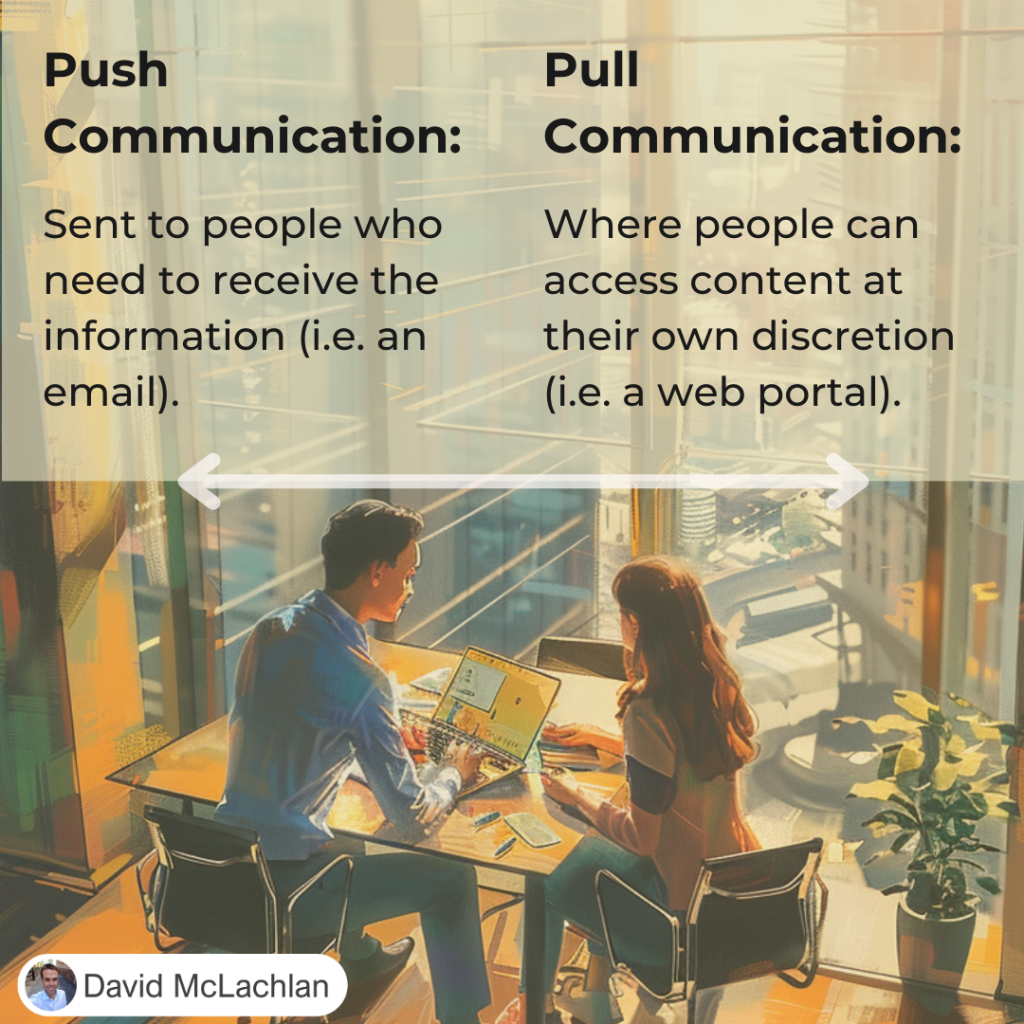
Communication on your project typically falls into two categories, Push Communication and Pull Communication.

Push Communication

Push  communication is sent to people who need to receive the information. It might include:

  • Memos
  • Reports
  • Emails
  • Faxes
  • Voice mails
  • Press releases

We can send it, but that doesn’t mean it has reached them, was interpreted correctly, or was understood by the intended audience.

Pull Communication

Pull communication is where people can access content at their own discretion. Examples include:

  • Web portals,
  • Intranet sites,
  • Self-paced e-learning,
  • Lessons learned databases or knowledge repositories.


See more Project Management Picture Concepts:

You can see what people are saying about David McLachlan here: REVIEWS

Navigate to Free Project Management and Leadership Articles through the links on the right (or at the bottom if on Mobile) 

PMI PMP 35 PDUs CourseThe Ultimate PMP Project Management Prep Course (35 PDUs)
Agile Certified Practitioner (PMI-ACP 21 PDUs)The Complete Agile Course: PMI-ACP (21 PDUs), Coaching, Jira and MORE! 
50 Project Management Templates Gantt Chart Risk Matrix and more Excel50+ Project Management Templates in Excel and PowerPoint (Gantt Chart, Risk Matrix and more!)
Project Management Plan TemplatesPre-made Project Management PLAN Template: Save 100 HOURS!


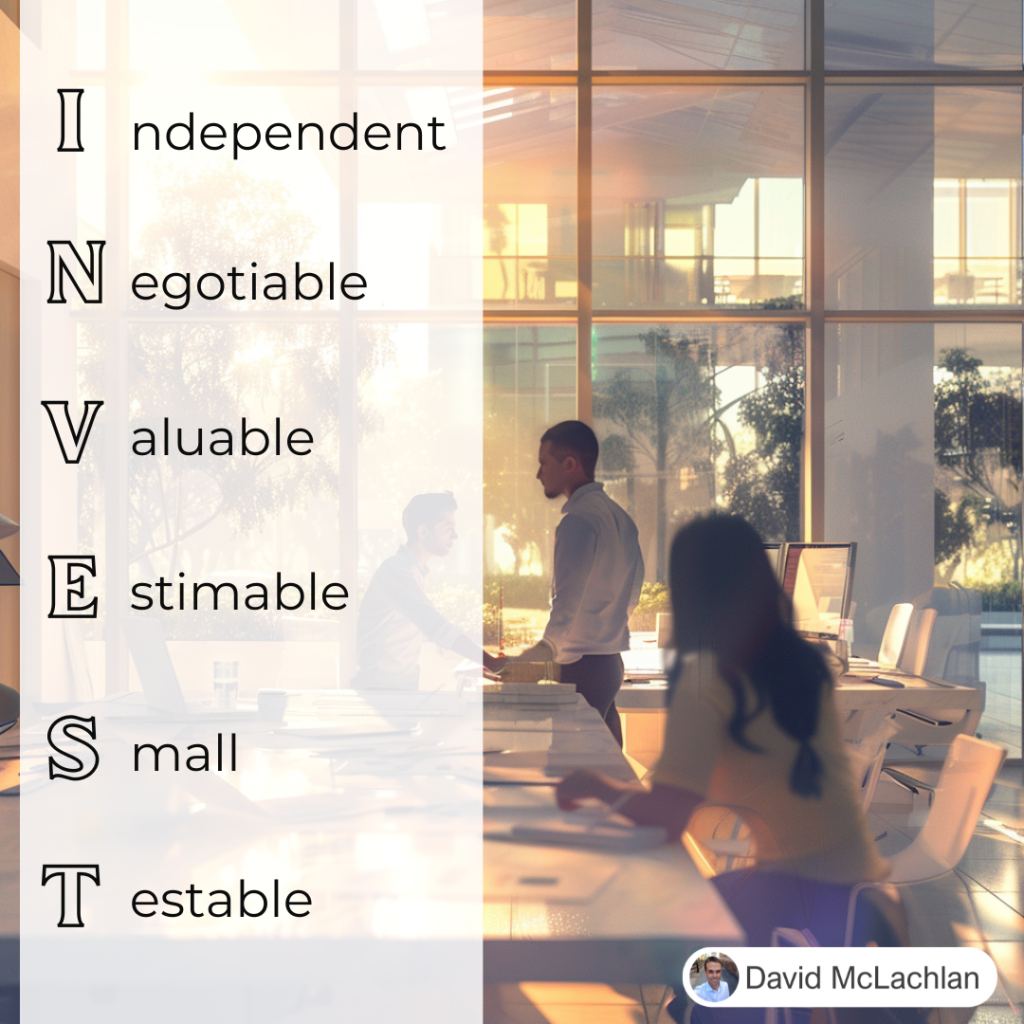
INVEST for User Story Creation

INVEST for User Stories

A Great Way to Create Agile User Stories

INVEST is an acronym that helps us when creating user stories. In an Agile team, you’ll typically get together in a “Triad” or “The Three Amigos” of the Customer, Developer and Tester, but it can be anyone who needs to have an input.

INVEST stands for:

Independent, Negotiable, Valuable (or Vertical), Estimable, Small and Testable.

Independent

The User Story should be a usable piece that can operate on its own, independent to others, that we can demonstrate at the end of the Sprint.

Negotiable

The User Story should be able to be negotiated in our out of the sprint, or even out of the Product Backlog if it is no longer valuable. We should be able to negotiate the requirements against the solution.

Valuable

The item should have customer value, and be able to be demonstrated.

Estimable

The item’s effort should be able to be estimated by the team.

Small

It should be small enough to be completed in a Sprint (usually around 2 weeks)

Testable

It should be testable – often the team will write the tests (or acceptance criteria) first using “Test Driven Development”.

Learn Project Management and earn 35 PDUs, Learn Agile and earn 21 PDUs, save yourself 100s of hours with the Excel and PowerPoint templates below.

You can see what people are saying about David McLachlan here: REVIEWS

PMI PMP 35 PDUs CourseThe Ultimate PMP Project Management Prep Course (35 PDUs)
Agile Certified Practitioner (PMI-ACP 21 PDUs)The Complete Agile Course: PMI-ACP (21 PDUs), Coaching, Jira and MORE! 
50 Project Management Templates Gantt Chart Risk Matrix and more Excel50+ Project Management Templates in Excel and PowerPoint (Gantt Chart, Risk Matrix and more!)
Project Management Plan TemplatesPre-made Project Management PLAN Template: Save 100 HOURS!


Project Management Key Concepts (in Pictures)

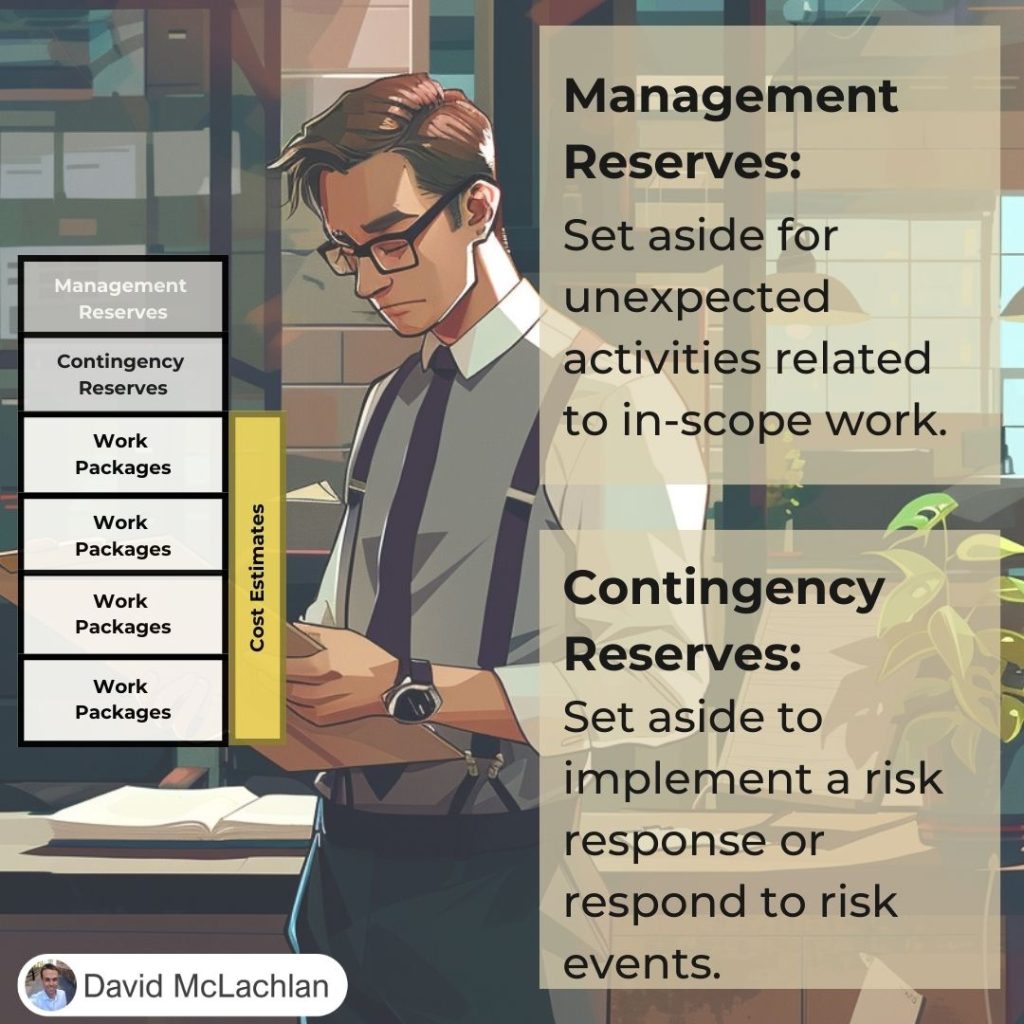
Cost Reserves (Contingency, Management):

Types of Project Benefits (Tangible, Intangible):

Three Types of PMO (Supportive, Controlling, Directive):

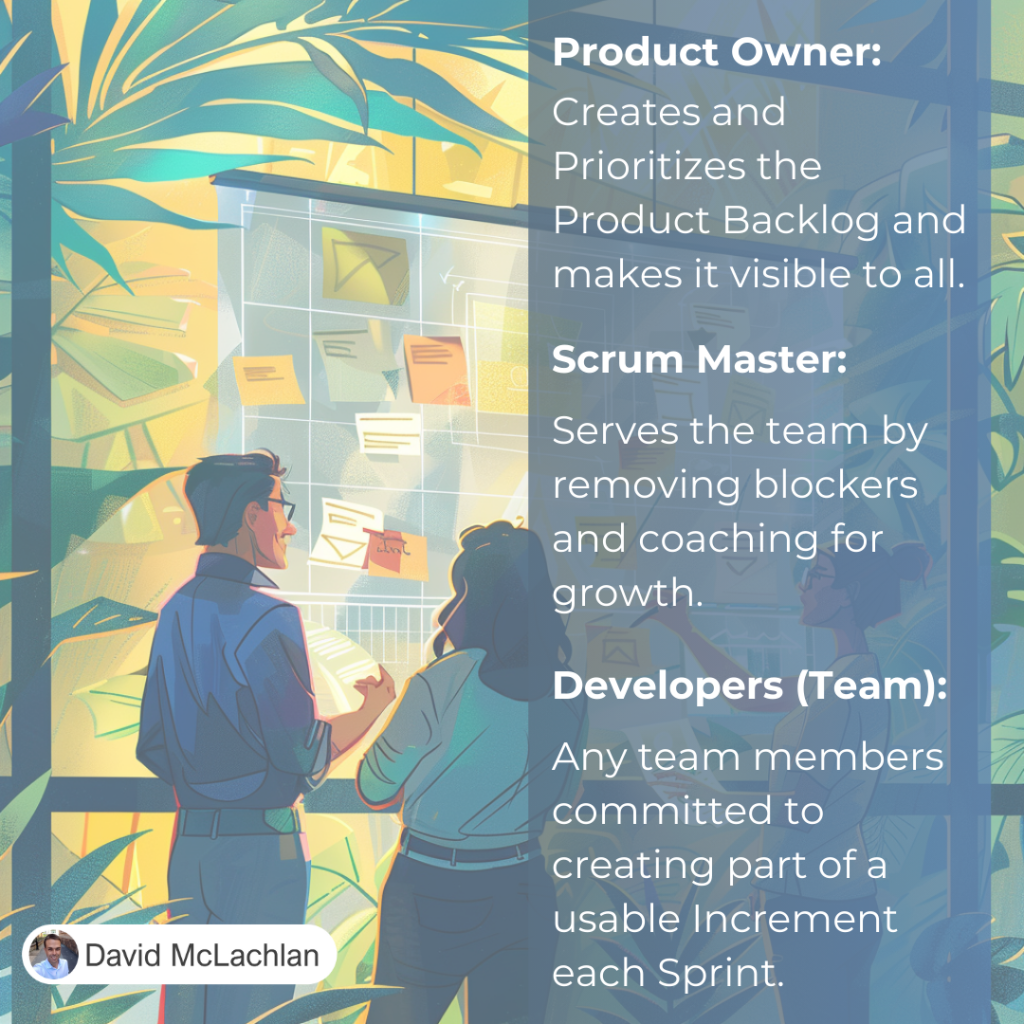
Roles on a Scrum Team:

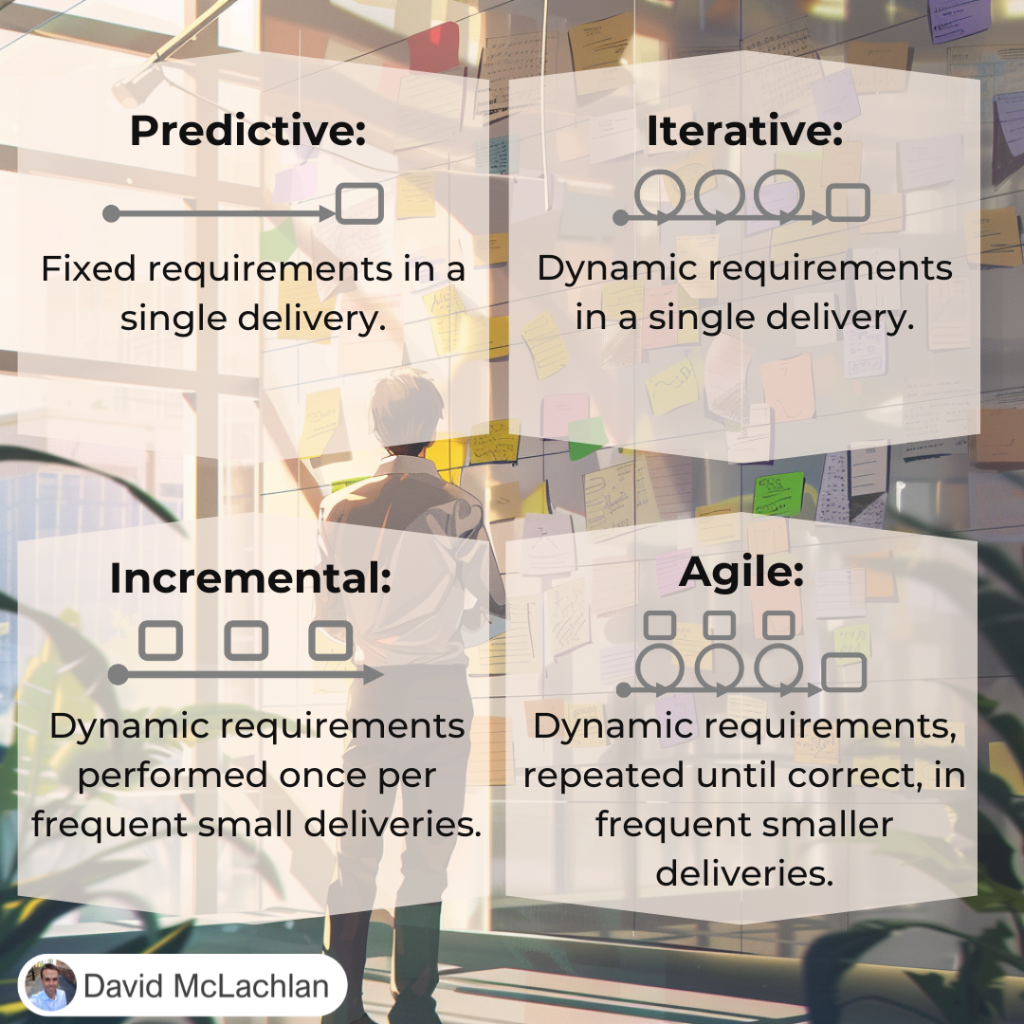
Project Development Lifecycles:

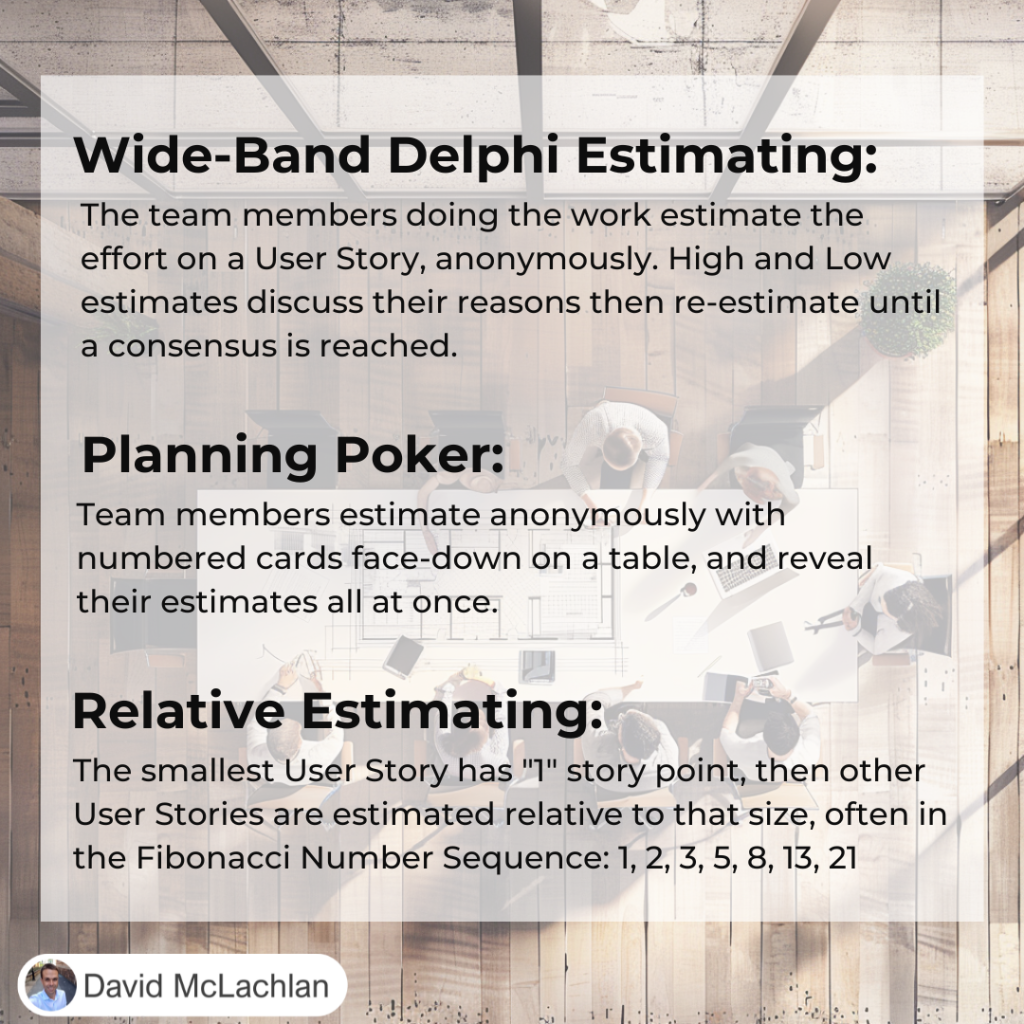
Agile Estimating:

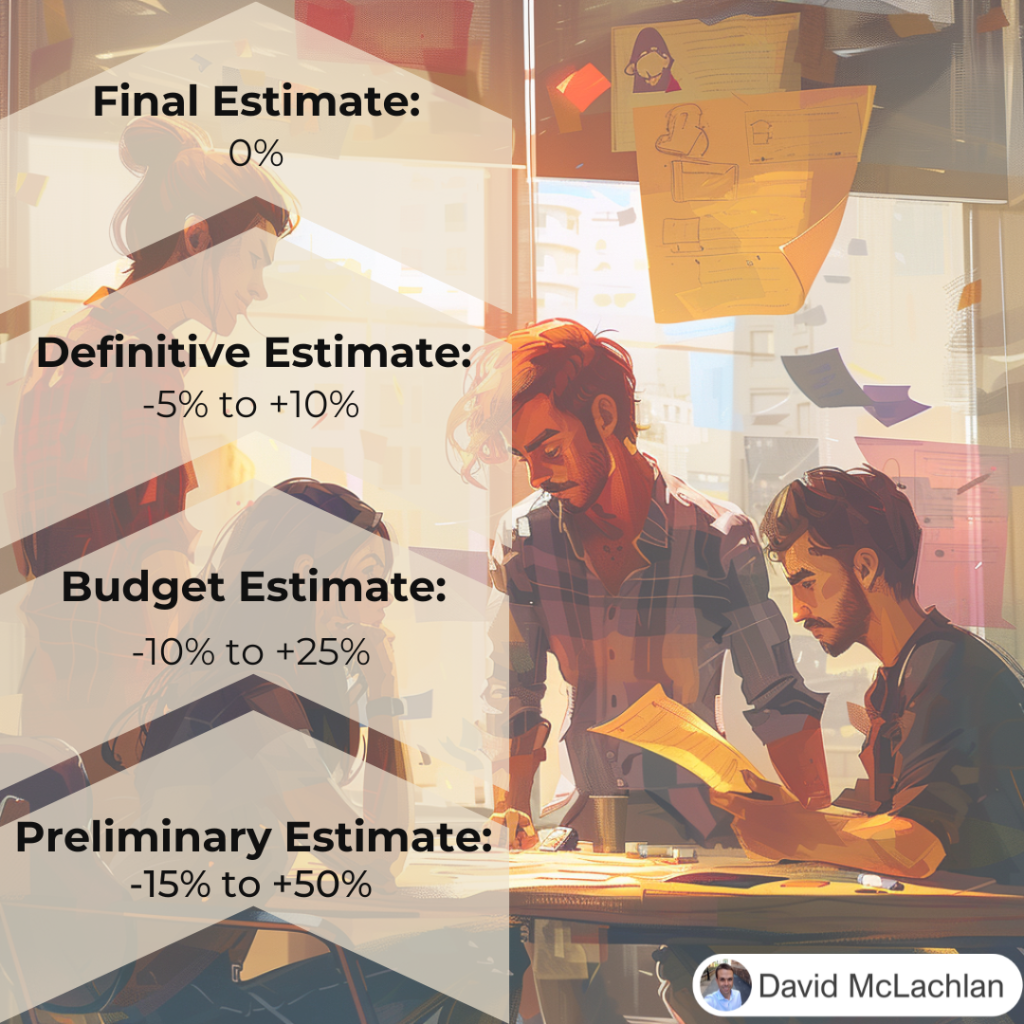
Estimating Types and Ranges:

The Three Cs for creating User Stories:

INVEST for creating User Stories:

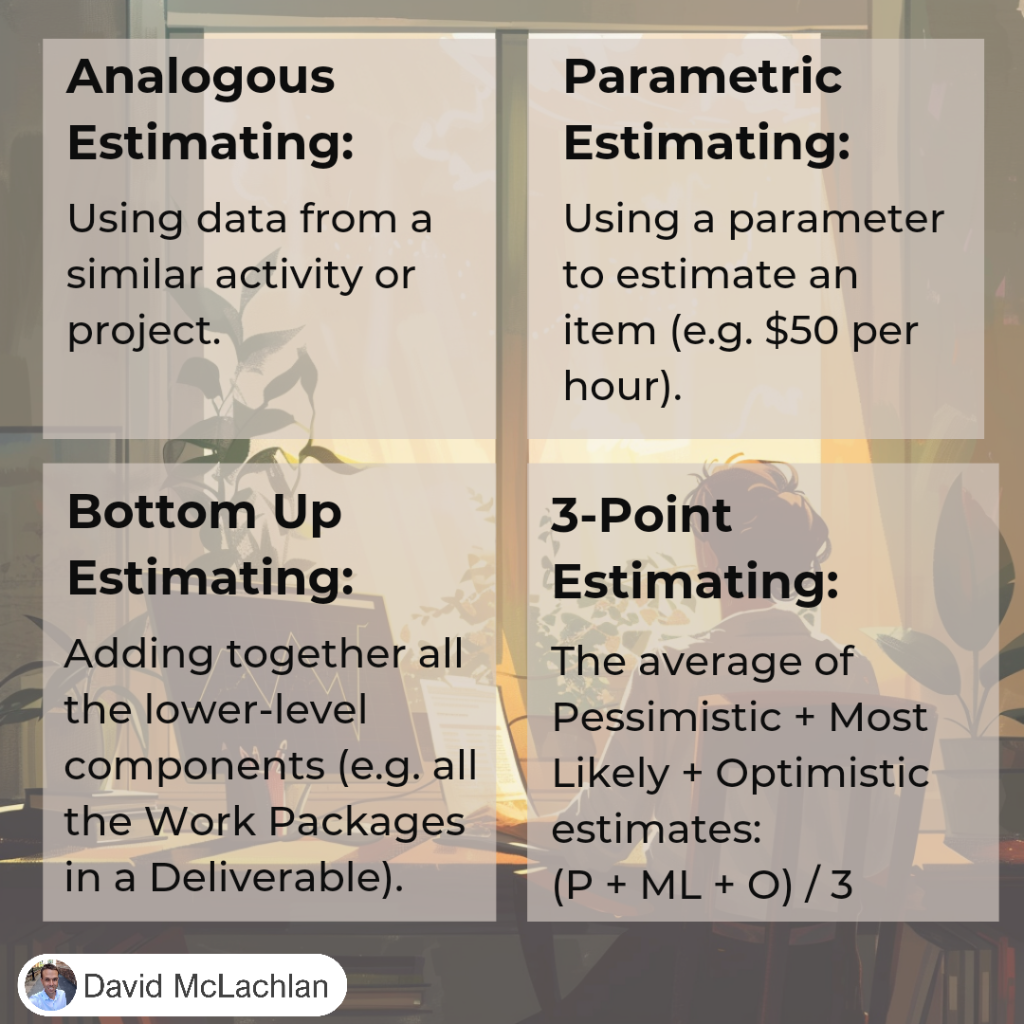
Types of Estimating (Analogous, Parametric, 3-point, etc.)

Push Communication and Pull Communication:

The Five Cs of Communication

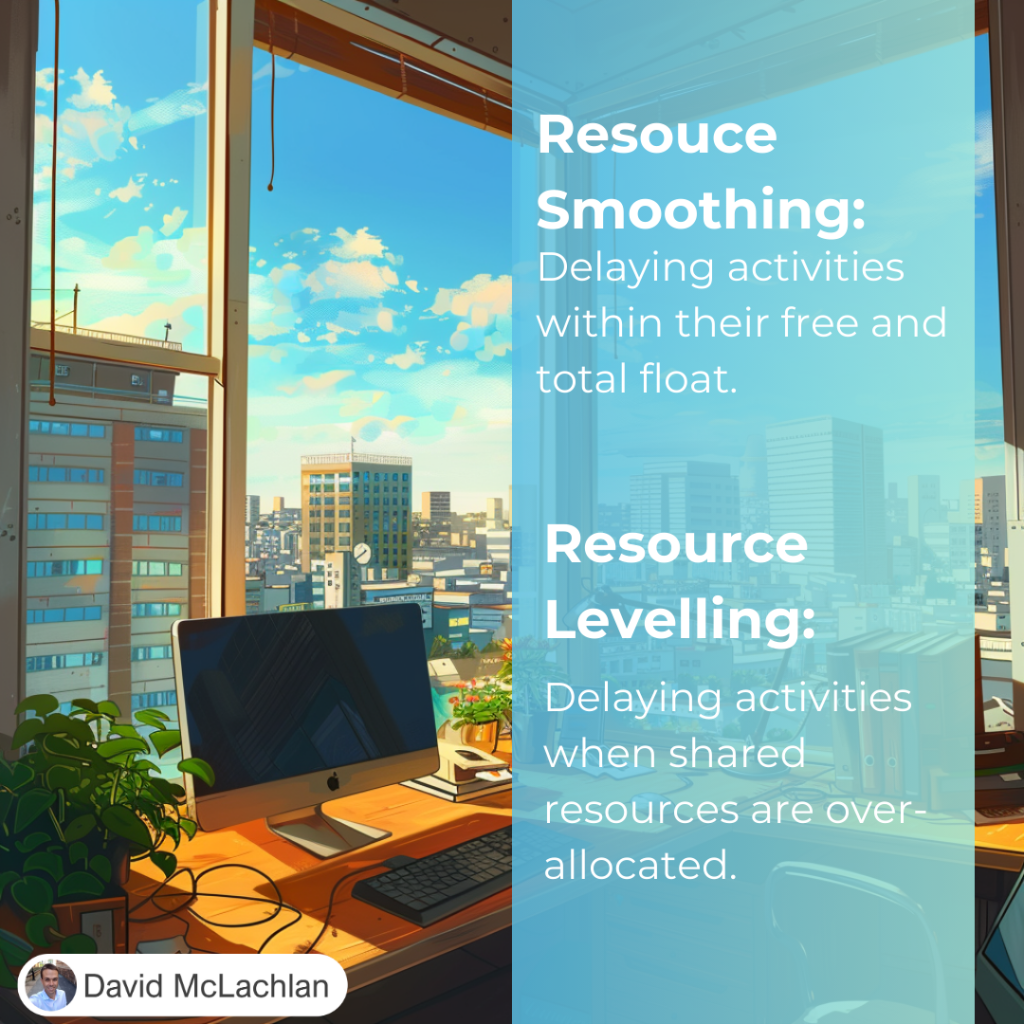
Resource Smoothing and Resource Levelling:

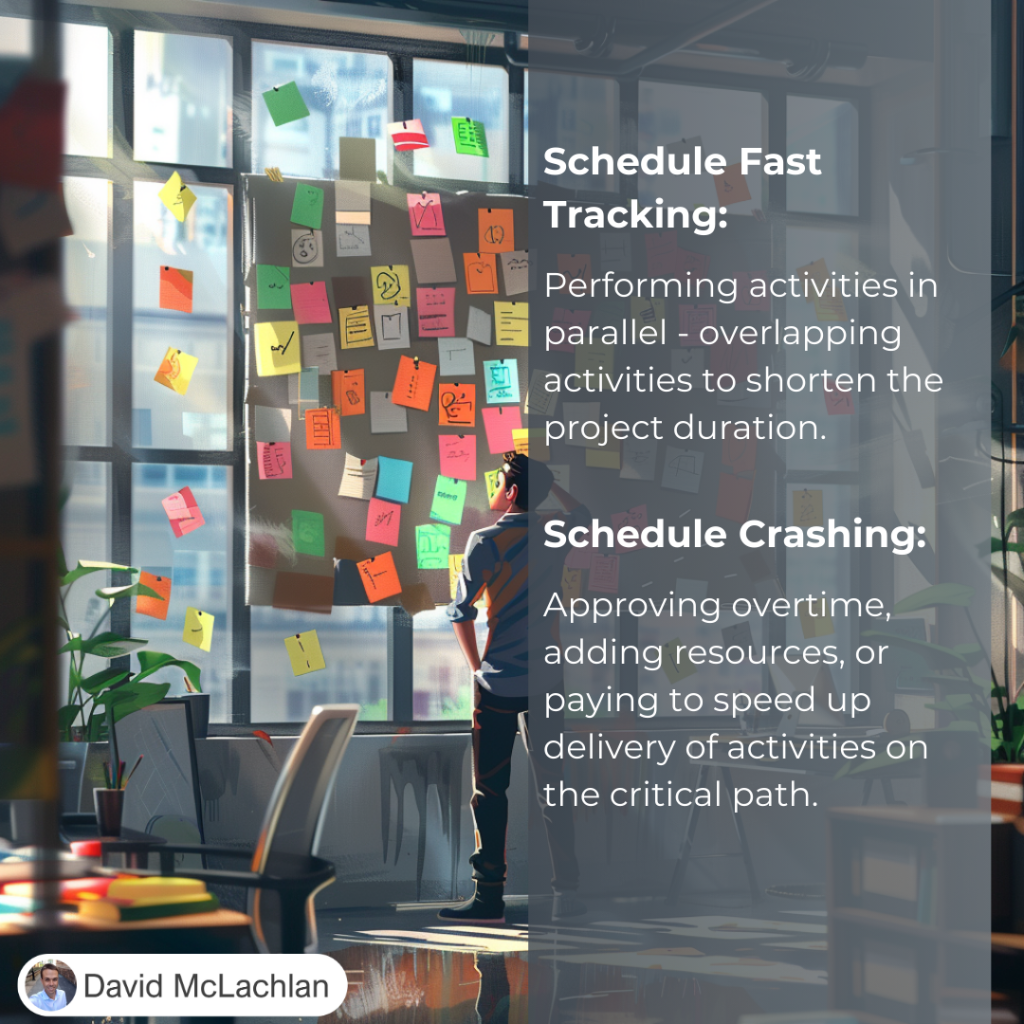
Schedule Fast Tracking and Schedule Crashing:

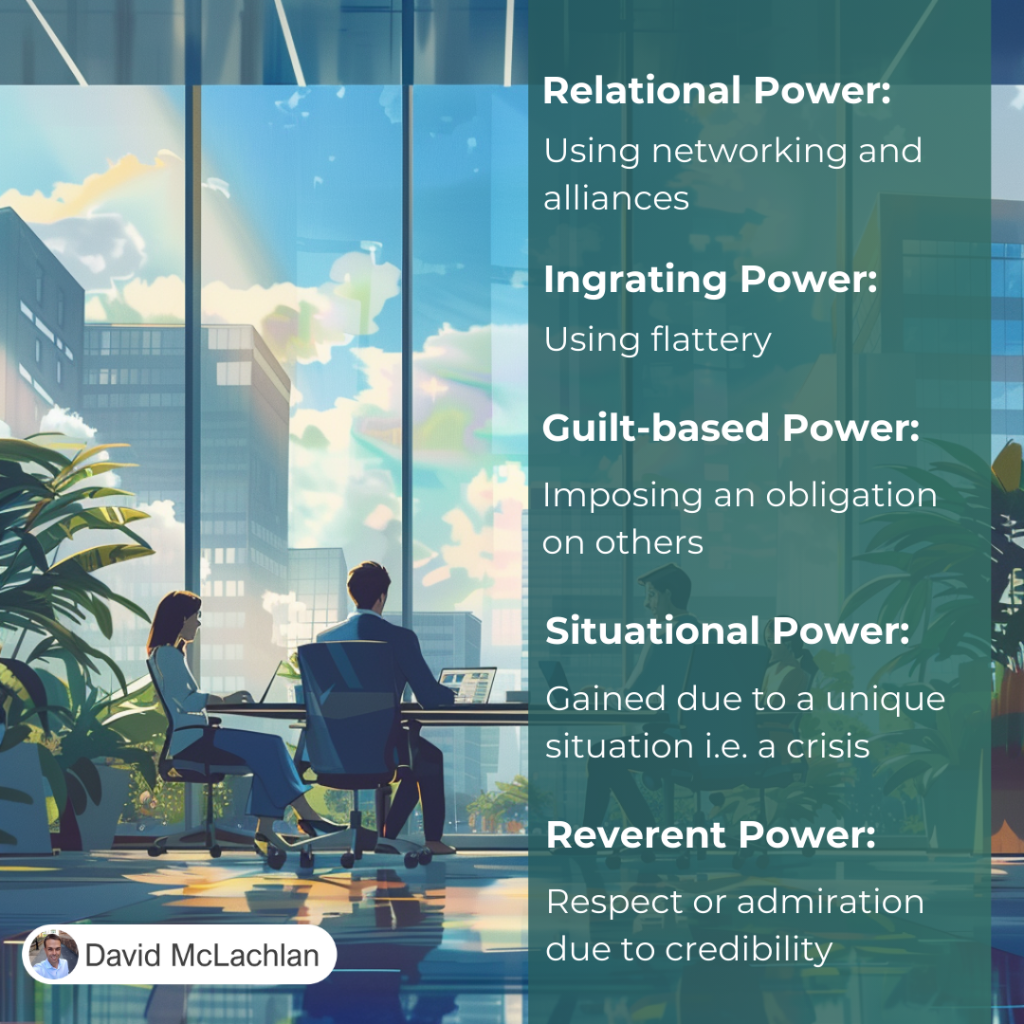
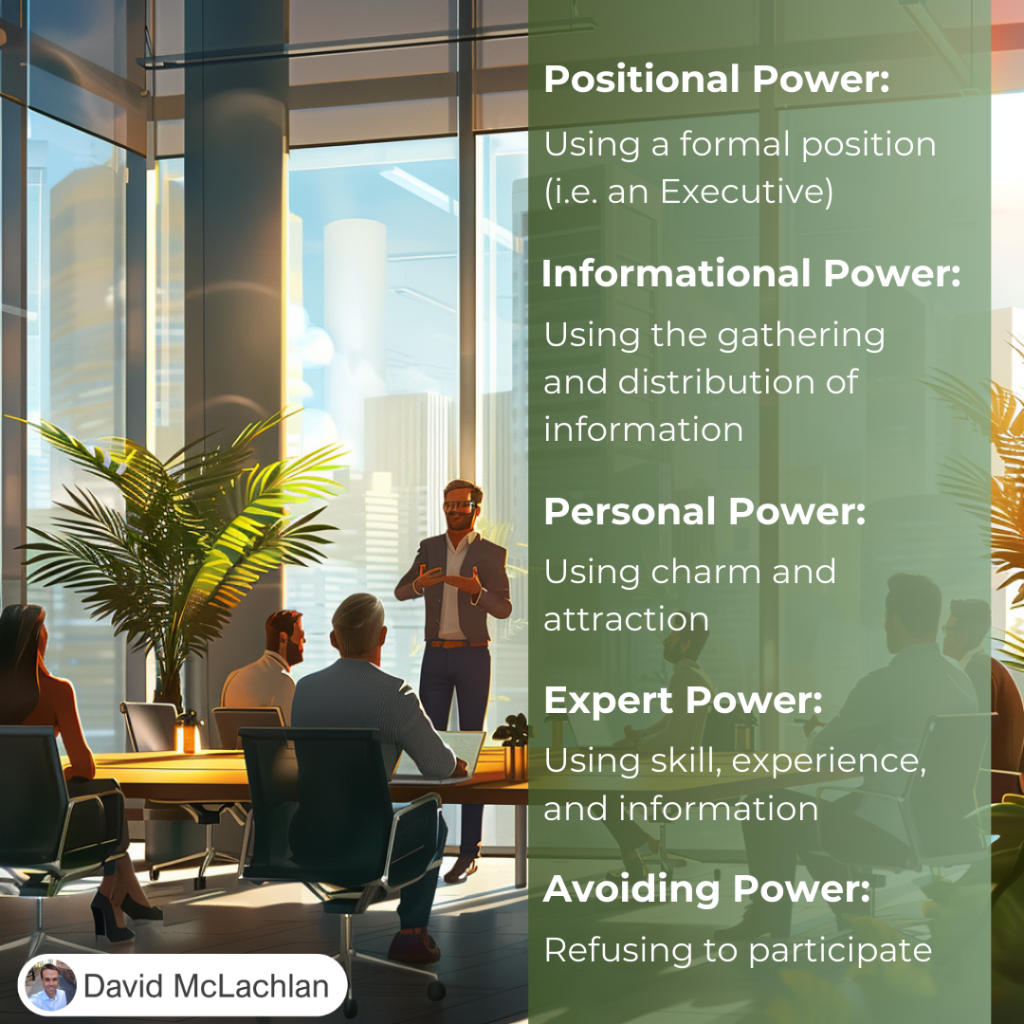
Types of Power:

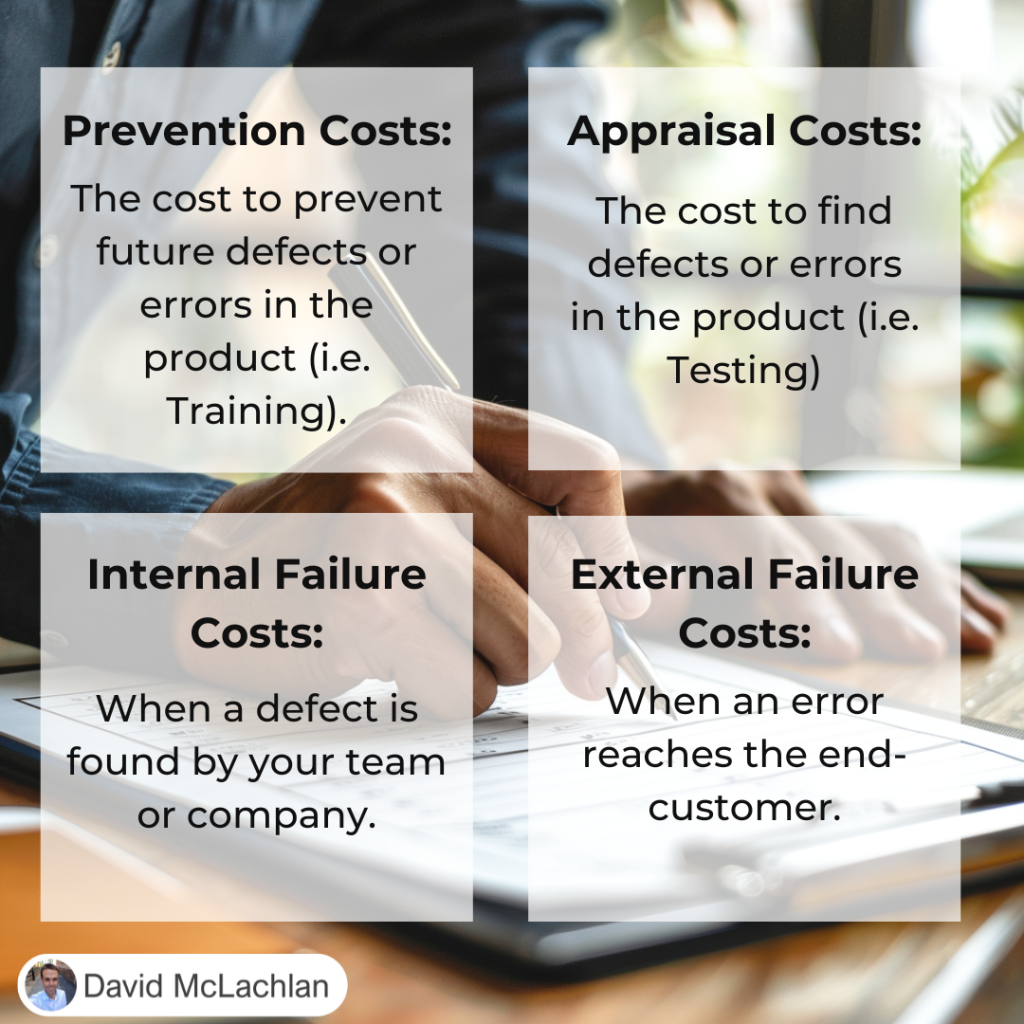
The Cost of Quality:

Cost of Quality

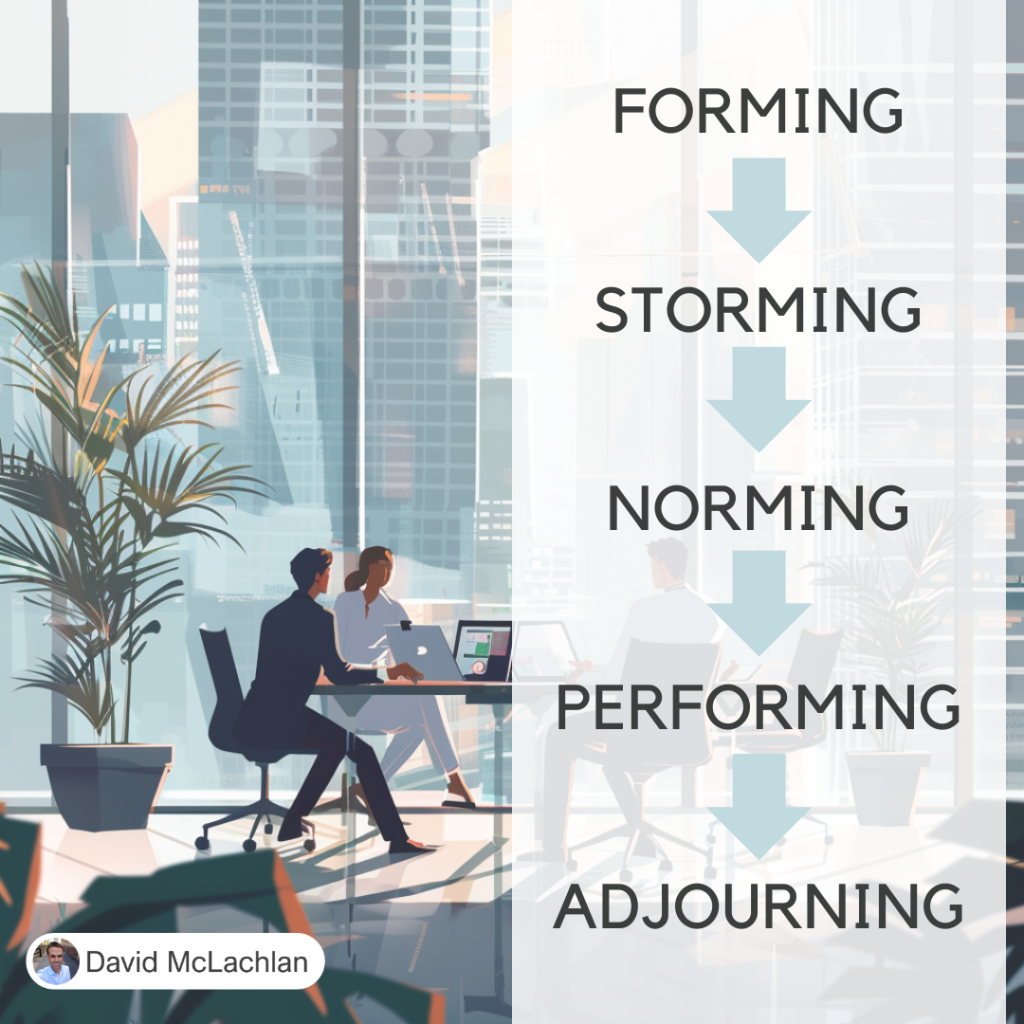
Tuckman’s Ladder (the Tuckman Model for Team Development):

Tuckmans Ladder

Adaptability and Resiliency:

Adaptability and Resiliency

Adaptability and Resiliency

Adaptability and Resiliency

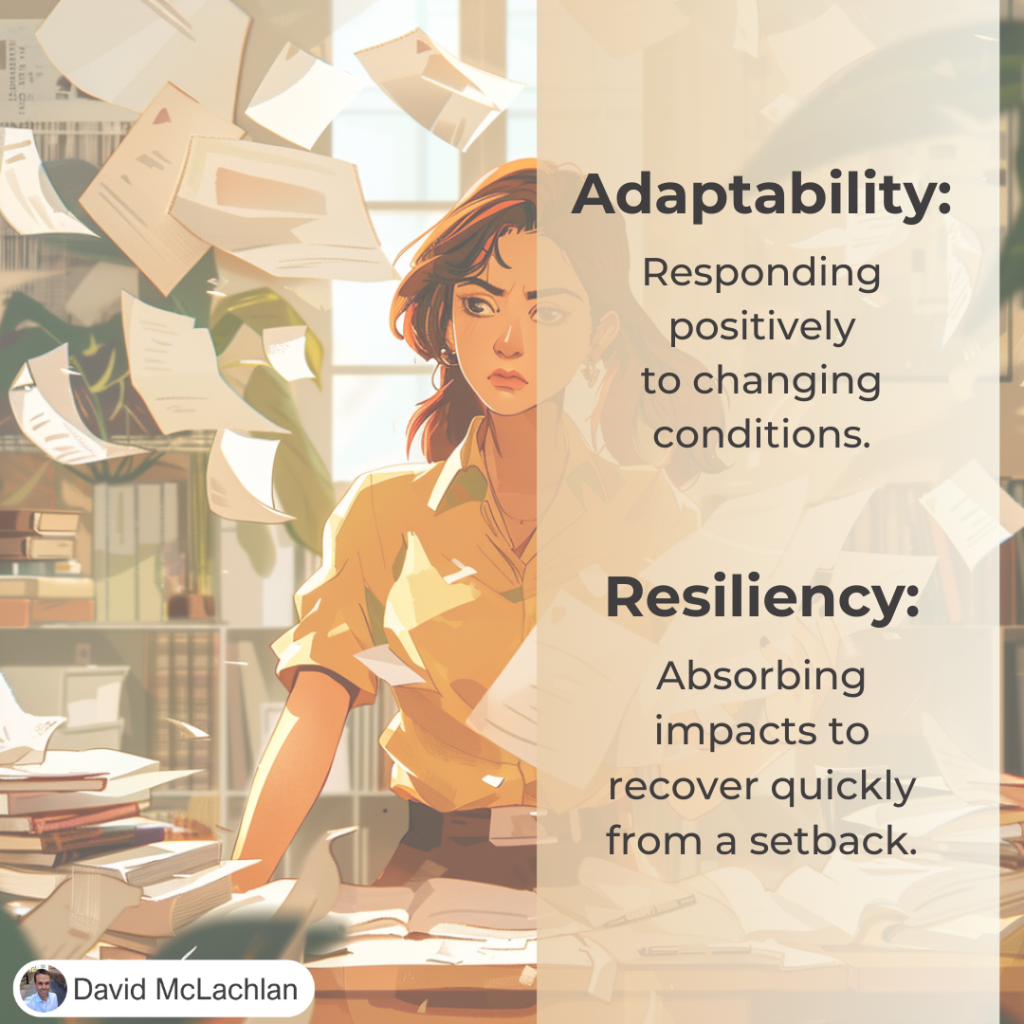
Projects are hard. But they can be easier when you and your team are Adaptable and Resilient.

The good news? You can improve both of these things.

Adaptability is responding positively to changing conditions.

Resiliency is absorbing impacts to recover quickly from a setback.

Having a solid foundation (like an emergency fund in your home Budget, or a career skill that is in high demand) will help you with both.


– David McLachlan

See more Project Management Picture Concepts:

David McLachlan – What People Are Saying

See live comments and reviews on David McLachlan on YouTube, Udemy and Etsy.

Here is what people have to say about David McLachlan:

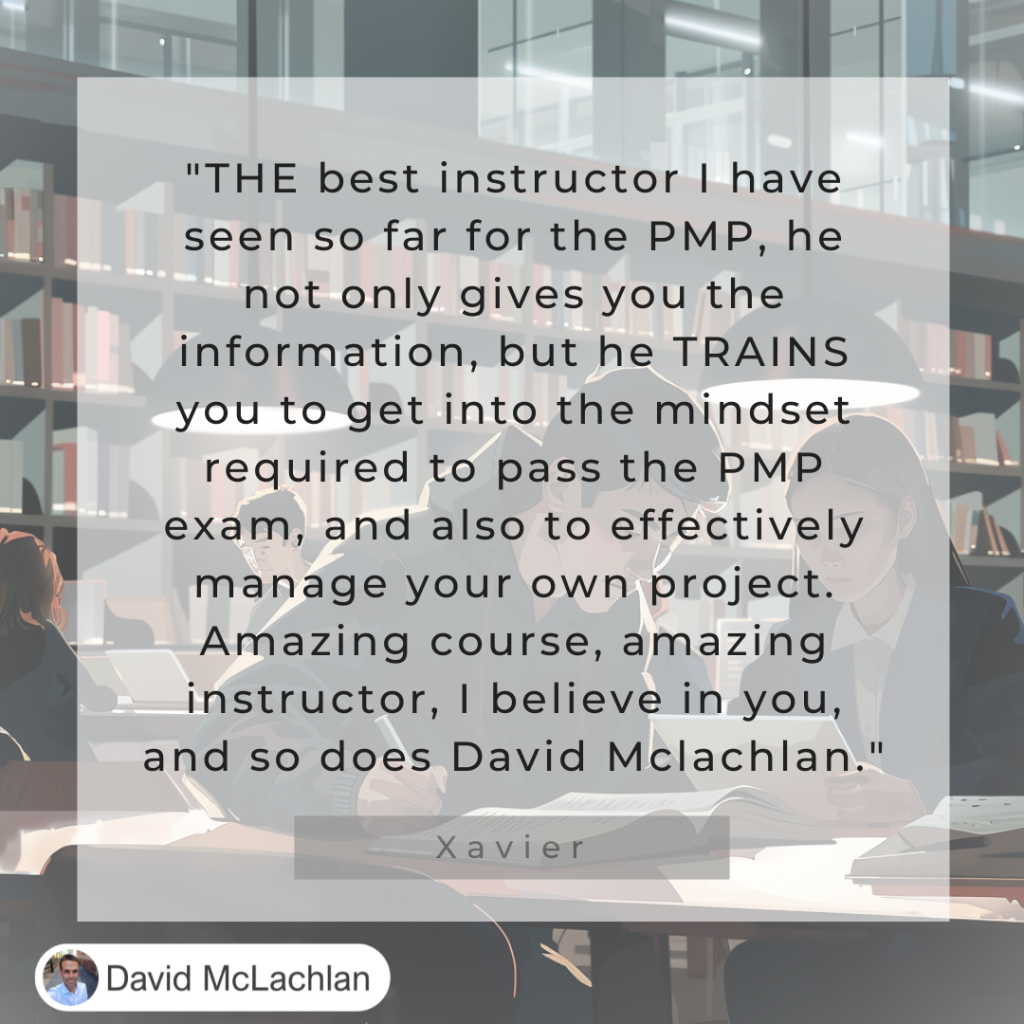
“THE best instructor I have seen so far for the PMP, he not only gives you the information, but he TRAINS you to get into the mindset required to pass the PMP exam, and also to effectively manage your own project. Amazing course, amazing instructor, I believe in you, and so does David McLachlan.” – Xavier
David McLachlan review

“David McLachlan is one of the most sincere and personable teachers I’ve ever studied under. His positivity is genuinely infectious. It’s clear to me that what he teaches comes from a place of wanting his students to succeed, not just in the exam, but also in the corporate environment.” – Manunath

David McLachlan review

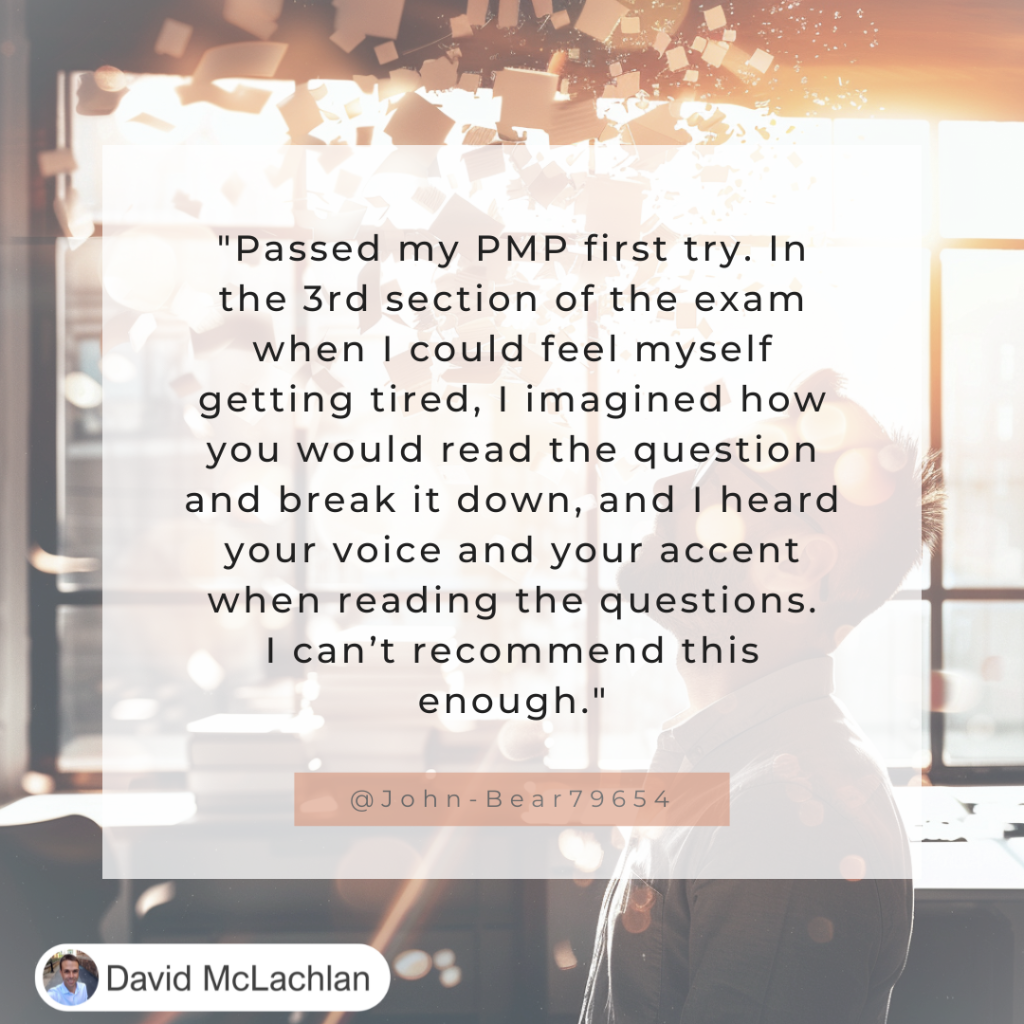
“Passed my PMP first try. In the 3rd section of the exam when I could feel myself getting tired, I imagined how you would read the question and break it down, and I heard your voice and your accent when reading the questions. I can’t recommend this (David McLachlan course) enough.” – John
David McLachlan review

“I have to say how amazing your (David McLachlan’s) video series is. Both my wife and I took the exam and we both passed AT in all areas. When I first saw your revies, I assumed they were fake because of how glowing they were. If anything, they under-report the true value you provide.” – Eric
David McLachlan Review

“Hi David McLachlan, I passed PMP this week with 3 ATs. Thanks a lot for the humongous effort that you have put in to make things clear for us. You made me understand the concept so well. Thanks again David.” – Rekha
David McLachlan Review

“Fabulous Project Management Plans (by David McLachlan) for any Project Management Professional (PMP). Saves you several hundred hours of work, prevents mistakes, and makes you look like a very experienced professional.” – Linda
David McLachlan Project Plans Review

“I took my PMP exam today, and could practically hear (David McLachlan) your enthusiastic, encouraging words as I made my way through the test. “How did you go?” “I KNOW you can do it.” “I believe in you.” I can’t thank you enough for your encouragement!” – Burt
David McLachlan review

“Highly recommend this (David McLachlan) course! The clear communication, efficient content, and handy review materials not only made learning enjoyable but also led to my successful exam outcome. Kudos to David for creating an exceptional learning experience!” – Said K.
“I passed my PMP exam today. I studied using all of your (David McLachlan) lecture videos as well as the several hundred question videos. You have a gift for explaining the material in an interesting manner with genuine excitement.” – DP
“I just passed my PMP, with all three Above Target. David McLachlan, THANK YOU!! I watched your YouTube videos and followed your class in Udemy. Thank you so much for sharing your knowledge, for taking the time preparing the materials, and BIG thanks for the enthusiasm and energy you put into, your smile and positivity are very motivating and encouraging!!” – Oddy
“I got my PMP certification two days back and wanted to express by sincere gratitude for your videos David McLachlan. What I liked the most is the way you have recorded them, the acknowledgement for the efforts and positive nudge was very effective. Thank you so much!” – Apurva
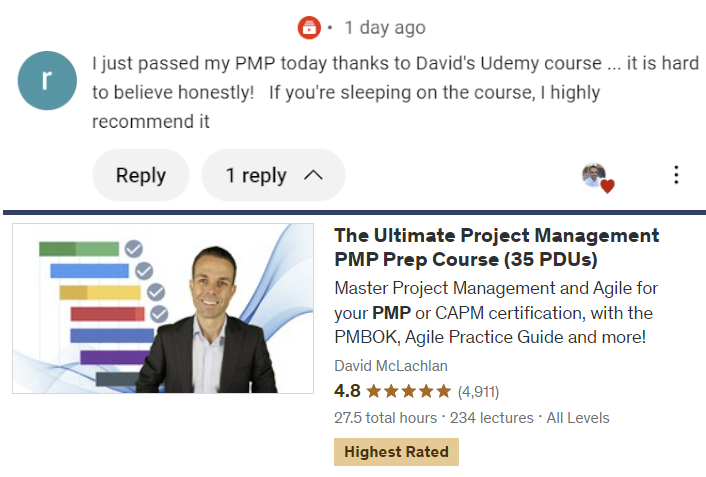
“I just passed my PMP today thanks to David’s Udemy course … it is hard to believe honestly! If you’re sleeping on the course, I highly recommend it.”

David McLachlan’s PMP Udemy Course is currently the highest rated PMP Course on Udemy.
David McLachlan PMP Udemy Review

See what people are raving about! Get the Project Plans, Project Tools in Excel, Udemy PMP Course or Udemy Agile course here:
PMI PMP 35 PDUs CourseThe Ultimate PMP Project Management Prep Course (35 PDUs)
Agile Certified Practitioner (PMI-ACP 21 PDUs)The Complete Agile Course: PMI-ACP (21 PDUs), Coaching, Jira and MORE! 
50 Project Management Templates Gantt Chart Risk Matrix and more Excel50+ Project Management Templates in Excel and PowerPoint (Gantt Chart, Risk Matrix and more!)
Project Management Plan TemplatesPre-made Project Management PLAN Template: Save 100 HOURS!