Tag Archives: project management

Prototypes in a Waterfall or Agile Project

Prototype First, Then Build With Less Risk

If you’re working in or studying Project Management, it is essential to know about Prototyping and the different types of prototypes you might use.

A Prototype is a small, low cost version of the real thing, so we can see if it works and whether we really want it.

The idea of Prototyping works in any form of project. We might build a house or a bridge using a sequential, step-by-step approach (such as Waterfall). The prototypes we’ll use on these projects might include architectural designs, blueprints, or 3D models created by a draftsman or engineer to help us see if the design will work.

In a software environment, it is common to create a storyboard or wireframe of the new system, so we can see if it flows well when we “use” it, and we can see if the design works for any customers that trial it.

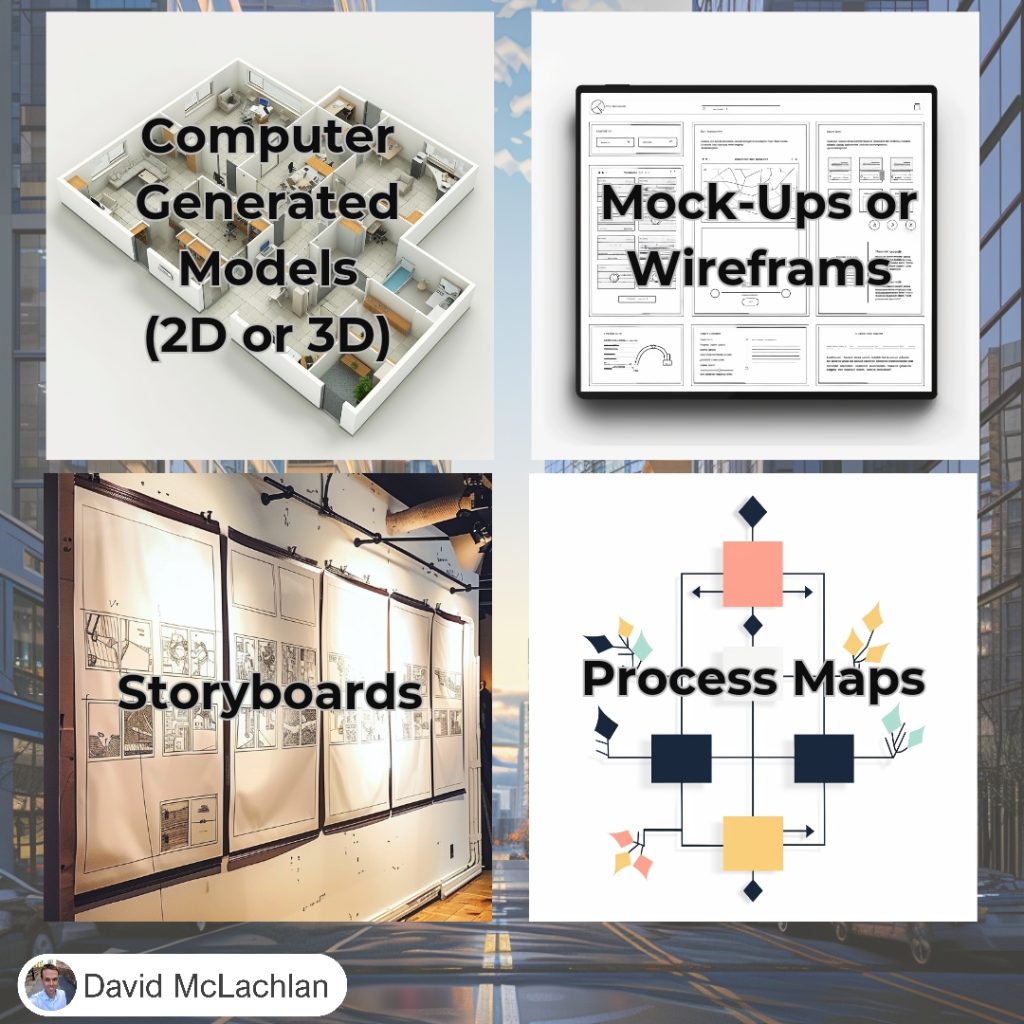
These are the most popular Prototypes you’ll come across:

  • ✅ Mock-ups or Wireframes: A simple drawing or design of the new idea.
  • ✅ Process Maps: Connecting process steps with boxes so you can see how a new process will flow.
  • ✅ Storyboards: Connect your designs together to link as they would in the real item, as you navigate a new design.
  • ✅ Computer generated models (2D or 3D): Using Blender or CAD, or cardboard and glue, you can see it in more depth and make corrections early.

➡️ What are some other Prototyping methods you use in your projects?

See more Project Management Picture Concepts:

You can see what people are saying about David McLachlan here: REVIEWS

Navigate to Free Project Management and Leadership Articles through the links on the right (or at the bottom if on Mobile) 
PMI PMP 35 PDUs CourseThe Ultimate PMP Project Management Prep Course (35 PDUs)
Agile Certified Practitioner (PMI-ACP 21 PDUs)The Complete Agile Course: PMI-ACP (21 PDUs), Coaching, Jira and MORE! 
50 Project Management Templates Gantt Chart Risk Matrix and more Excel50+ Project Management Templates in Excel and PowerPoint (Gantt Chart, Risk Matrix and more!)
Project Management Plan TemplatesPre-made Project Management PLAN Template: Save 100 HOURS!


Good versus Bad Project Management

What Does Good Project Management Look Like?

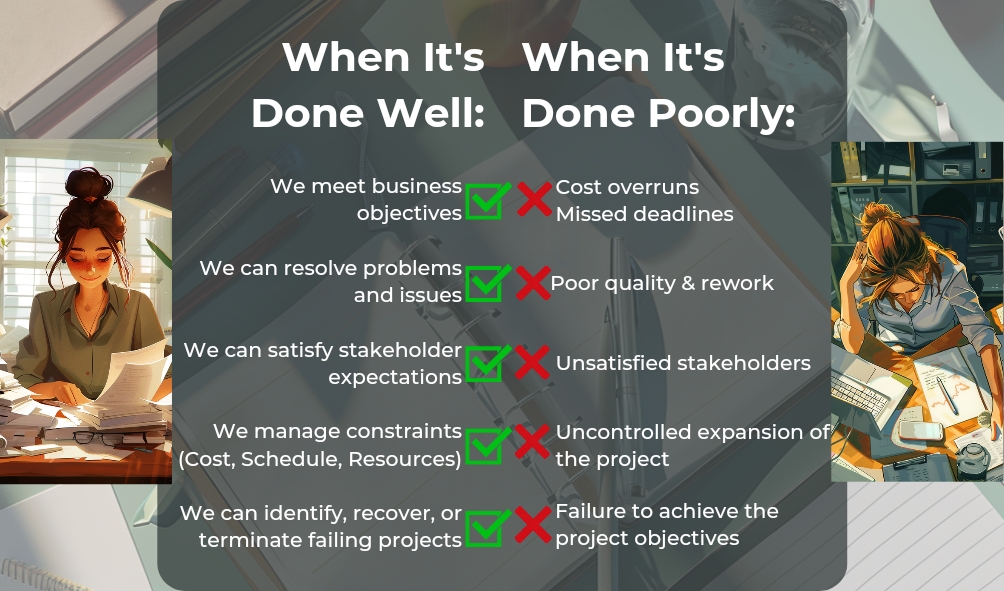
People often ask what the value of a project manager is. When Project Management is done well:

  • We meet business objectives
  • We can resolve problems and issues
  • We can satisfy stakeholder expectations
  • We manage the project constraints (Cost, Schedule, Resources, Scope)
  • We can identify, recover or terminate failing projects.

However, when Project Management is done badly, it soon becomes very obvious. Have you ever been on a project where it is not being run effectively? You might see:

  • Cost Overruns
  • Missed deadlines
  • Poor Quality and rework
  • Unsatisfied stakeholders
  • Uncontrolled expansion of the project scope
  • Failure to achieve the project objectives
Use the Project Manager Competency Triangle to Win:

There are three major areas of competency that a Project Manager needs to ensure they stay on the “Good project management” side of the equation. They are:

  1. The Project Management Process
  2. The Business Environment
  3. People Skills

We need the Project Management Process (from the PMBOK Guide, 6th Ed or the Process Groups Practice Guide) so we know all the steps to effectively delivering value and change.

We need knowledge of the Business Environment because we need to understand the value that we are delivering, and be able to help the team solve problems as they arise.

Lastly we need People Skills in order to build and grow an effective team, manage stakeholders and their expectations, lead as well as manage, shield the team from external politics, and ensure everyone is doing their part.

See more Project Management Picture Concepts:

You can see what people are saying about David McLachlan here: REVIEWS

Navigate to Free Project Management and Leadership Articles through the links on the right (or at the bottom if on Mobile) 
PMI PMP 35 PDUs CourseThe Ultimate PMP Project Management Prep Course (35 PDUs)
Agile Certified Practitioner (PMI-ACP 21 PDUs)The Complete Agile Course: PMI-ACP (21 PDUs), Coaching, Jira and MORE! 
50 Project Management Templates Gantt Chart Risk Matrix and more Excel50+ Project Management Templates in Excel and PowerPoint (Gantt Chart, Risk Matrix and more!)
Project Management Plan TemplatesPre-made Project Management PLAN Template: Save 100 HOURS!


Benchmarking: How To Do It

Benchmarking is a Great Way to Find Product Ideas

If you’re a business owner, manager, or a Product Owner or Product Manager you’ll often be on the lookout for new product ideas or ways to improve your business.

One of the best ways to do this is with Benchmarking.

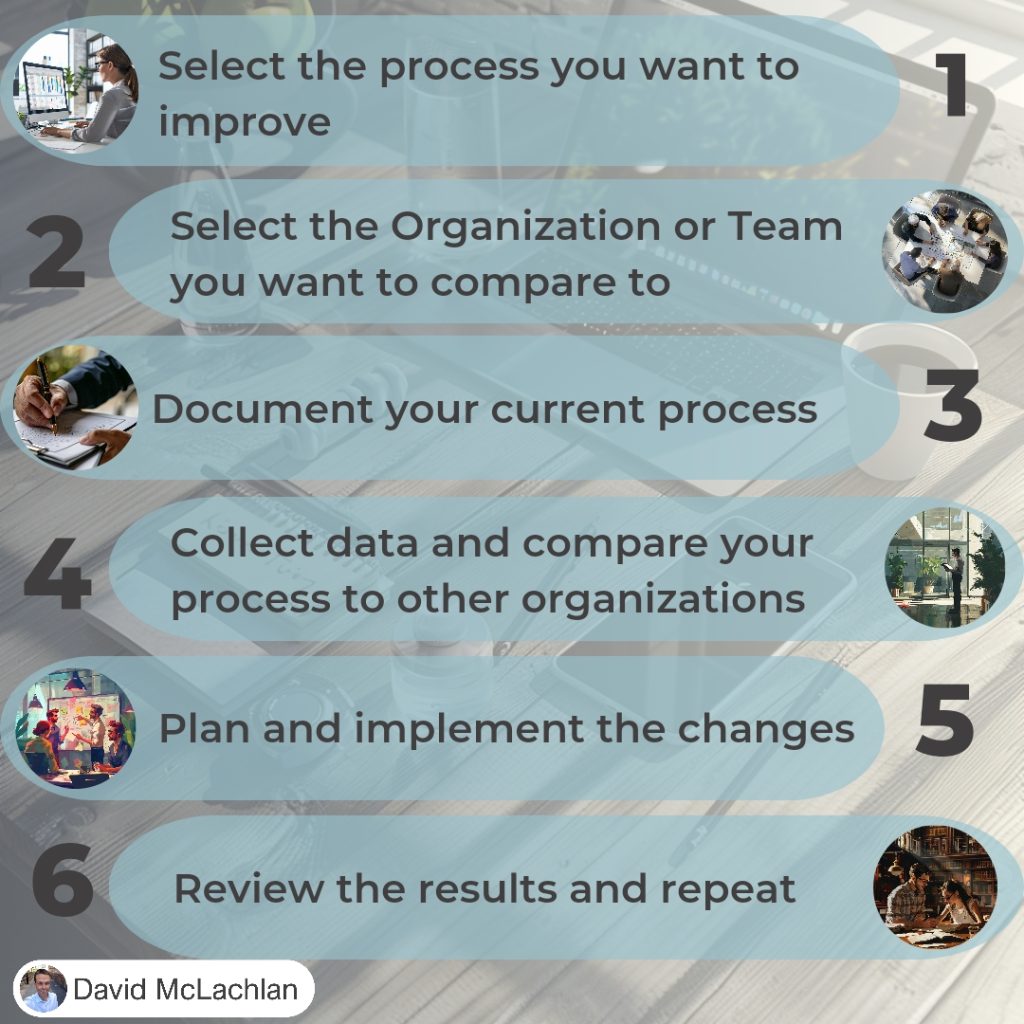
Benchmarking is comparing your current product or process to a similar product or process in another team or organization. It doesn’t have to be in the same industry – some of the best ideas can come from similar things but in completely different fields.

The steps to Benchmarking are:

  1. Select the process you want to improve,
  2. Select the organization or team you want to compare to,
  3. Document your current process,
  4. Collect data and compare your process to other organizations,
  5. Plan and implement the changes,
  6. Review the results, and repeat.

See more Project Management Picture Concepts:

You can see what people are saying about David McLachlan here: REVIEWS

Navigate to Free Project Management and Leadership Articles through the links on the right (or at the bottom if on Mobile) 
PMI PMP 35 PDUs CourseThe Ultimate PMP Project Management Prep Course (35 PDUs)
Agile Certified Practitioner (PMI-ACP 21 PDUs)The Complete Agile Course: PMI-ACP (21 PDUs), Coaching, Jira and MORE! 
50 Project Management Templates Gantt Chart Risk Matrix and more Excel50+ Project Management Templates in Excel and PowerPoint (Gantt Chart, Risk Matrix and more!)
Project Management Plan TemplatesPre-made Project Management PLAN Template: Save 100 HOURS!


Project Benefit Types – Tangible and Intangible

What Type Of Benefits Does Your Project Have?

Projects are temporary, and they deliver something new – a change and business value. Many executives forget about the “business value” part though, and instead focus on:

  • Doing business with a company because their friend / partner / spouse owns it,
  • Adding the latest system just because it is currently trending,
  • Doing a project because you need to spend the budget you have before the end of the year.

Those things don’t inherently add business value. Instead, there are two types of business value we can be aware of when delivering a change or a project.

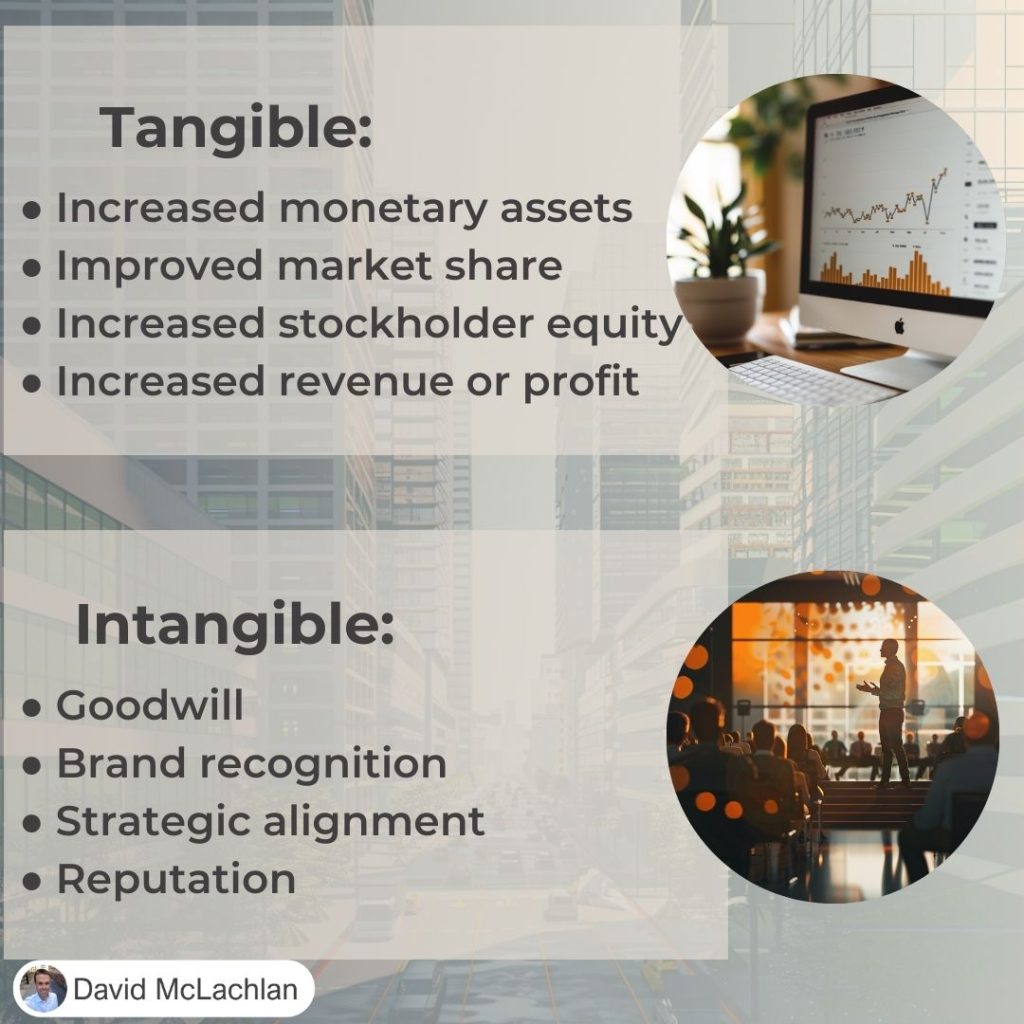
Tangible Value

This is something physical that we can see making a difference directly. It usually comes down to money. It could be:

  • Increased monetary assets
  • Increased market share
  • Increased stockholder equity
  • Increased revenue or profit

It might be directly more customers, or figuring out how to increase customer value, or reducing the customer acquisition cost.

It is something we can measure directly.

Intangible Value

Intangible value is harder to measure. We know we are adding value, we know something is increasing, but it is hard to see how it directly affects the bottom line of our department or company. It might include:

  • Brand recognition
  • Goodwill
  • Reputation
  • Strategic alignment

We might see how many people have seen and can recognize our brand, but we won’t know the real difference it has made until we can see an improvement to our bottom line.

See more Project Management Picture Concepts:

You can see what people are saying about David McLachlan here: REVIEWS

Navigate to Free Project Management and Leadership Articles through the links on the right (or at the bottom if on Mobile) 
PMI PMP 35 PDUs CourseThe Ultimate PMP Project Management Prep Course (35 PDUs)
Agile Certified Practitioner (PMI-ACP 21 PDUs)The Complete Agile Course: PMI-ACP (21 PDUs), Coaching, Jira and MORE! 
50 Project Management Templates Gantt Chart Risk Matrix and more Excel50+ Project Management Templates in Excel and PowerPoint (Gantt Chart, Risk Matrix and more!)
Project Management Plan TemplatesPre-made Project Management PLAN Template: Save 100 HOURS!


Project Management Key Concepts (in Pictures)

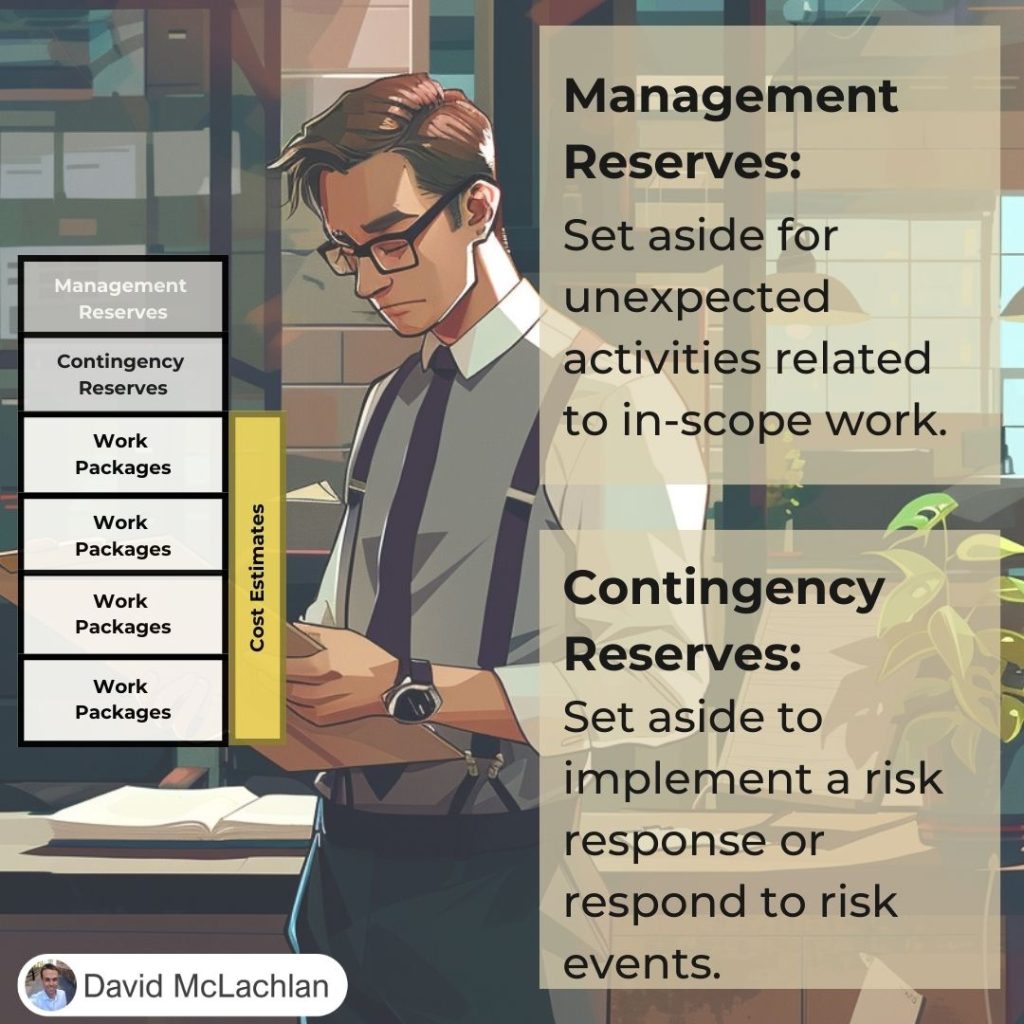
Cost Reserves (Contingency, Management):

Types of Project Benefits (Tangible, Intangible):

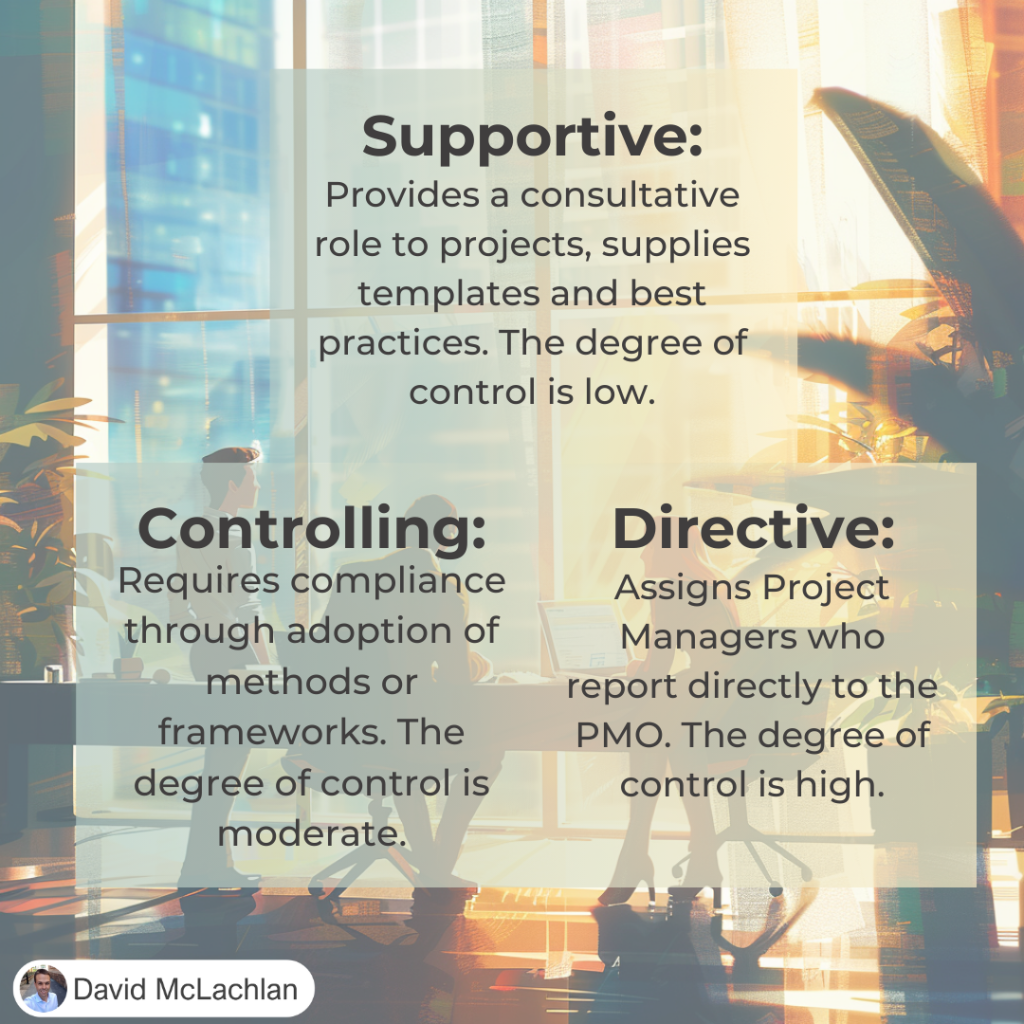
Three Types of PMO (Supportive, Controlling, Directive):

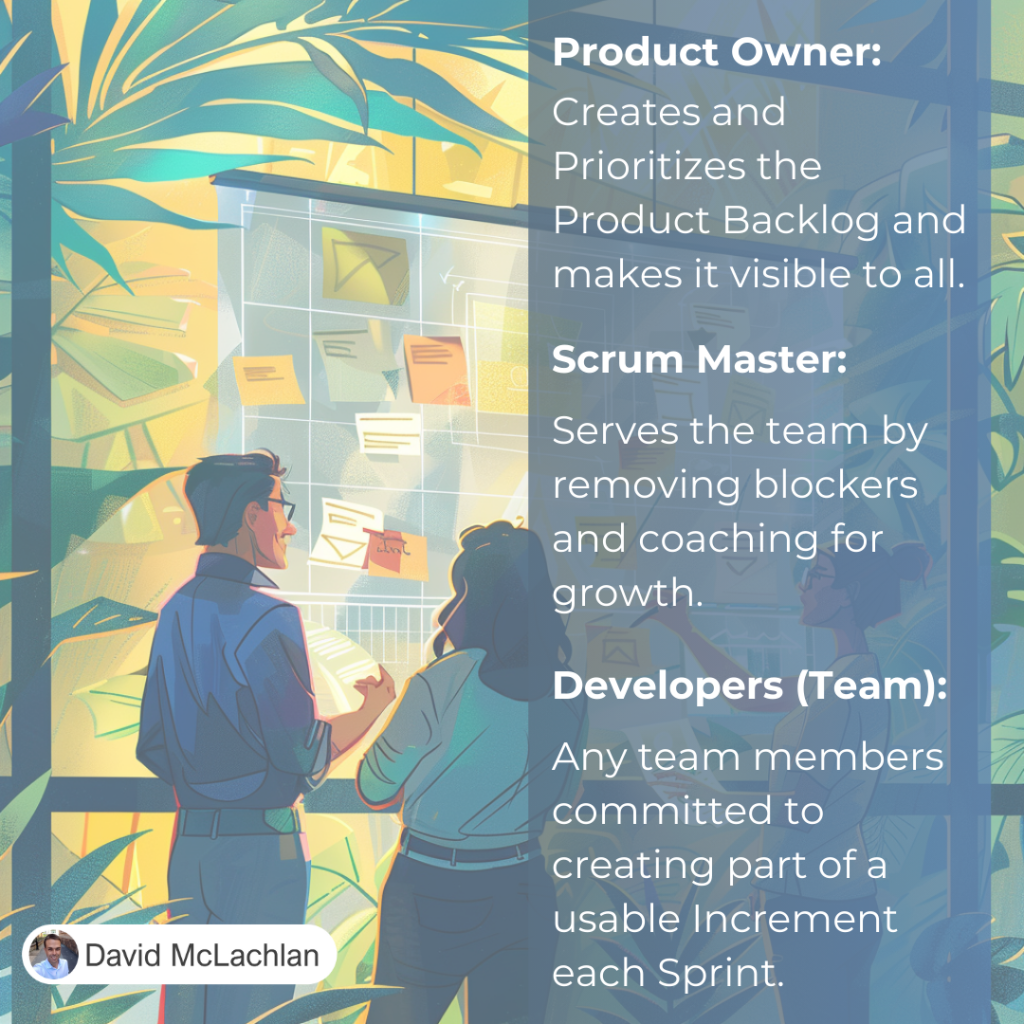
Roles on a Scrum Team:

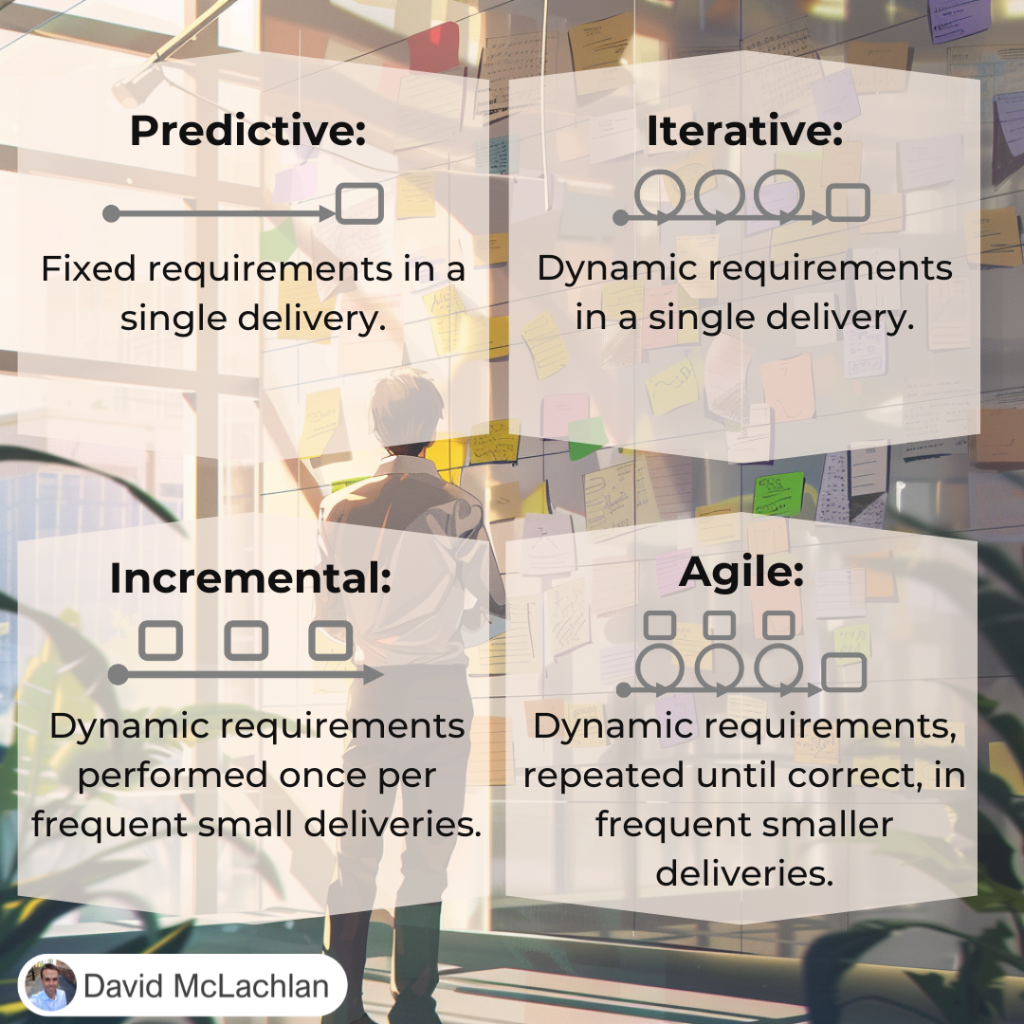
Project Development Lifecycles:

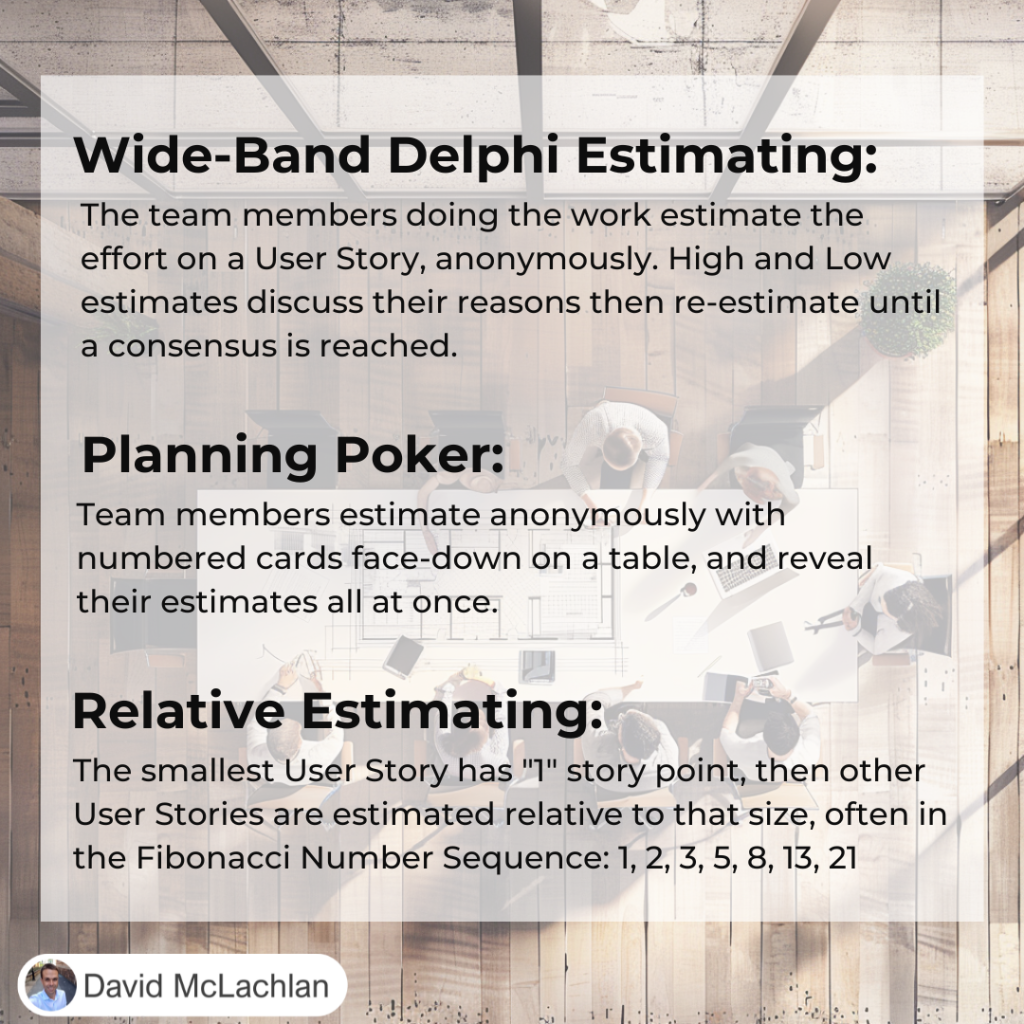
Agile Estimating:

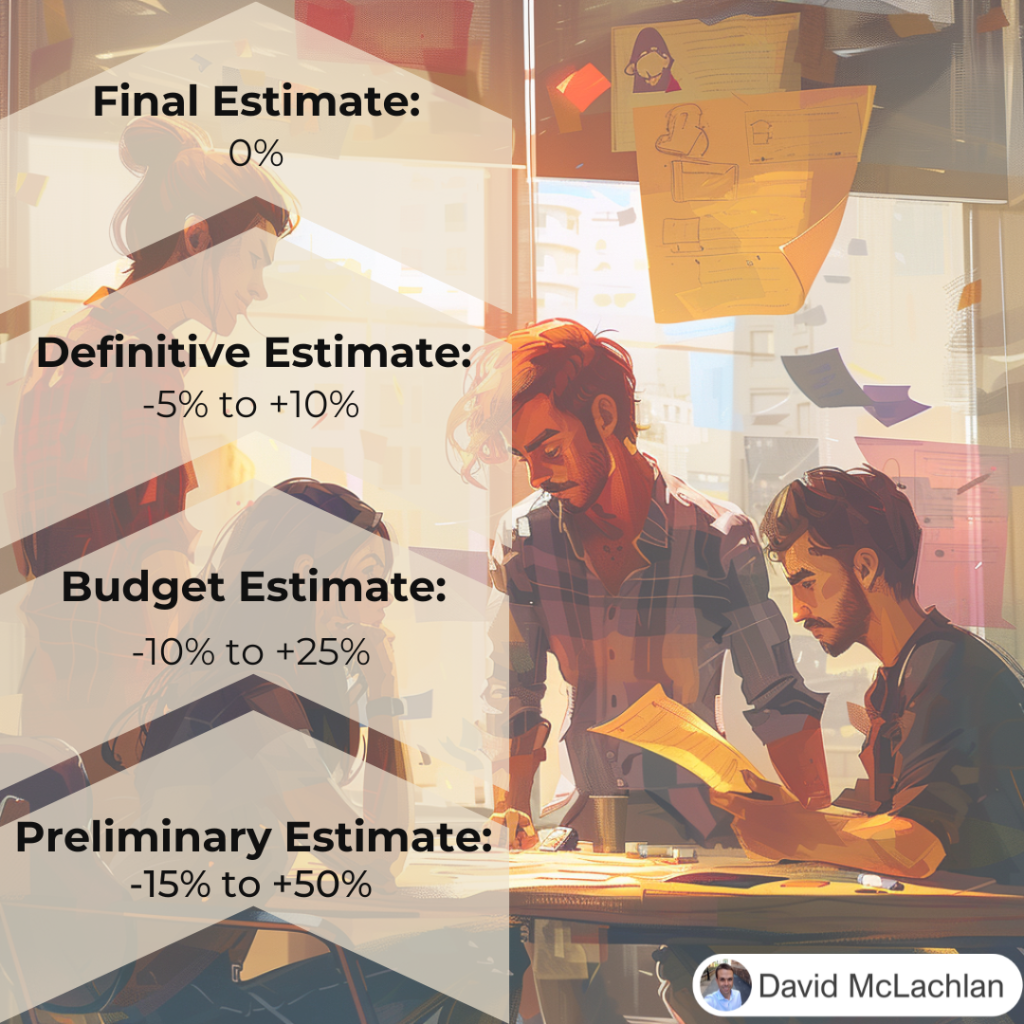
Estimating Types and Ranges:

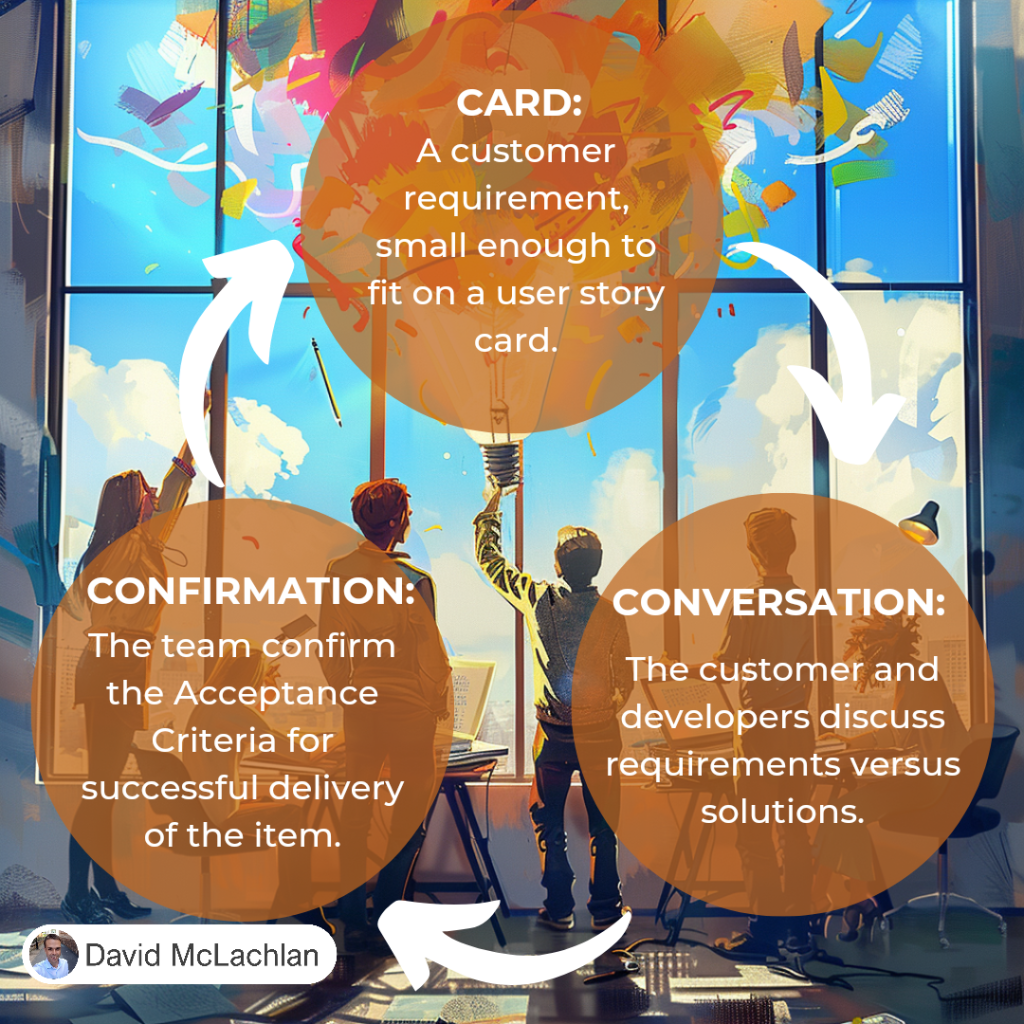
The Three Cs for creating User Stories:

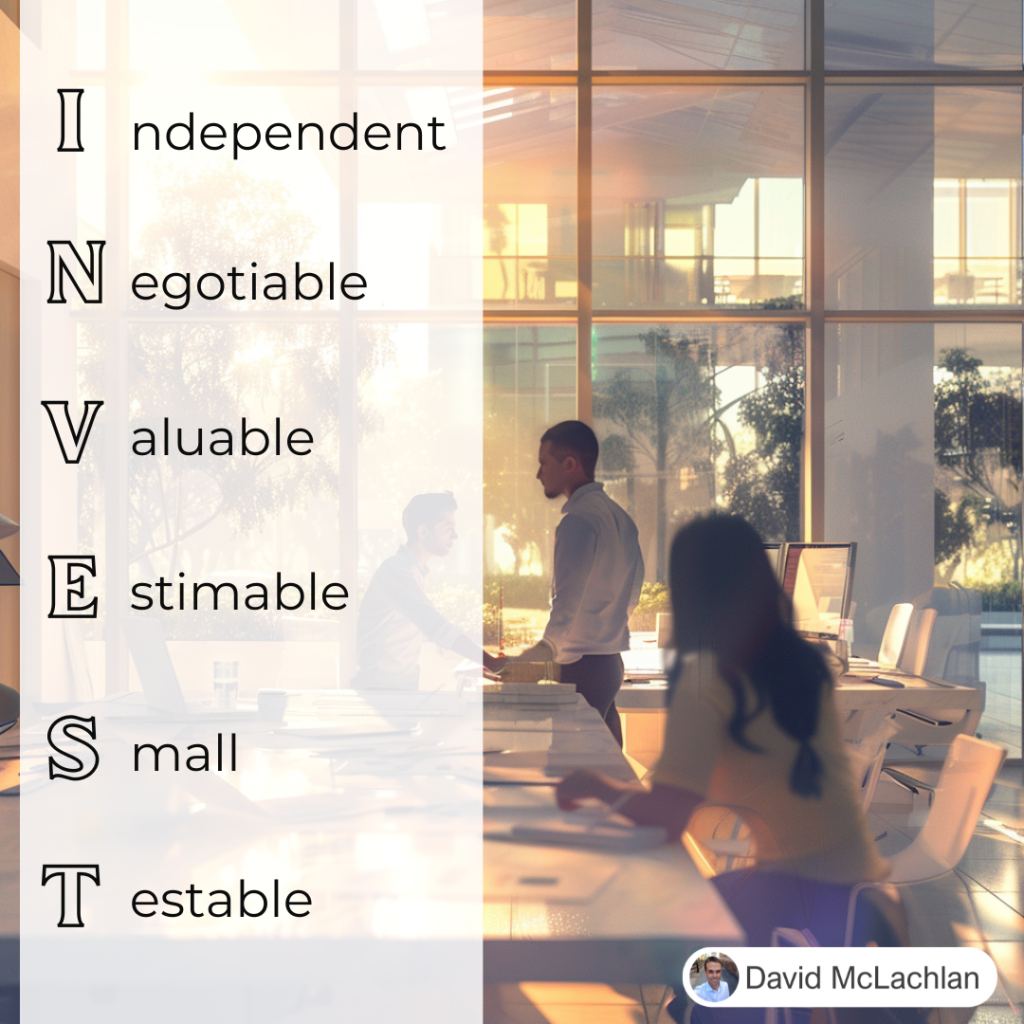
INVEST for creating User Stories:

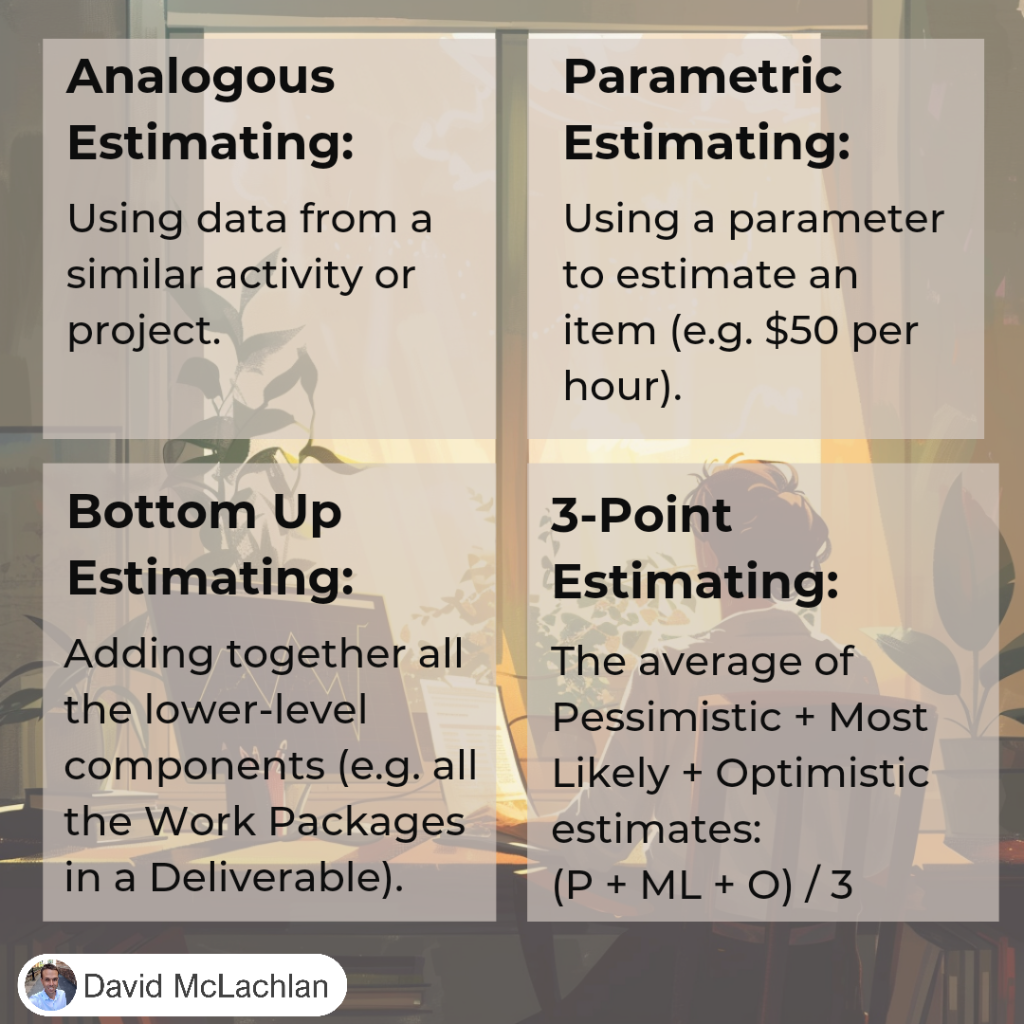
Types of Estimating (Analogous, Parametric, 3-point, etc.)

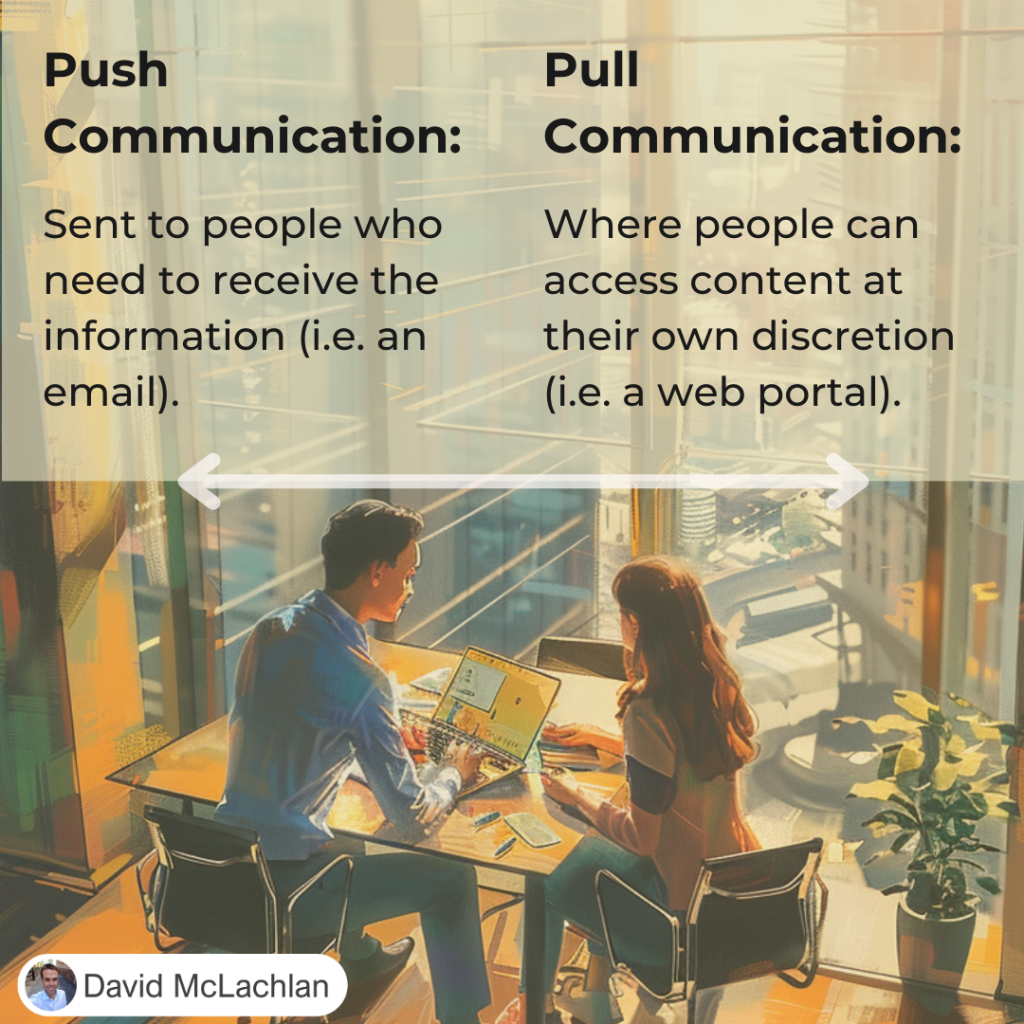
Push Communication and Pull Communication:

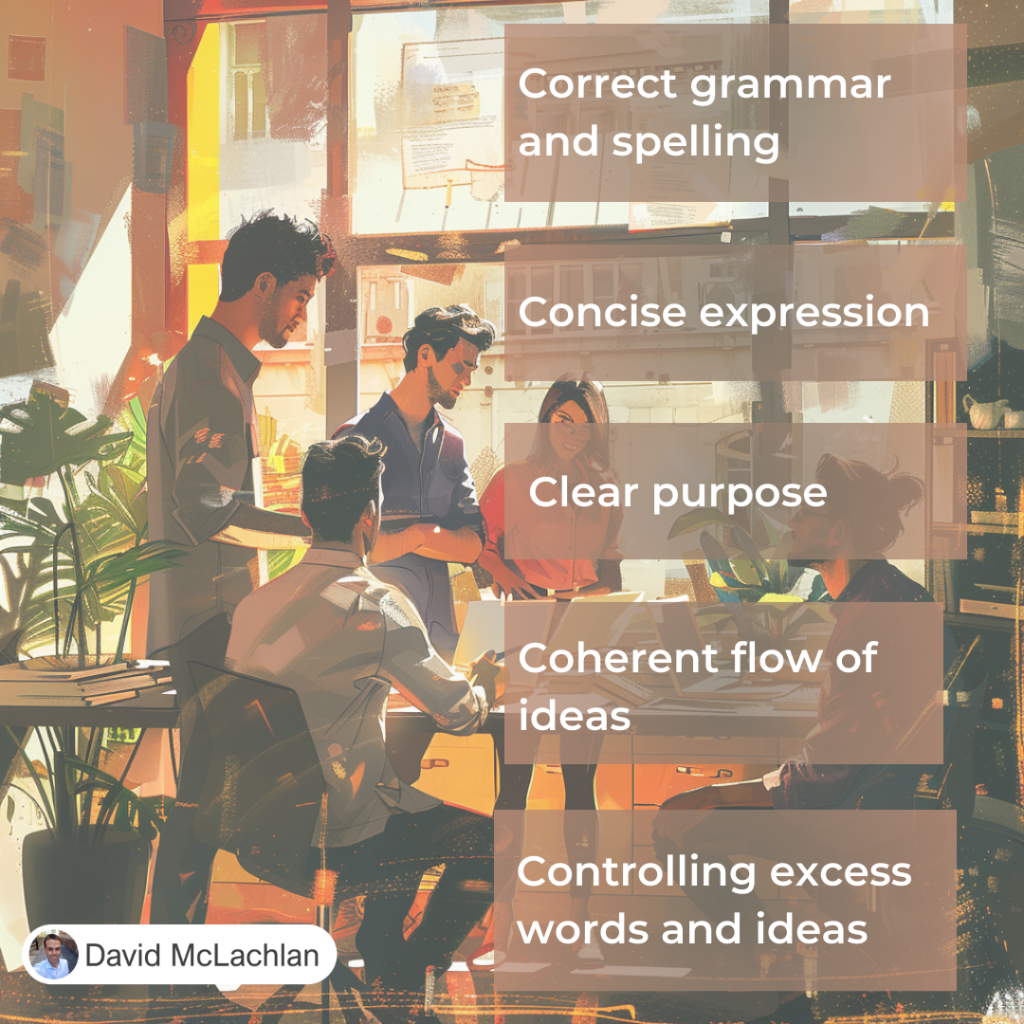
The Five Cs of Communication

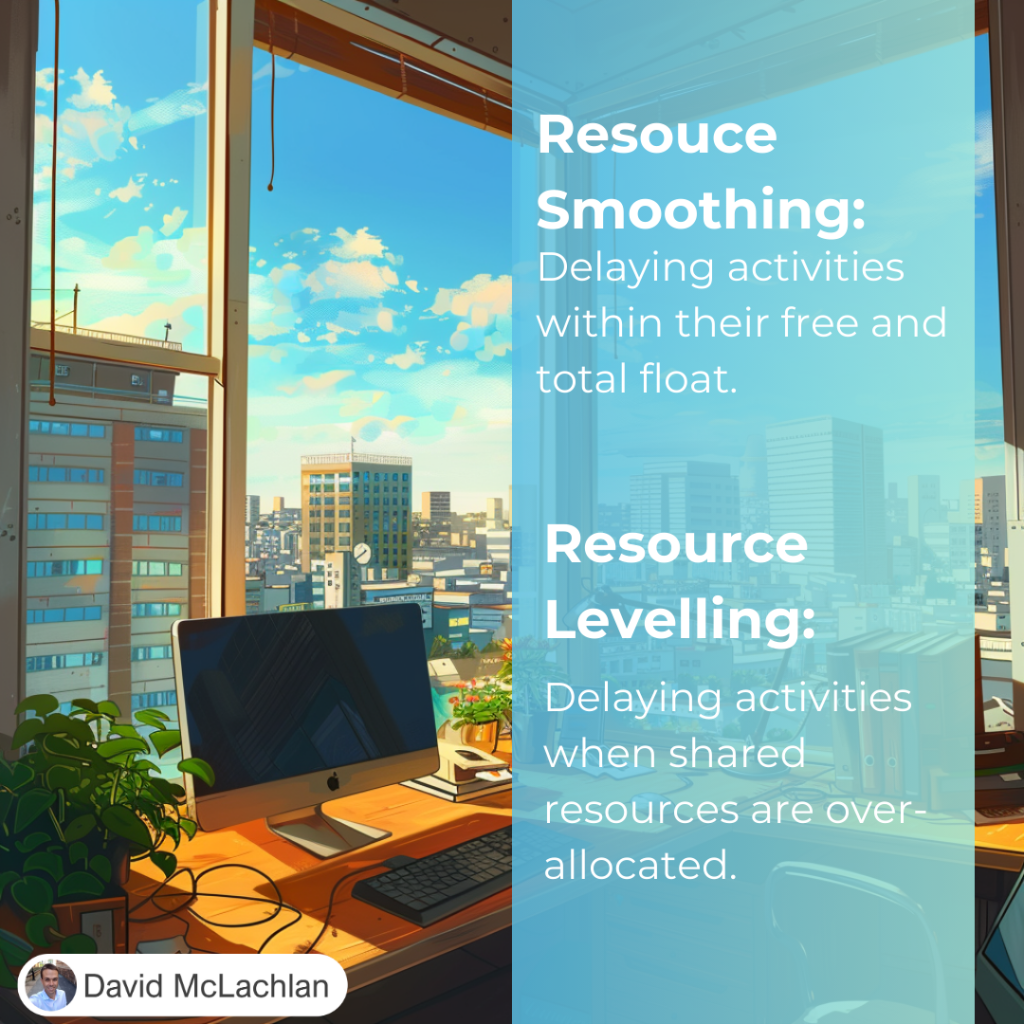
Resource Smoothing and Resource Levelling:

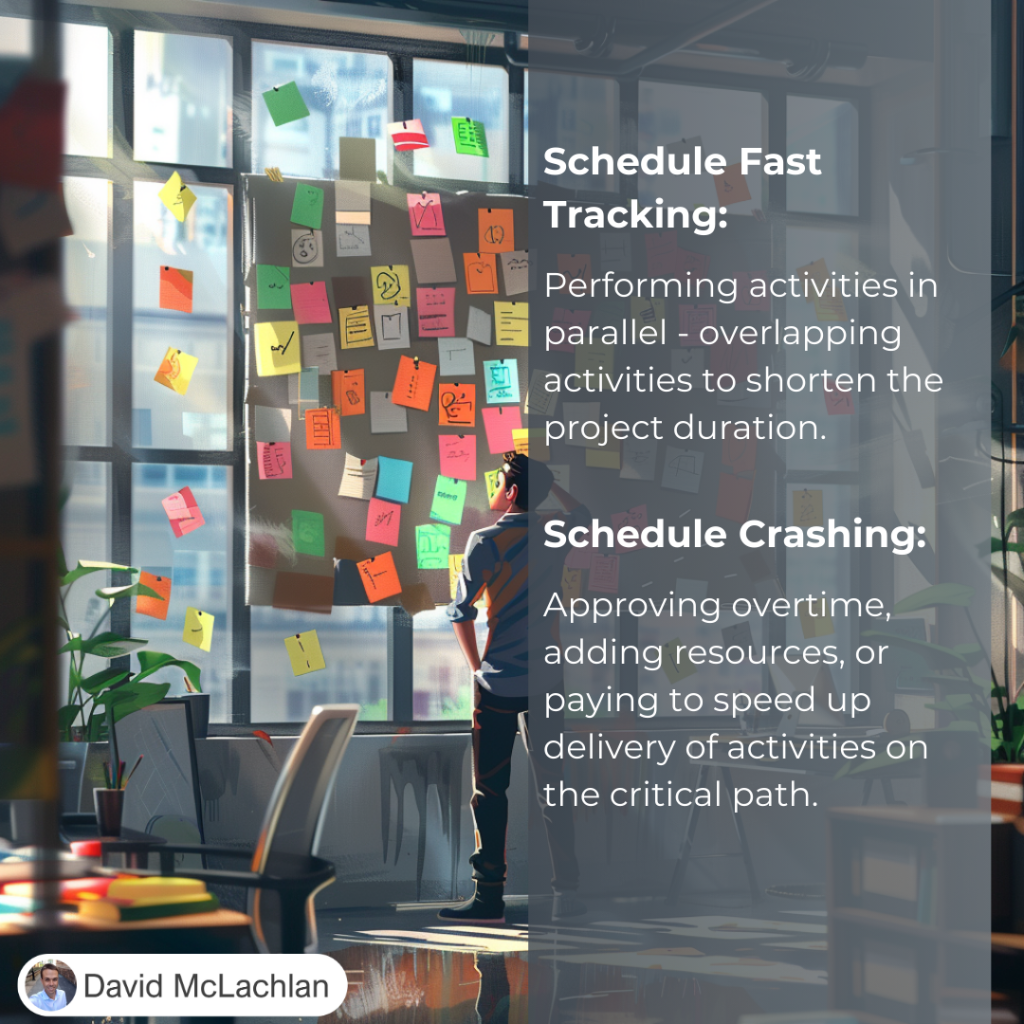
Schedule Fast Tracking and Schedule Crashing:

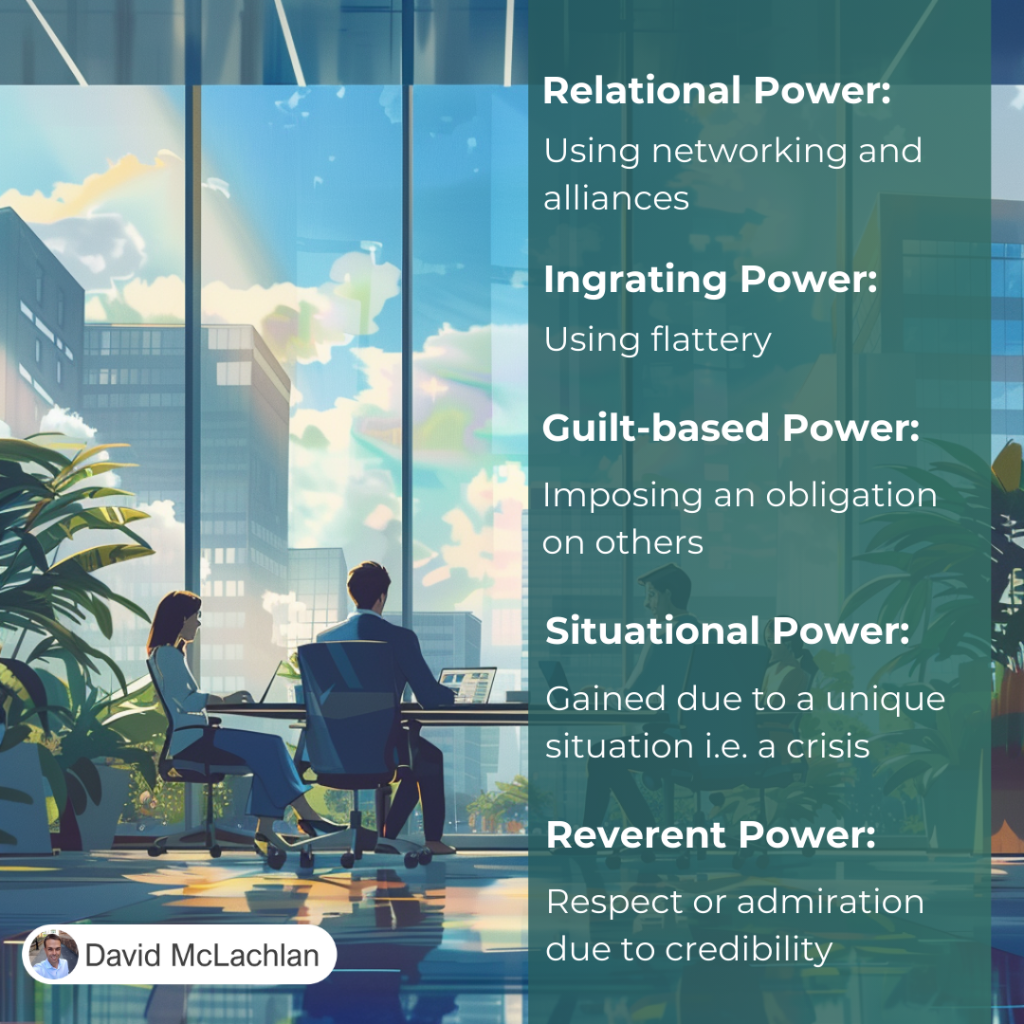
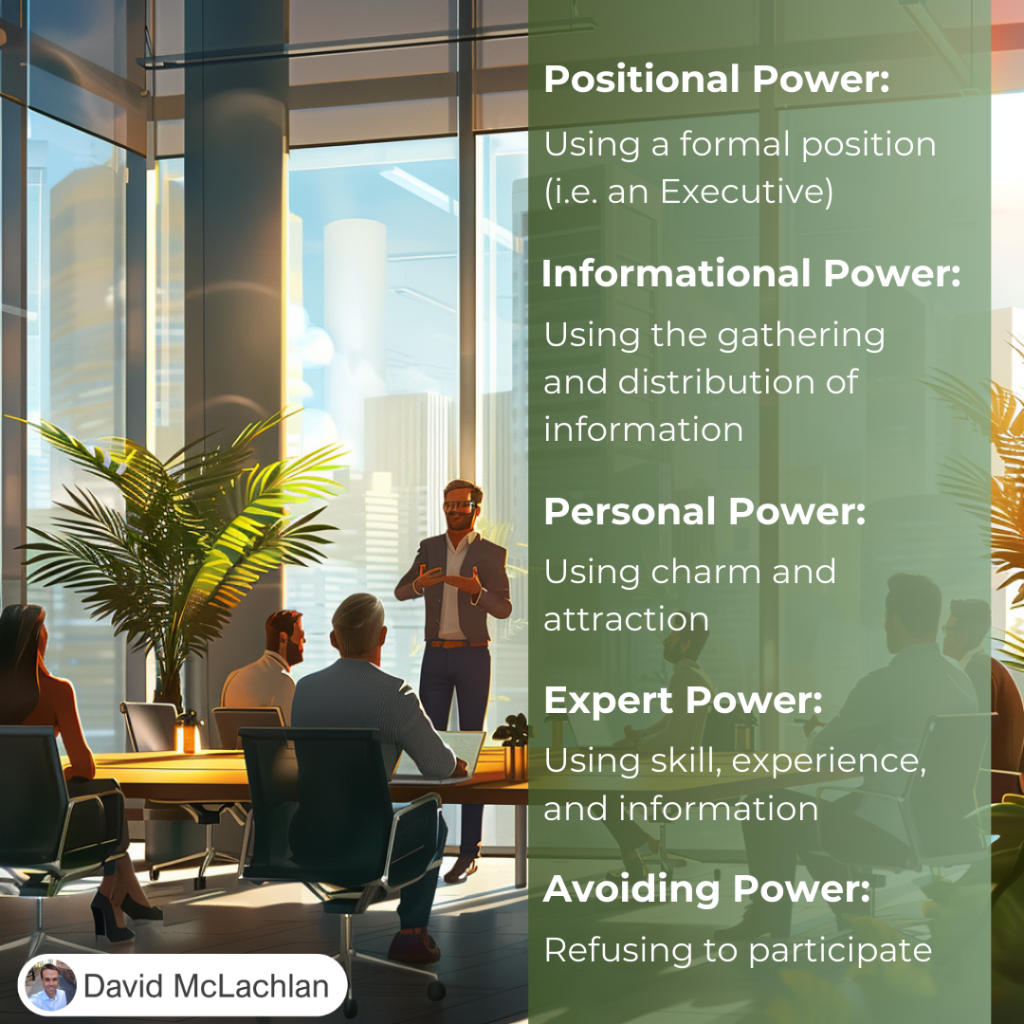
Types of Power:

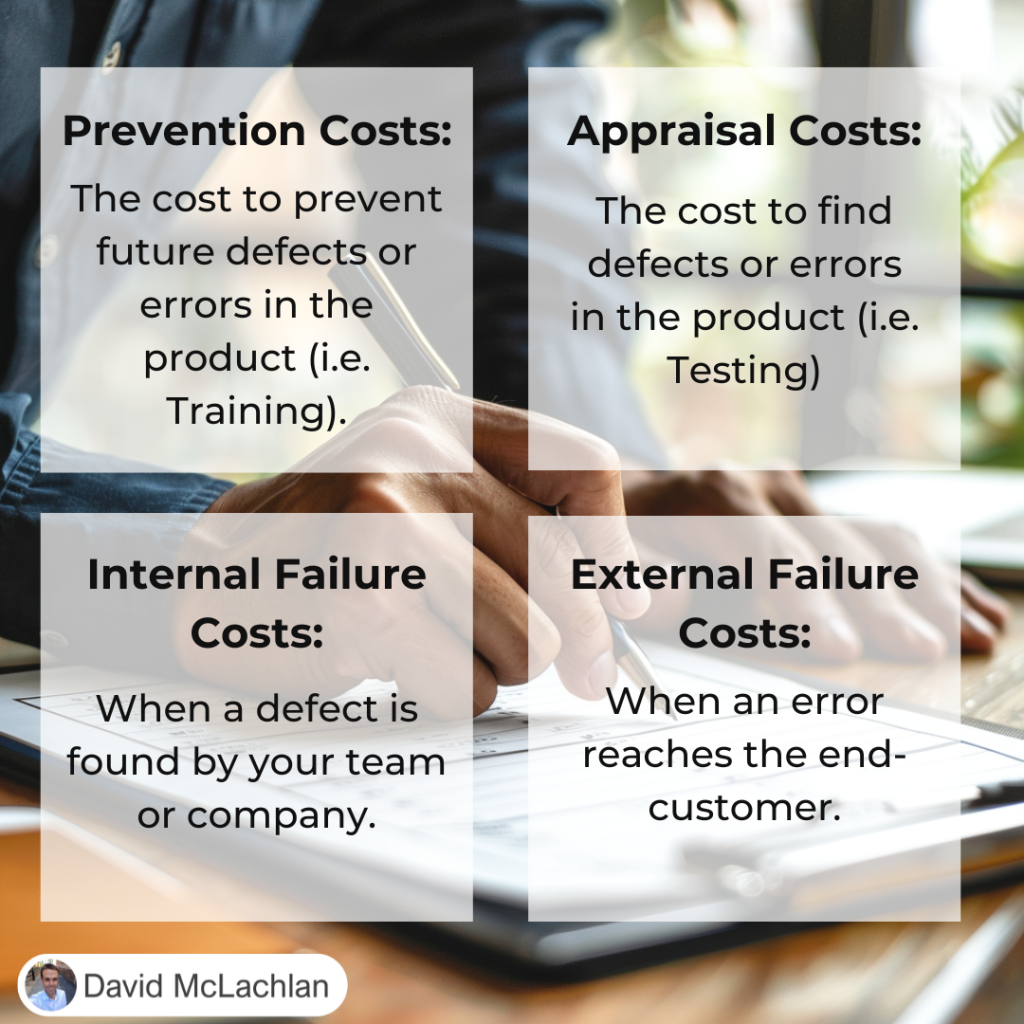
The Cost of Quality:

Cost of Quality

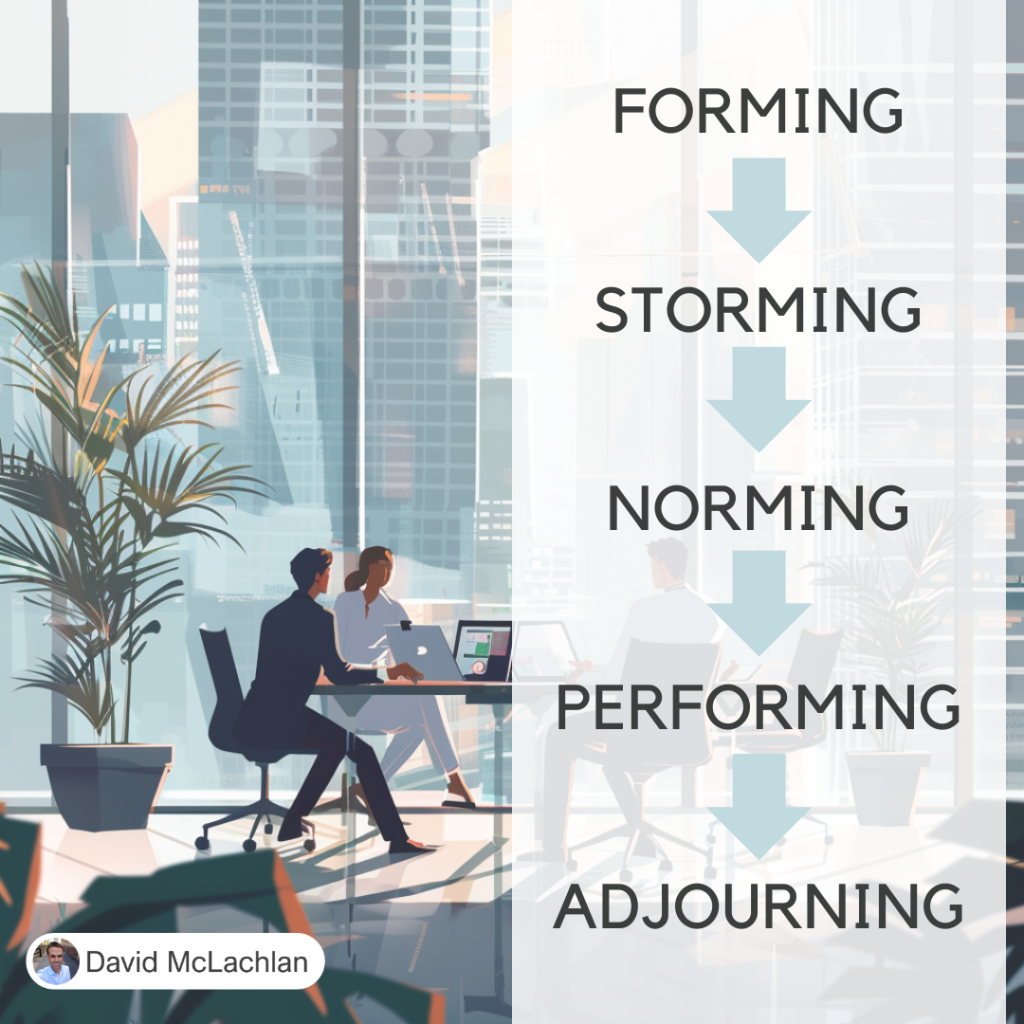
Tuckman’s Ladder (the Tuckman Model for Team Development):

Tuckmans Ladder

Adaptability and Resiliency:

Adaptability and Resiliency

Adaptability and Resiliency

Adaptability and Resiliency

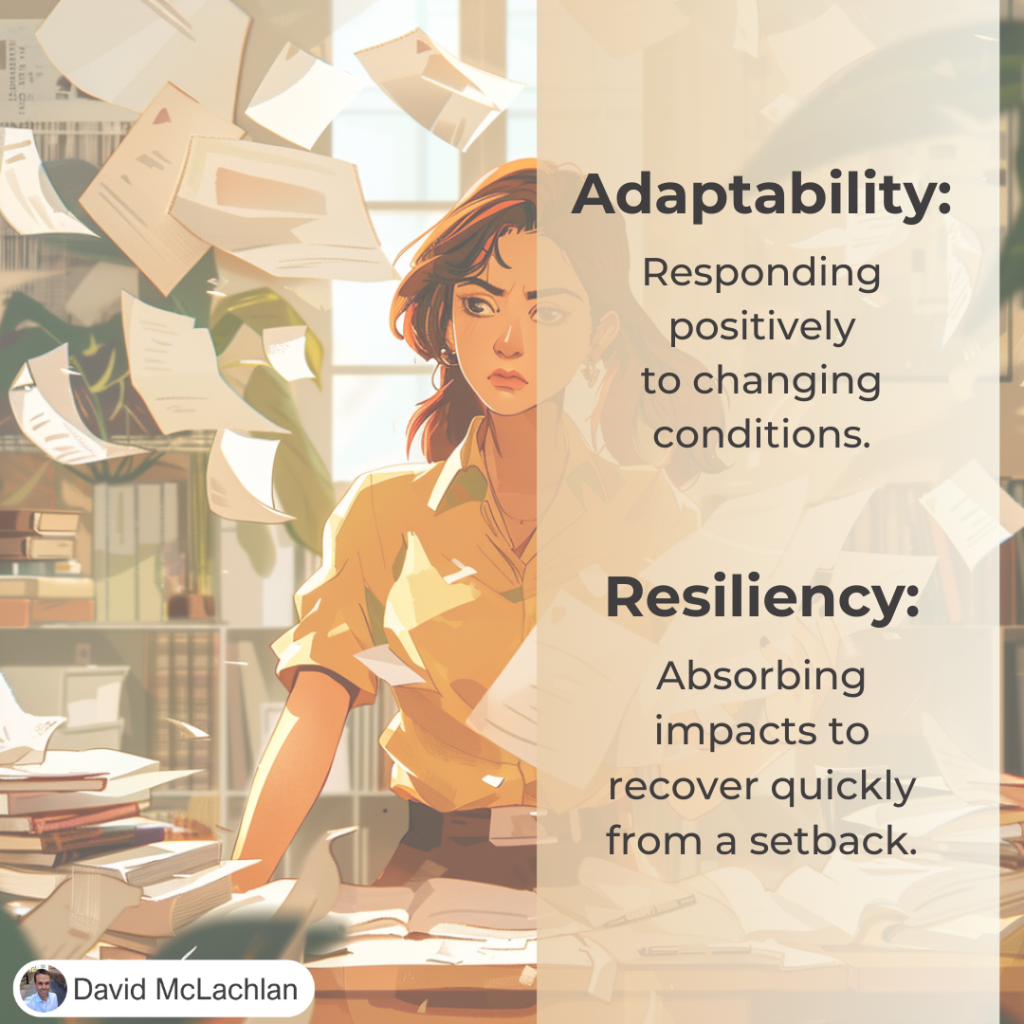
Projects are hard. But they can be easier when you and your team are Adaptable and Resilient.

The good news? You can improve both of these things.

Adaptability is responding positively to changing conditions.

Resiliency is absorbing impacts to recover quickly from a setback.

Having a solid foundation (like an emergency fund in your home Budget, or a career skill that is in high demand) will help you with both.


– David McLachlan

See more Project Management Picture Concepts:

How to Make a Lean A3 – Project on a Page

How to Make a Lean A3 Project on a Page

A Lean A3 is a project summary on a page. It tells the story of your change, improvement or project from the time it is just an idea all the way through to delivery and implementing the change. It also shows the main people involved, the data and reasons for the improvement, and a high level schedule for making the improvement.

It follows the “Deming Cycle”, of Plan, Do, Check, and Act (or Adjust). Check out the video to create your own PDCA Lean A3 in PowerPoint below!

Step 1

First create the heading area, by Inserting a Square shape, and colouring it grey.

Place two tables over the heading area, both without a “header” and unchecking banded rows. Turn these into our people and schedule list.

Plan Do Check Act picture 1

Step Two

Create seven more squares underneath this as our plank PDCA template,which will include the seven problem solving steps of a Lean PDCA A3. These are:

  1. Define the problem
  2. Grasp the current situation
  3. Plan
  4. Do
  5. Check
  6. Act (or Adjust)
  7. Lessons Learned

Lean A3 PDCA Blank Template

Step 3

Now we can fill in the Lean A3. For each step:

  1. Gather data and the “Gap” between where you are and where you want to be
  2. Use Value Stream Maps, process maps, Pareto charts, Fishbone diagrams to grasp the current situation and potential root causes
  3. Create an action plan based on the root causes, assign actions to people and give due dates.
  4. Show the schedules and actions in progress using a Gantt chart or Kanban board.
  5. Check your measures – what were you aiming for, and what was achieved?
  6. Update the Standard Operation Process (SOP) with the new process
  7. Perform a project Post-mortem, Retrospective, and gather lessons from the project.

Lean A3 PDCA Complete Template

– David McLachlan

Project Risk Management Video Course

 – See All The Project Management (PMBOK) Video Lessons Here – 

Below you will find videos on all the Project Risk Management sections from the PMBOK Guide.

If you want to see the “Key Concepts & Tools” for Project Risk Management, click here. Enjoy!

Project Risk Management Overview

Plan Risk Management

Identify Risks

Perform Qualitative Risk Analysis

Perform Quantitative Risk Analysis

Plan Risk Responses

Implement Risk Responses

Monitor Risks

Well done for improving your knowledge on Project Management! If you want to see the “Key Concepts & Tools” for Project Risk Management, click here. Enjoy!

 – See All The Project Management (PMBOK) Video Lessons Here – 

– David McLachlan

Project Communications Management Video Course

 – See All The Project Management (PMBOK) Video Lessons Here – 

Below you will find videos on all the Project Communications Management sections from the PMBOK Guide.

If you want to see the “Key Concepts & Tools” for Project Communications Management, click here. Enjoy!

Project Communications Management Overview

Plan Communication Management

Manage Communications

Monitor Communication

Well done for improving your knowledge on Project Management! If you want to see the “Key Concepts & Tools” for Project Communications Management, click here. Enjoy!

 – See All The Project Management (PMBOK) Video Lessons Here – 

– David McLachlan

Project Cost Management Video Course

 – See All The Project Management (PMBOK) Video Lessons Here – 

Below you will find videos on all the Project Cost Management sections from the PMBOK Guide.

If you want to see the “Key Concepts & Tools” for Project Cost Management, click here. Enjoy!

Project Cost Management Overview

Plan Cost Management

Estimate Cost

Determine the Budget

Control Costs

Well done for improving your knowledge on Project Management! If you want to see the “Key Concepts & Tools” for Project Cost Management, click here. Enjoy!

 – See All The Project Management (PMBOK) Video Lessons Here – 

– David McLachlan